Jackson Lane
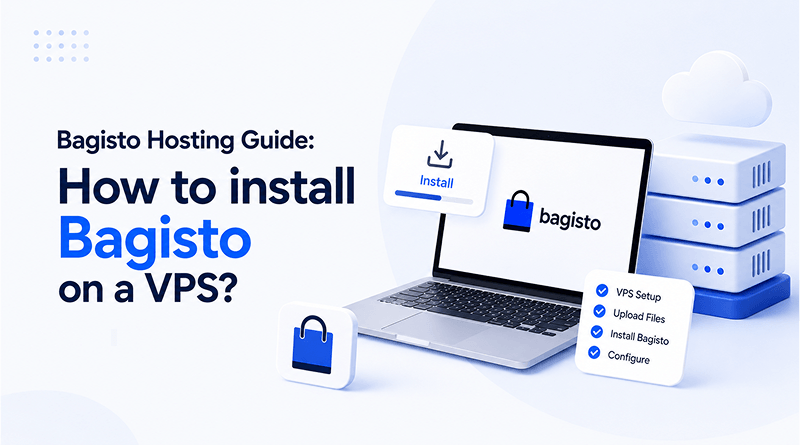
Bagisto is a Laravel-based open-source ecommerce platform to create marketplaces, mobile apps, and B2B shops. It reduces the development cycle and mitigates time, cost, and workforce for building an online store or migrating from physical stores to the dynamic online world. Engineered for rapid deployment, Bagisto serves all businesses from startups to corporates.
Establishing an online presence through this framework may be overwhelming for businesses. A VPS hosting environment provides the technical infrastructure required to run Bagisto efficiently. This blog walks you through the complete Bagisto installation process and the web hosting requirements for optimal performance.
⚡ Quick Answer
-
nginx-php uses Nginx + PHP-FPM and is launched using
docker-compose.nginx-php.yml. -
litespeed-php uses OpenLiteSpeed + lsphp and is launched using
docker-compose.litespeed-php.yml. -
apache-php uses Apache + mod_php and is launched using
docker-compose.apache-php.yml. - All three runtime options automatically provision supporting services such as MySQL, phpMyAdmin, and Mailpit; only the web server stack differs.
Table of Content
What is Bagisto?
Bagisto is an open-source ecommerce platform built on Laravel. It creates marketplaces, market apps, B2B platforms, and AI-powered ecommerce platforms.
Bagisto features the complete ecommerce solution, from advanced multi-vendor marketplaces and multi-tenant SaaS commerce platforms to integrated POS systems. Its flexible architecture seamlessly delivers an omnichannel experience, supporting blockchain-based integrations and headless commerce infrastructure.
The ecommerce platform fosters innovations through a modular core, extensive extensions, and strong community support. It helps deliver high-performance ecommerce applications customized to any business model. It is used by the enterprises that want to build standalone customisable ecommerce applications.
Bagisto vs Other Platforms: The Honest Assessment
Factor
BG
Bagisto
SH
Shopify
WC
WooCommerce
Who it’s for
Mid-market enterprises constrained by Shopify subscription costs or WooCommerce technical overhead — multi-store, multi-currency, multi-warehouse operations.
Merchants launching for the first time, with fewer deployment cycles, straightforward catalogs and standard checkout needs.
WordPress users wanting an ecommerce store without a full technical overhead, ideally with an in-house WordPress developer.
Deployment
Cloud-based and on-premise.
Cloud servers, PHP, Node.js, and headless storefronts (e.g., Vercel).
WordPress, Cloud, and PaaS (Platform-as-a-Service).
Pricing model
$200–$800/mo hosting & dev retainer; zero transaction fees; zero platform subscription fees.
$39–$399/mo plans plus 0.5–2% transaction fees on third-party payment providers.
Free plugin; $5–$50+/mo hosting; 2.9% + $0.30–$0.49 per transaction depending on gateway.
Key weakness
Needs a Laravel development team; longer setup time than Shopify; not suited for a 2-week launch with no dev support.
Premium transaction fees unless using Shopify Payments; paid add-ons stack up; limited checkout customization on non-Plus plans.
Performance tanks as order volume scales; substantial plugin security overhead; hosting costs rise disproportionately.
Honest verdict
Cost-effective at scale once Shopify or WooCommerce’s customization and pricing limits become a real constraint — not ideal for solopreneurs just starting out.
Excellent foundation for early merchants; becomes expensive to scale once volume fees and app costs exceed roughly $1,500/month.
A solid, scalable foundational platform — but doesn’t hold up under extensive customization or peak-performance demands at larger scale.
Bagisto: Who Is It Actually for?
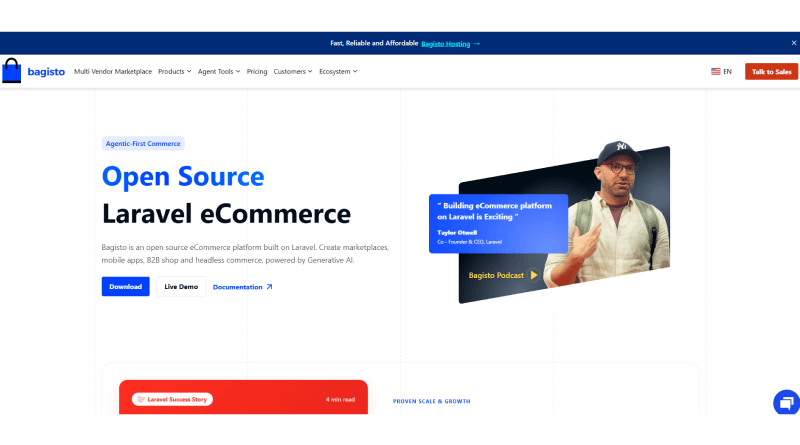
Mid-market enterprises are constrained by expensive Shopify subscription costs and WooCommerce technical overhead. For example: multi-store, multi-currency, and multi-warehouse operations. Bagisto features deep customisation of checkout options, pricing rules, or fulfilment workflows to help stores gain a competitive edge.
Where can Bagisto be deployed?
Cloud-based and on-premise.
Weaknesses
- Needs a Laravel development team for comprehensive maintenance.
- This platform is not suitable for non-technical founders who plan to launch in 2 weeks without any developer support.
- Longer setup time than Shopify.
Pricing Structure
Cost Component
Details / Pricing
Hosting, Maintenance & Dev Retainer
$200 to $800 / month
Transaction Fees
Zero, on any payment gateway
Platform Subscription Fees
Zero
Total Cost of Ownership
Significantly lower at scale compared to Shopify
Honest Verdict:
For growing brands, Bagisto offers a cost-effective alternative when the customization and pricing limitations of platforms like Shopify and WooCommerce become a concern. However, solopreneurs just starting out may find it more practical to choose a simpler platform during the initial stages.
Also Read: WordPress vs Shopify
Shopify: Who is it for?

Merchants building their digital marketplace for the first time with fewer deployment cycles use Shopify. Small- to mid-size businesses with straightforward product catalogues and standard checkout requirements use this platform. Businesses without development capacity need Shopify, where the transaction fee model is acceptable.
Where can Shopify be deployed?
Cloud servers, PHP, Node.js, and headless storefronts (e.g., Vercel)
Weaknesses
- Premium transaction fees unless using Shopify Payments.
- Add-on costs for email marketing, reviews, loyalty, and other subscriptions.
- Limited customisation of checkout flow on non-Plus plans.
Pricing Structure
Plan
Details / Pricing
Basic
$39/month + 2% transaction fees for 3rd-party payment providers
Grow
$105/month + 1% fees for 3rd-party payment providers
Advanced
$399/month + 0.5% fees for 3rd-party payment providers
Honest Verdict
Excellent for early merchants to build the foundation of an online store. Gradually, it becomes expensive to scale relative to alternatives. Once the volume fees and app costs exceed $1,500 per month, it becomes financially inefficient to operate on this platform.
WooCommerce: Who Is It Actually for?
WordPress users who want to design ecommerce stores without technical overhead use WooCommerce. Merchants build SEO-optimised storefronts for building intuitive shopping experiences. Businesses with an in-house WordPress developer can opt for this medium to build the online store, maximising their technical expertise.
Where can WooCommerce be deployed?
WordPress, Cloud, and PaaS (Platform-as-a-Service).
Weaknesses
- Performance tanks as order volume scales.
- Security overhead is substantial due to different plugin update cycles.
- Hosting costs increase at a disproportionate rate.
Pricing Structure
Cost Component
Details / Pricing
Plugin Cost
100% Free
Web Hosting
$5 to $50+ per month
Domain Name
$10 to $20 per year
Total Cost of Ownership
WooPayments/Stripe: 2.9% + $0.30 per transaction · PayPal: 2.9% + $0.49 per transaction
Honest Verdict
WooCommerce serves as an excellent, scalable solution for businesses requiring a foundational yet capable e-commerce platform. However, it doesn’t align with the extensive customization, and peak performance. The WordPress plugin is engineered for mid-size business owners whose scalability is currently limited. This is where Bagisto serves as a definitive groundwork for exponential digital scaling.
Also Read: Magento vs Shopify
Bagisto Store: System Requirements
Before installing Bagisto in your system, ensure you have these key prerequisites:
Server Configuration
- Server: Apache 2 or NGINX
- RAM: 4GB or higher
- Node: 22.13.1 LTS or higher
- PHP: 8.3 or higher
- Composer: 2.5 or higher
PHP Extensions
- php-intl: Required for internationalization support
- php-gd: Required for image processing and manipulation
- Other standard Laravel extensions: Check via the php -m command.
PHP Configuration
Key settings in your php.ini:
- memory_limit = 4G
- max_execution_time = 360
- date.timezone = Asia/Kolkata # Change to your timezone
Database
- MySQL: Version 8.0.32 or higher
- Collation: utf8mb4_unicode_ci (recommended)
Pro Tip
Run php -v and composer –version to verify your PHP and Composer versions meet the requirements.
How to install Bagisto On Your System?
Method 1: Quick Installation (on Local Machine)
This is the quickest way to install Bagisto.
Note: Ensure you have complete prerequisites before installing Bagisto.
Step 1: Create Project
Run the following command after opening your terminal:
composer create-project bagisto/bagisto my-bagisto-storeStep 2: Navigate to Directory
cd my-bagisto-storeStep 3: Run Installation
php artisan bagisto: installNext, the installation process will continue within the terminal, prompting you to input all details of the local hosting environment to create applications, a database, and an admin account.
Step 4: Start Development Server
php artisan serve.Your Bagisto store is hosted on a local machine: http://localhost:8000.
Method 2: Manual Installation
This method is beneficial for users demanding full root control over the environment. But before that, you need to ensure Composer is installed.
Step 1: Download Bagisto Package
Download the official Bagisto package from the website.
Step 2: Configure Environment
Copy the following environment file and generate a key:
cp .env.example .env.php artisan key:generateConfigure your .env file with appropriate database credentials and application settings.
Step 3: Set Up Store
Confirm database credentials configured in the .env file are accurate before proceeding. Once confirmed, run the following command:
php artisan migrate:fresh --seed

php artisan storage:link

php artisan optimise:clear
Step 4: Launch Store
php artisan serve.Visit http://localhost:8000 to access your store.
Method 3: Docker Installation
Method 1: Using Docker Hub (Recommended)
It is the easiest way to get Bagisto running with Docker:
docker pull webkul/bagisto:latestStep 1: Pull Bagisto Image
docker pull webkul/bagisto:latestStep 2: Run Container
docker run -it -d -p 80:80 webkul/bagisto:latestSometimes port 80 remains active. In such cases, use a different port using the command:
docker run -it -d -p 8082:80 webkul/bagisto:latestThen, access http://localhost:8082.
Method 2: Using Docker Compose
This method gives you complete control over customisation:
Step 1: Clone Repository
git clone https://github.com/bagisto/bagisto-docker.git bagisto-docker

cd bagisto-docker
Step 2: Pick a Web Server Runtime
Three interchangeable web server runtimes are included in the repository – choose the ones that work best for you. There is a compose file for each application that builds the runtime image and starts MySQL, phpMyAdmin, and Mailpit:
Adjust the UID (to your host UID) or the ports in the chosen file if needed:
Services:
nginx-php:

Build:

args:

uid: 1000 # set to your host UID

user: $USER

container_project_path: /var/www/html/

context: ./runtimes/nginx-php

dockerfile: Dockerfile

image: nginx-php

ports:

- 80:80

- 5173:5173 # Vite dev server

volumes:

- ./workspace/:/var/www/html/

# ... plus MySQL, phpMyAdmin and Mailpit services.
Step 3: Launch Services
Run the setup script to initialise and build everything:
sh setup.shStep 4: Access Services
Store: http://localhost

Admin Panel: http://localhost/admin

PHPMyAdmin: http://localhost:3030

Mailpit: http://localhost:8025
Choosing the Right Hosting Plan for Your Bagisto Store
Bagisto’s resources scale along with the catalogue size, concurrent checkouts, and number of stores you are running from one instance. Use current monthly traffic stats as a reference point, then upgrade to top-tier plans for heavy customisation.
Hosting Type
Best For
Recommended Specs
MilesWeb Plan
VPS Hosting
New Bagisto store, single catalog, testing or early launch
1 vCPU, 4 GB RAM, 50 GB NVMe SSD, 4 TB bandwidth
Managed VPS
Solo developers who want the server maintenance handled for them
1 vCPU, 1 GB RAM, 25 GB SSD NVMe, 1 TB bandwidth, fully managed
Cloud Hosting
Growing Bagisto stores needing scalable, managed resources
5 CPU cores, 5 GB RAM, 150 GB NVMe storage, unmetered bandwidth, 100 websites
Dedicated Server
High-traffic, multi-store or multi-warehouse Bagisto deployments
AMD EPYC 7C13, 6 cores / 12 threads, 32 GB DDR4 RAM, 480 GB NVMe, 5TB/1Gbps bandwidth
Performance Optimisation Tips for Bagisto’s Store
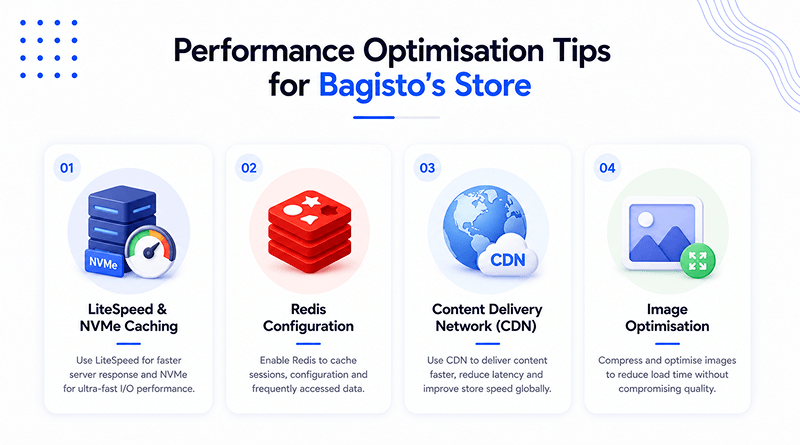
1. LiteSpeed & NVMe Caching
- Use NVMe storage: store the database files and PHP sessions directly on NVMe drives with zero data I/O wait times.
- Install LSCache: Install LiteSpeed Web Server and make use of its built-in page caching.
- Add rewrite rules: If you do need to cache the static pages, you’ll have to add some rewrite rules: For that you need to see the LiteSpeed caching documentation.
- Excluding dynamic paths: Be sure to exclude routes that are checkout (/checkout), cart (/cart), and admin backend (/admin).
2. Redis Configuration
- Install a Redis session driver: Change the session driver from disc to RAM (SESSION_DRIVER=redis) in the .env file.
- In the application cache configuration file, change CACHE_DRIVER=redis to the Redis app cache option. Use Redis for app cache; change the application cache driver: CACHE_DRIVER=redis.
- Create Redis connections: Configure separate connections for both cache clusters to isolate performance issues.
3. Content Delivery Network (CDN)
- Optimise assets: Use CDNs such as Cloudflare and AWS to deliver images, JavaScript, CSS and fonts.
- Update asset URLs: Update the URLs of the assets in the Bagisto.env file to your CDN.
- Cache static files for long periods of time: Cache-Control:max-age=31536000 on the edge server for the static files.
4. Image Optimisation
- Convert from PNG/JPG: Take advantage of one of the image conversion websites and convert normal PNG/JPG files to WebP or AVIF.
- Enable Lazy Loading: Load all product images in the Bagisto catalogue template using the loading=”lazy” attribute.
- Resize on Upload: Implement image resizing during vendor uploads on Bagisto.
- Optimise images: Optimize image files on your server, without compromising visual quality, using jpegoptim or pngquant.
Also Read: Ecommerce Digital Marketing Tips You Need to Know
Bagisto Store: Common Installation Errors & Fixes
Bagisto Store: Common Installation Errors & Fixes
Tap an error to see the cause and fix.
⚠ “SQLSTATE[HY000] [2002] Connection refused” +
When it happens
Midway through installation, when the installer attempts to migrate tables to the database.
In Connection.php line 759: SQLSTATE[HY000] [2002] Connection refused (SQL: SHOW FULL TABLES WHERE table_type = ‘BASE TABLE’) CauseYour database credentials are incorrect and Bagisto can’t reach the database server — usually because .env has DB_HOST set to localhost while the database is actually running on a different Docker container or host.
If running on Docker, use the service name in your docker-compose.yml file (e.g., mysql) instead of localhost or 127.0.0.1. Confirm the database container is up and running, then re-run php artisan bagisto:install.
⚠ “404 Not Found” on /admin/login or /customer/login +
When it happens
The homepage loads fine, but internal links throw 404 errors — a common issue for Apache users specifically.
CauseBagisto relies on URL rewriting, and Apache’s rewrite module isn’t enabled or allowed for the Bagisto directory.
FixAdd AllowOverride All to the Bagisto directory in your Apache configuration, then enable the rewrite module and restart Apache:
⚠ Product Images Not Showing After Install +
When it happens
The admin panel works fine, but product images appear broken or missing — an easy step to overlook during setup.
CauseThe symbolic link between public/storage and storage/app/public was never created.
Run the storage link command from your project root:
php artisan storage:linkIf images still don’t appear after that, check the folder permissions in storage/ next.
Conclusion
Installing Bagisto on a VPS is easy once you have mastered the required configurations. We have underscored multiple installation methods, common errors and their solutions, and system prerequisites. For beginners, it may look like a technical challenge, but it becomes straightforward once they are aware of Docker configs and server specifications.
A major tradeoff of this ecommerce platform is extensive development cycles. It doesn’t offer a click-and-launch store feature like Shopify with complete control over the checkout process and flat hosting bills. If you are a Laravel developer with hands-on VPS plans, then this trade is actually worth considering.
FAQs
1. What are the exact system requirements for Bagisto?
Bagisto requires PHP 8.3 or 8.4, Composer 2.5+, MySQL 8.0 (or MariaDB 10.2.7+), Node.js 22+ (for asset compilation), and at least 3 GB to 4 GB of RAM on your server.
2. Can I run Bagisto on cheap shared hosting?
Bagisto is built on Laravel and requires SSH command-line access, specific PHP configuration extensions (like GD and intl), and dedicated background performance that shared hosting plans do not support.
3. How do I access the admin panel after installation?
Once installed, point your browser to your domain or server IP (ensuring the document root points to the public folder) and append /admin to log in with the credentials you provided during setup.