Jackson Lane
The hosting industry sells speed. LiteSpeed is one of the few things behind that promise that’s worth actually understanding. But the software alone doesn’t decide how fast a website loads—server hardware, cache tuning, and data center placement do just as much of that work. Even two plans running identical LiteSpeed setups can perform very differently once real traffic hits.
Most people land on a hosting decision by glancing at a comparison chart and picking whatever has the most stars. That works fine until traffic picks up and page load times start mattering more than the price tag did. LiteSpeed consistently emerges in these discussions due to its technical superiority over the Apache setups that most budget hosts still use. This guide explains the key differences between a genuinely fast implementation and one that only claims to be fast, and it identifies the providers that get the details right in 2026.
Table Of Content
What Is LiteSpeed Hosting?
LiteSpeed hosting runs on LiteSpeed Web Server (LSWS), a paid alternative to Apache and Nginx built around speed and lower resource use. Its event-driven architecture handles concurrent connections differently than Apache, so traffic spikes don’t slow down every other account on the same server. Most LiteSpeed web server hosting plans bundle LSCache alongside it, a caching module built to work with WordPress, Magento, and similar platforms without extra plugins. On paper, that combination trims memory and CPU use while keeping response times lower than a standard Apache stack, and in practice, website owners running WordPress, WooCommerce, or Magento stores notice the difference in how fast pages actually load.
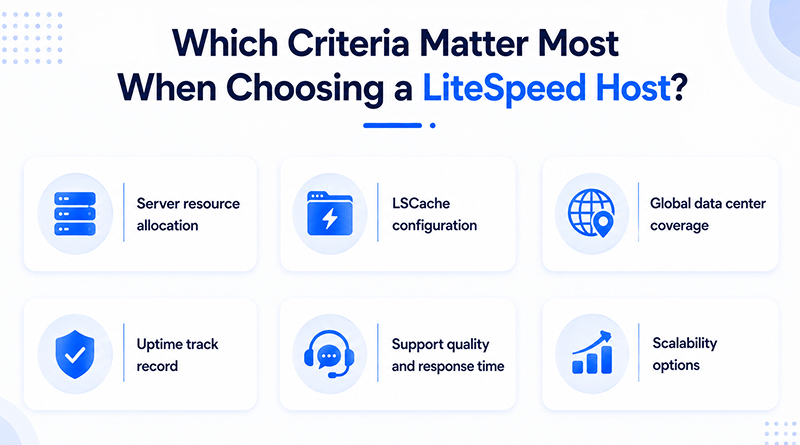
Which Criteria Matter Most When Choosing a LiteSpeed Host?
Not every LiteSpeed plan behaves the same way once real traffic hits it, even with identical software running underneath. A handful of factors decide whether that speed actually shows up for visitors or stays theoretical.
Related Read: LiteSpeed Web Server vs Apache: Differentiating Factors
What Are the Best LiteSpeed Hosting Providers?
The market now includes several providers offering genuine Litespeed hosting rather than a rebranded Apache setup. Here’s a closer look at the top five providers worth considering in 2026, along with what actually sets each one apart.
1. MilesWeb

MilesWeb’s LiteSpeed plans are built around LiteSpeed Enterprise with LSCache pre-configured for WordPress, WooCommerce, and Magento straight out of the box, so anyone running a Magento store doesn’t have to configure caching manually. Every plan includes NVMe SSD storage, a dedicated IP option, and free SSL with automatic renewal. HTTP/3 and QUIC support is available across every LiteSpeed plan, not just the premium tiers, which is where most competitors draw the line. Daily backups, a custom control panel, and 24/7 support from engineers who handle server-level troubleshooting make this one of the most technically complete LiteSpeed setups available right now.
Core features
- LiteSpeed Enterprise with pre-configured LSCache
- NVMe SSD storage on every plan
- HTTP/3 and QUIC protocol support
- Free SSL with automatic renewal
- Daily automated backups
- 24/7 server-level technical support
- Magento-ready server configuration
2. Bluehost

Bluehost keeps LiteSpeed reserved for its higher-tier plans, so the speed benefit depends entirely on which tier you pick. WordPress-specific LSCache, automated malware scanning, and a staging environment come bundled once you’re on that tier, though lower-tier shared hosting plans still run on standard Apache instead. Pricing jumps noticeably between the entry tier and the LiteSpeed-enabled one, so the actual cost of getting that speed advantage isn’t always obvious upfront. The control panel also differs from what most LiteSpeed-first hosts use, which means a slight learning curve if you’re coming from a provider built around LiteSpeed from day one. It suits existing Bluehost users upgrading more than those starting fresh with LiteSpeed as a priority.
Core features
- LiteSpeed-powered WordPress hosting tier
- Free domain for the first year
- Automated malware scanning
- Built-in staging environment
- Custom WordPress dashboard
3. Hostinger
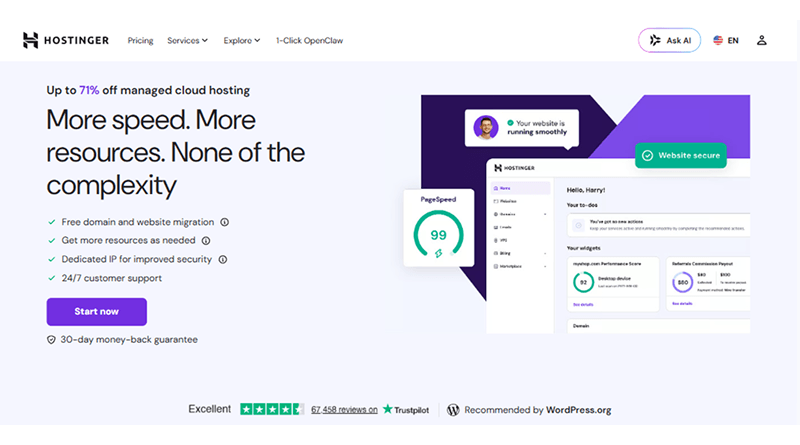
Affordability drives most of Hostinger’s appeal, and its LiteSpeed plans stay competitively priced without cutting LSCache support for WordPress. The custom-designed hPanel replaces cPanel entirely, and a built-in website builder suits users who want a simpler setup than most other providers offer. Server locations spread across multiple continents help cut down latency for visitors outside your home country. Entry-level plans here come with tighter resource caps than what similarly priced competitors offer, so it’s worth checking those limits before committing. For WordPress hosting on a limited budget, Hostinger still holds up reasonably well.
Core features
- LiteSpeed with LSCache for WordPress
- hPanel custom control panel
- Free domain and SSL on annual plans
- Multiple global data center locations
- Built-in website builder
4. A2 Hosting
A2 Hosting’s Turbo tier is built with developers in mind, pairing LiteSpeed with LSCache and NVMe storage for noticeably higher concurrent connection limits than its entry-level plans. Git integration, SSH access, and a choice of PHP versions all come standard, which is aimed more at users running custom applications than someone hosting a basic WordPress website. The Turbo tier costs more than comparable plans elsewhere, so it justifies its cost for someone who’ll actually use the developer tooling more than for a straightforward WordPress project. A2 also offers Windows VPS options for projects that need something outside the usual Linux-based shared environment, though those plans lose some of the LiteSpeed-specific benefits available on the Linux side.
Core features
- Turbo tier with LiteSpeed and LSCache
- NVMe SSD storage
- Git and SSH access included
- Multiple PHP version support
- Free website migration
5. NameHero
NameHero doesn’t treat LiteSpeed as an upgrade option; it’s the foundation of every plan the company sells. LSCache, NVMe storage, and a free Cloudflare CDN come standard across the board, and no-code automation tools let non-technical users schedule backups or set uptime alerts without touching a terminal. Plan pricing sits a bit higher than budget-focused hosts like Hostinger, which reflects the fact that LiteSpeed isn’t locked behind a premium tier here the way it is elsewhere. Support runs through live chat around the clock, staffed by a team that deals specifically with LiteSpeed configuration rather than general hosting tickets.
Core features
- LiteSpeed with LSCache on every plan
- Free Cloudflare CDN integration
- NVMe SSD storage
- Automation tool integrations
- 24/7 LiteSpeed-specialized support
Best LiteSpeed Web Hosting Providers: A Side-by-Side Comparison
Every provider markets LiteSpeed a little differently, and the real differences show up in configuration rather than branding. The table below outlines how each one handles caching, storage, and protocol support without the marketing language attached.
| Provider | Cache Engine | Storage | HTTP/3 Support | Standout Feature |
|---|---|---|---|---|

|
LSCache, pre-configured | NVMe SSD | Yes, all plans | Magento-ready setup, dedicated IP option |

|
LSCache, higher tiers only | Mixed SSD | Limited | Staging environment |

|
LSCache | NVMe SSD | Yes | hPanel and built-in website builder |

|
LSCache, Turbo tier | NVMe SSD | Yes, Turbo tier | Git and SSH access for developers |

|
LSCache, default on all plans | NVMe SSD | Yes, all plans | Free Cloudflare CDN, automation tools |
How Can You Maximize Your Site Speed with LSCache?
LSCache does more than store static pages for quick delivery. It caches dynamic content for WordPress, WooCommerce, and Magento while updating cached pages the moment something changes, which sidesteps the stale-page problems that plugin-based caching runs into. Getting it right means setting sensible cache lifespans, excluding pages like the cart or checkout that need to stay dynamic, and pairing it with image optimization so page weight doesn’t erase the caching gains. For WordPress Lightspeed hosting setups specifically, getting those exclusion rules wrong breaks checkout flows even when everything else on the website loads fine.
Plans running on Litespeed shared hosting usually see the biggest jump in speed just from turning LSCache on properly, rather than stacking a third-party caching plugin on top of it. Add a CDN, minified CSS and JavaScript, and correctly sized images, and load times on shared infrastructure can drop under two seconds without much extra work. The provider must set it up correctly from the start, not leave it to the customer.
Closing Insights
Picking a LiteSpeed provider means checking what’s running behind the badge, not the badge itself. A host can print “LiteSpeed” anywhere it wants—what matters is whether the plan actually uses it. Hostinger and NameHero put full caching and modern protocol support to work by default, while Bluehost and A2 Hosting reserve those advantages for specific tiers.
MilesWeb goes a step further, running LSCache, HTTP/3, and proper resource allocation on every plan instead of holding those advantages back for an upgrade. Website owners weighing these five providers in 2026 should ask each host directly what’s active by default before signing up, since that answer says more about real-world speed than any spec sheet does.
Frequently Asked Questions
1. What is LiteSpeed Hosting?
LiteSpeed is web server software, the program that processes requests and serves your website’s pages, playing the same role Apache or Nginx normally plays. Most LiteSpeed hosting plans pair it with LSCache for caching WordPress, WooCommerce, or Magento pages. Traffic spikes don’t hit memory usage the same way they would on a standard Apache setup, so pages tend to stay fast even when visitor numbers climb.
2. How is LiteSpeed different from Apache?
Apache spins up a separate thread for every connection, and that adds up fast once traffic gets heavy. LiteSpeed doesn’t work that way; it handles many more connections at once without draining resources the same way, and LSCache plugs directly into it instead of running as an add-on.
3. Is LiteSpeed hosting good for eCommerce?
For WooCommerce and Magento stores, yes, mainly because page speed has a direct line to conversions. LSCache caches product and category pages while leaving the cart and checkout untouched and dynamic, so the store speeds up without anything breaking at checkout.
4. What kind of support do LiteSpeed hosting plans offer?
It varies a lot by provider. Some hosting providers route LiteSpeed issues through the same generic support queue as other issues, while others employ support staff who have a genuine understanding of server-level caching and configuration. That difference matters more than most people expect when something breaks.