Jackson Lane
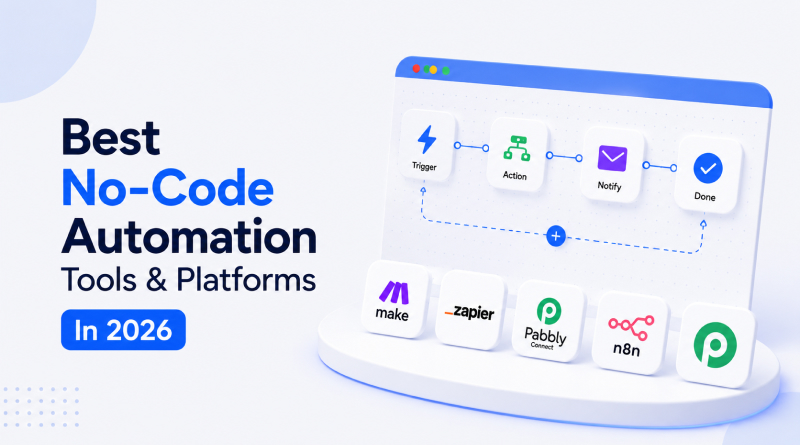
A single lead moves through six different apps before a human ever touches it. It lands in a form, jumps to a CRM, triggers an email, updates a spreadsheet, and pings a Slack channel, all without anyone opening five separate tabs to make it happen. Most teams don’t notice this chain until something inside it breaks.
No-code automation exists to build and manage that chain without a developer on standby, and the market in 2026 is crowded with platforms making that promise. Choosing the right one now depends on integration depth, pricing that doesn’t spike without warning, and how well a tool pairs with dependable cloud hosting once workflows outgrow a weekend project. This guide filters through that noise to highlight the platforms worth an actual subscription, not just the ones getting attention from a well-marketed launch.
Table Of Content
What Are No-Code Automation Tools?
No-code automation platforms let a person connect two or more web applications through a visual interface instead of a script. A trigger inside one app, a new form submission, for instance, causes an action inside another, like creating a task or sending a notification. The platform handles data mapping, authentication, and execution behind a drag-and-drop platform, removing the need for custom code at any step. This category of no-code workflow automation software has grown well past simple triggers, now supporting branching logic, conditional filters, and AI-driven decision points inside the same workflow.
Related Read: What is No-Code Automation? Beginner-Friendly Guide
How Are These Tools Evaluated?
Comparing automation platforms fairly means testing each one against the same set of standards. Every tool featured in this guide passed through six checkpoints before earning a place in the rankings below.
Integration Breadth
A platform earns points based on its native connections, rather than the number of gaps patched with third-party workarounds.
Pricing Transparency
A platform’s costs should increase in proportion to actual usage, rather than suddenly rising without notice.
Learning Curve
A non-technical team member shouldn’t need training just to build a working automation.
AI Agent Capability
A platform earns points here if it can interpret unstructured input, not just run through another fixed trigger-action chain.
Self-Hosting Option
Teams that care where their data physically sits need a self-hosting option on the table, not buried in an enterprise tier.
Security and Compliance
Encryption and audit logging get checked here, along with whether either sits behind a paywall.
Which Platform Fits Your Needs? Feature and Pricing Comparison
Pricing structures and integration counts shift often enough that a side-by-side view saves real research time. The table below lines up starting price, free tier availability, and integration depth across every platform covered in this guide.
| Tool | Best For | Free Tier | Integrations |
|---|---|---|---|
| Zapier | General automation | Yes | 6,000+ |
| Make | Complex branching logic | Yes | 2,000+ |
| n8n | Self-hosted control | Yes | 400+ |
| Power Automate | Microsoft-heavy teams | Limited | 1,000+ |
| Workato | Enterprise governance | No | 1,200+ |
| Pabbly | Budget-conscious teams | Yes | 2,000+ |
| Tray.ai | AI-native workflows | No | 700+ |
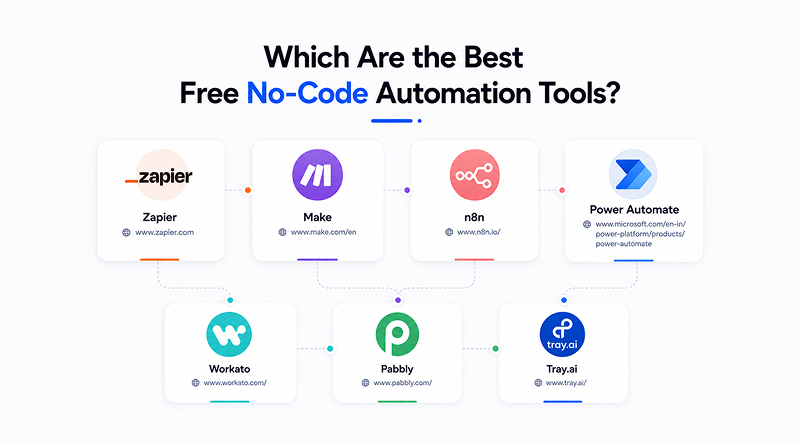
Which Are the Best Free No-Code Automation Tools?
Free tools cover more ground than most people expect, especially once workflows stay simple. A handful of platforms let non-technical teams connect apps, trigger actions, and automate repetitive tasks without touching a paid tier. Here’s a look at the ones actually worth trying first.
1. Zapier
Zapier built its name as the first stop for teams automating a workflow for the first time, largely because it asks so little from a brand-new user. The platform connects more apps than any competitor on this list and pairs that library with a copilot that writes basic workflows from a plain-English prompt.
Key Capabilities
- Largest integration library in the entire category
- Multi-step Zaps supporting conditional branching
- Built-in AI copilot for workflow generation
- Native webhook support for custom applications
- Shared folders for team-based workflow management
Limitations
- Free tier task limits run out fast for active teams.
- Pricing climbs sharply once monthly task volume grows
2. Make
Make appeals to teams wanting visual control over complex branching paths rather than a single linear trigger-action chain. Its canvas shows every step of a workflow at once, which makes debugging a broken automation far easier than digging through a list view. Anyone weighing a Zapier vs Make comparison usually lands here once a workflow needs more than one conditional path.
Key Capabilities
- Visual scenario builder with full branching support
- Error handling built into every individual module
- Data transformation tools available inside the canvas
- Router and iterator functions for bulk data processing
- Scheduling flexibility down to the exact minute
Limitations
- Steeper learning curve than Zapier for first-time users
- Documentation assumes some prior automation experience.
3. n8n
n8n gives technical teams a genuine self-hosting option, which appeals directly to businesses cautious about routing sensitive data through third-party servers. Teams researching n8n alternatives often circle back here once they realise that few other platforms offer this level of source access without a steep enterprise price tag.
Key Capabilities
- Full self-hosting with complete source access
- Custom JavaScript function nodes for advanced logic
- Visual builder paired with genuine code flexibility
- Active open-source community contributing new nodes
- No per-task pricing on self-hosted deployments
Limitations
- Self-hosting demands ongoing server maintenance
- Setup requires more technical comfort than SaaS rivals.
Related Read: n8n vs Flowise: Key Differences Explained
4. Power Automate
Power Automate fits naturally into businesses already deep inside the Microsoft ecosystem, connecting Teams, SharePoint, and Outlook without the friction third-party tools usually add. Its AI Builder extension handles document processing too, a task most competing platforms push off to separate software.
Key Capabilities
- Deep native integration across Microsoft 365
- AI Builder for automated document processing
- Robotic process automation available as an add-on
- Built-in approval workflows suited for enterprise use
- Desktop flow recording for legacy application support
Limitations
- Integration options drop off sharply outside Microsoft’s stack
- Interface feels dated compared to newer visual builders
5. Workato
Workato targets larger organisations that need governance controls stretching across dozens of departments and compliance requirements. Its recipe marketplace shortens setup time for common enterprise workflows that would otherwise take a dedicated implementation team weeks to configure.
Key Capabilities
- Enterprise-grade security paired with detailed audit logs
- Recipe marketplace for common enterprise workflows
- Real-time data synchronisation across connected systems
- Role-based access controls built for large teams
- Built-in data transformation engine for complex mapping
Limitations
- Pricing stays hidden behind custom sales quotes
- Setup complexity rules out smaller teams entirely.
6. Pabbly
Pabbly built its reputation on a lifetime pricing model, a genuine rarity in a market dominated by recurring subscriptions. Founders often set this pricing model side by side with an AI website builder subscription when deciding where the monthly budget should go, since both compete for the same fixed startup spend.
Key Capabilities
- One-time payment unlocking lifetime platform access
- Unlimited workflows available on paid plans
- Built-in email marketing automation included by default
- Straightforward interface built for non-technical users
- Reasonable integration count relative to the price point
Limitations
- Integration depth trails Zapier and Make for niche apps
- Newer application connectors sometimes lag behind competitors.
7. Tray.ai
Tray.ai leans fully into AI-native automation, placing it among the best no-code AI agent platforms rather than the traditional trigger-action category. Its Merlin assistant guides workflow construction through conversation instead of a rigid step-by-step builder.
Key Capabilities
- Native large language model integration throughout the platform
- Autonomous agent workflows that go beyond fixed triggers
- API-first architecture built for developer extension
- Merlin AI assistant that guides workflow construction
- Enterprise-ready security controls included from launch
Limitations
- Pricing sits well above budget-friendly alternatives.
- Best suited to teams already committed to AI-first operations
What Are the Best Zero-Cost Automation Tools?
Free tiers differ sharply once real usage starts. Zapier and Make both offer genuinely usable free plans for light workflows, while n8n’s self-hosted version removes per-task limits entirely, provided a team can manage its own server. Pabbly’s lifetime plan, while not technically free, behaves like a permanent free tier after the initial payment clears. Workato and Tray.ai skip free access altogether, reserving that structure for teams with committed budgets from the outset.
Related Read: n8n vs Zapier: Which Suits Your Organization?
No-Code Automation Tools by Use Case
Different teams pull different values from the same platform, and matching the tool to the actual task saves months of trial and error.
01
Marketing Workflows
Zapier or Make for connecting ad platforms, CRMs, and email tools without a developer.
02
E-commerce Operations
Pabbly or Make handles the inventory alerts and order syncing across storefronts.
03
Solopreneurs & Lean Teams
Zapier gets a workflow running fast with minimal setup. Pabbly appeals more once flat, predictable pricing becomes the priority.
04
Enterprise Governance
Workato and Power Automate, built around audit trails that matter to compliance teams.
Are AI-Native Agent Builders Replacing Traditional Logic Triggers?
Traditional automation runs on fixed if-then logic. It performs repeatable tasks with consistency but recognises nothing beyond the rules programmed into it. AI-native agent builders work differently, letting a workflow interpret unstructured data and make a judgement call without a pre-written rule for every scenario.
A ticket routed by keyword still needs a human to catch what the keyword missed. An agent-based version reads the full ticket, gauges urgency, and decides the next step on its own. Platforms exploring this space now sit alongside newer entrants like Agent Zero AI, pushing automation from scripted responses towards genuine reasoning. That shift explains why so many AI no-code automation platforms now market themselves around agents rather than static workflows.
What Are the Benefits of No-Code Automation?
Automation removes repetitive manual work from a team’s daily schedule, and the return shows up faster than most teams expect once a workflow goes live. Six benefits stand out consistently across the platforms compared in this guide.
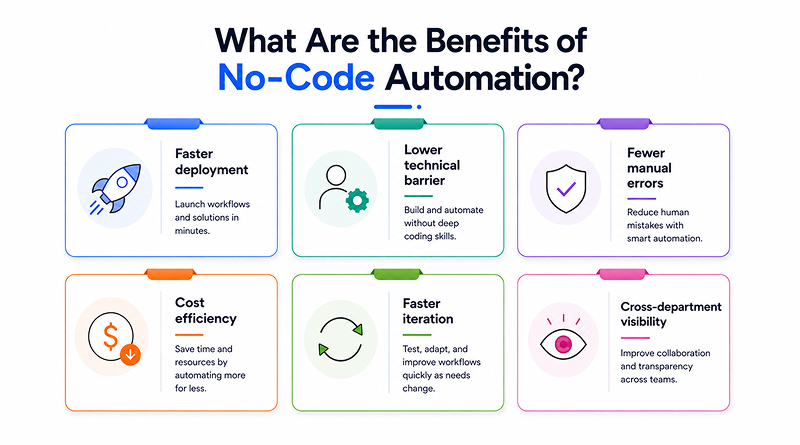
- Faster deployment: Workflows go live in hours instead of waiting on a development sprint.
- Lower technical barrier: A marketing coordinator can set up a workflow the same afternoon without waiting on a developer.
- Fewer manual errors: A number typed once into a spreadsheet used to mean typos elsewhere too. Automated transfer skips that step entirely.
- Cost efficiency: A no-code platform replaces what used to be a developer’s routine integration work.
- Faster iteration: Adjusting a live workflow takes minutes rather than a full release cycle.
- Cross-department visibility: Shared workflows keep marketing, sales, and operations reading the same data.
Businesses running a growing stack of SaaS tools see this return most clearly, since no-code automation tools for business operations directly cut the coordination overhead between disconnected platforms. Teams testing early-stage entrants such as Paperclip AI often use them to prototype a workflow before committing a budget to an established platform.
Migration and Scalability: When to Outgrow Standard No-Code Platforms
Visual builders handle most workflows well, but a few signals point to a real ceiling. High-volume data processing, sub-second execution needs, or logic too complex for a visual canvas are signs a workflow has outgrown its no-code platform. At that point, most teams shift to custom microservices or event-driven architectures. Some teams building internal tools try Vibe coding tools first, pairing AI-assisted development with lightweight custom code before committing to a full engineering rebuild. A hybrid setup, no-code triggers paired with a custom backend, often closes this gap without dropping the visual builder altogether.
What Do Self-Hosted Tools Like n8n Require?
Self-hosting removes per-task pricing but adds real infrastructure responsibility. A team running n8n on its own server needs uptime monitoring, security patching, and backup routines in place before trusting it with production workflows. Reliable VPS or cloud hosting configuration handles most of that groundwork, giving self-hosted automation the same dependability as a managed SaaS platform without the recurring per-task cost. Teams weighing an n8n Vs Make decision on data ownership alone should factor this maintenance load into the comparison, not just the feature list.
Closing Insights
The first automation project doesn’t require the most powerful tool on this list; it needs one that minimises obstacles. Zapier does that best for teams building their first workflow; Make earns its place once branching logic gets complicated, and n8n makes sense the moment data ownership starts to matter more than convenience. Enterprise teams weighing governance and audit needs will find more depth in Workato or Power Automate, while AI-first operations get more out of Tray.ai’s agent-driven approach than any trigger-based competitor can offer.
The right pick rests on three questions worth answering honestly: how much technical control the team actually wants, how predictable the budget needs to stay, and how much room the workflow needs to grow over the next year. As reasoning-based agents keep replacing rigid trigger chains, the platforms built to adapt the fastest will define what automation looks like for lean, fast-moving teams heading into the rest of 2026.
Frequently Asked Questions
1. What is the best no-code automation tool for beginners?
Zapier is the easiest starting point for beginners. Its interface asks little of a first-time user, and most people can connect two apps and get a working automation running within their first session, without any prior technical background.
2. Is Zapier or Make better for no-code automation?
The right pick depends on the workflow. Zapier works well for simple, linear automations that need to go live fast. Make comes out ahead once branching logic or multiple conditional paths enter the picture, since its canvas shows every step at once.
3. What’s the cheapest no-code automation tool?
Pabbly’s lifetime pricing plan skips recurring fees, making it the cheapest option upfront. n8n costs nothing beyond server expenses if a team is willing to self-host, which puts it ahead of the price for anyone with the technical setup to run it.
4. Can I self-host a no-code automation tool?
n8n is designed for self-hosting. Teams get full control over where their data lives, without per-task pricing adding to the cost. The trade-off is maintenance: server uptime, security patching, and backups all fall on the team running it.