Jackson Lane
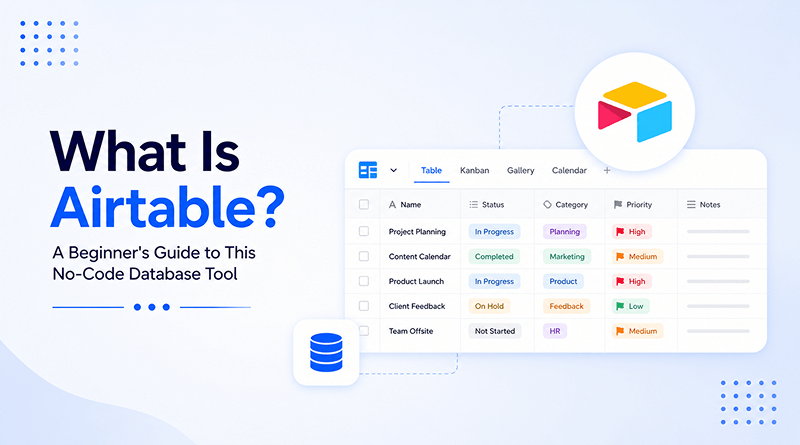
Most teams start with a spreadsheet because it’s familiar and simple to open. But as the work grows, so do the complications: duplicate sheets, broken formulas, and version files named “final_v3.” At some point, someone on the team finds a tool that still feels like a spreadsheet—rows, columns, familiar headers—but works completely differently once you look closer. Open a single record, and it reveals linked files, dropdown fields, and connections between tables that a normal spreadsheet simply can’t build. That tool is Airtable, a no-code database built for teams who’ve outgrown spreadsheets but still want something just as easy to use.
Airtable belongs to a newer category of software built to remove the wall between spreadsheets and real databases. It’s a shift similar to what happened in web hosting, where managing a physical server slowly gave way to simpler, more flexible cloud hosting. There is no need for code, a database administrator, or a separate development cycle just to add one new field to a table.
In this post, we will explore what Airtable actually is, how it works behind that friendly spreadsheet exterior, and where it fits for teams outgrowing basic tools without needing to hire an engineer to manage everything.
Table Of Content
What Is the Airtable Platform?
Airtable is a cloud-based platform that blends the visual simplicity of a spreadsheet with the structural power of a relational database. Every table looks like familiar rows and columns, yet each row functions as a record capable of holding attachments, linked entries, checkboxes, and formulas most spreadsheet tools never attempt. Teams use it to track projects, catalog inventory, plan content calendars, and manage work that used to live across five disconnected files.
Founded in 2012 and built on top of a genuine relational database engine underneath the interface, Airtable quietly earned a reputation among teams that have outgrown what a shared spreadsheet can handle. Unlike a traditional database, nobody needs to write a single line of query language to pull a useful report or build a new view for a different department.
How Does Airtable Work?
Understanding what Airtable is and how it works starts with one core idea: everything lives inside a base. A base works like a database: several tables are tied together instead of separate sheets with no connection between them. Behind it, cloud servers handle the storage and keep things running, updating instantly for everyone working in it at the same time. Fields carry defined types, dates, attachments, and single-select tags, so entries stay consistent instead of dissolving into free text nobody can filter later. Each base operates on a genuine relational structure, ensuring that any change to one linked record automatically updates every connected table, eliminating the need for manual corrections in other sheets.
What Are the Key Features of Airtable?
A spreadsheet can hold your data, but it can’t do much with it. Airtable was built to close that gap, and the difference shows up quickly — most teams that try it on a free workspace end up sticking with it within the first week.
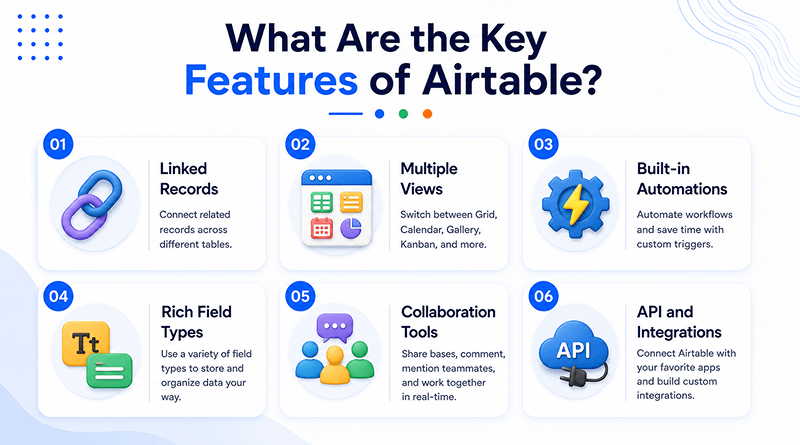
Linked records
Instead of copying the same information into multiple tables, you connect them. Update a record once, and every linked reference reflects the change.
Multiple views
The same data can be viewed as a grid, a kanban board, a calendar, or a gallery. Switching views doesn’t touch the underlying structure, it just changes how you’re looking at it.
Built-in automations
Status changes, notifications, field updates, all of it can run on its own once a rule is set. No developer, no code required.
Rich field types
Most tools treat attachments, checkboxes, formulas, and barcodes as separate features bolted onto a spreadsheet. In Airtable, these are simply types of data that a cell can hold.
Collaboration tools
Teams can comment directly on records, review a full history of changes, and set permissions so editing rights match each person’s role, not just their access.
API and integrations
A documented, developer-friendly API means Airtable isn’t a walled-off tool. It connects to hundreds of other apps, fitting into workflows a team already has rather than replacing them.
What Is Airtable Used For?
Marketing teams, product managers, and agencies come to Airtable AI with different goals, but they usually run into the same issue: data that’s scattered and needs proper structure. Almost anything currently living in a scattered spreadsheet can find a home in an Airtable base.
Content calendars
A content team can plan posts, track deadlines, and route approvals all in one place, instead of chasing updates across business email and separate sheets.
Applicant tracking
Candidates move through hiring stages, from screening to interviews to offers, without a dedicated ATS. For smaller teams, it’s often enough on its own.
Event planning
Vendors, guest lists, and budget all live in one place, so a change in one doesn’t mean updating three different documents.
Inventory management
Stock levels and reorder points update in real time, which matters most for teams that would otherwise be checking a spreadsheet that’s already out of date.
Agency client work
Agencies managing websites on Drupal or custom stacks can track deployment status and assets per client in one base, rather than keeping a separate tracking sheet for every account.
Related Read: Top 5 Best Drupal Hosting Providers
What Are the Benefits of Using Airtable?
Traditional databases come with real overhead: schema design, server management, and staff on standby for when something fails. Airtable base clears most of that away, giving teams structure and visibility without needing a developer to keep it running.
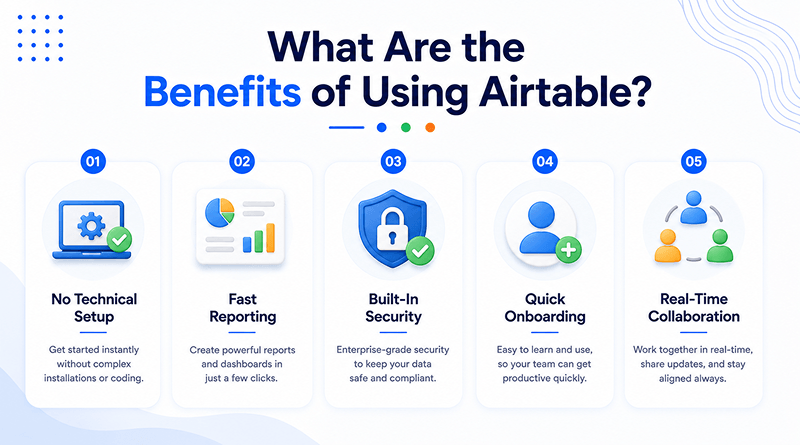
No technical setup
There’s no schema to migrate and no server to maintain. A team can open a blank base and start working the same day.
Fast reporting
Filtering, sorting, and grouping thousands of records doesn’t require touching a formula bar or writing a query.
Built-in security
Data is protected by default. Airtable encrypts information both in transit and at rest, with no configuration required.
Quick onboarding
Because the layout resembles a spreadsheet, new hires tend to navigate their way around without much training.
Real-time collaboration
Everyone works with the same live data. There’s no version to reconcile afterward, because a second version never existed.
Who Should Use Airtable?
Airtable fits a wide range of teams, not just one type of business. What connects them is outgrowing a spreadsheet before being ready for a full database.
Small teams
Groups that are outgrowing shared spreadsheets but are not yet ready for custom software. By centralizing data into a relational format, these teams gain the ability to manage complex project dependencies that would otherwise remain siloed.
Agencies
Firms handling several client accounts often kept a separate spreadsheet for each, with no reliable way to update them all at once. Airtable puts them in one workspace instead, so the same information never needs to be entered twice.
Startups
With limited budget and no dedicated technical staff, startups use Airtable to build the internal tools they need without waiting on developer resources.
Enterprises
Even companies with heavy core systems already in place use Airtable for the lighter workflows that don’t justify building something custom.
Freelancers and nonprofits
Clients, invoices, and volunteers are the kind of tracking that used to involve either a complex spreadsheet or paying for software nobody needed at that scale.
How to Get Started with Airtable?
Getting started takes minutes, not weeks. Most people have a working base by the end of their first session.
Create your account
Sign up for a free Airtable account and choose a prebuilt template to start from.
Import your data
Bring in an existing spreadsheet. Airtable auto-detects the field types, so there’s no manual setup on that front.
Choose your views
Pick views that actually match how the team works: a grid for raw data, Kanban for pipelines, and a calendar for anything date-driven.
Invite your team
Add teammates next, each with a permission level suited to their role, rather than blanket access for everyone.
Set up automations
Once the base is running, automations (or tools like Hermes agent) can take over the repetitive parts: updates, notifications, and the tasks nobody wants to handle manually.
What Are the Limitations of Airtable?
Airtable isn’t built for every scenario. A few limitations show up clearly as usage scales.
Record limits
Performance starts to slip once a base grows to hold a large number of records. That’s fine for most teams, but worth planning around for anyone operating at that scale.
Automation depth
Basic triggers function effectively without any additional configuration. The moment logic gets multi-step or conditional, though, teams usually end up scripting it themselves or bringing in a third-party tool.
Complex queries
Relational queries that go beyond the basics can be done, but not always cleanly. Expect the occasional workaround inside the interface.
What Are the Best Airtable Alternatives?
Each of these Airtable alternatives covers similar ground, though every one leans toward a different strength.
- Notion – Favors freeform documentation alongside light database features.
- Smartsheet – Leans toward traditional, spreadsheet-style project management.
- monday.com – Task tracking and visual boards are the foundation; most other features sit on top of them.
- Baserow – An open-source option for teams that want more control over hosting.
- NocoDB – It adds a spreadsheet-style interface to PostgreSQL and other SQL databases.
Airtable vs. Traditional Spreadsheets: Where They Actually Diverge
A spreadsheet stores flat, disconnected data, while Airtable connects records the way an actual database does. The difference becomes clear once you compare the two directly.
| Aspect | Traditional spreadsheet | Airtable |
|---|---|---|
| Data structure | Flat cells, no real relationships | Linked records across multiple tables |
| Performance at scale | Slows down past a few thousand rows | Stays responsive with much larger datasets |
| Collaboration | Prone to duplicate, conflicting copies | Single live source everyone views at once |
| Field types | Mostly text and numbers | Attachments, checkboxes, formulas, linked records |
| Automation | Requires external scripts or macros | Built-in, no-code automations |
Concluding Insights
Airtable fills a rare spot between the tools most teams already know and the systems only developers used to build. It brings structure to work that used to survive on scattered spreadsheets without demanding a technical background to maintain it. Teams that adopt it early tend to find themselves consolidating three or four separate tools into a single, shared workspace within the first month.
As no-code platforms continue to evolve, tools like Airtable increasingly resemble the future of everyday work management rather than a temporary solution. Smaller teams now get access to the kind of structured, connected data that only large engineering departments could build for themselves a decade ago, and that shift shows no sign of slowing down.
Frequently Asked Questions
1. Is Airtable free to use?
Yes, Airtable has a free plan covering most core features, with limits on records and storage. Larger teams needing advanced permissions or deeper automations will eventually need a paid tier.
2. Is Airtable a database or a spreadsheet?
Neither label fits perfectly. The interface feels familiar, much like a spreadsheet, but underneath, tables connect to each other the way they would in a proper database, rather than existing as separate files.
3. Is Airtable good for beginners?
Most new users pick it up quickly since the basic layout doesn’t look far off from a spreadsheet they’ve already used. Automations and linked tables take a bit more time to learn, but nothing about the starting point feels intimidating.
4. What’s the difference between Airtable and Excel?
Excel was built for crunching numbers inside one file. Airtable was built for teams that need their data connected and visible to everyone at once, through linked tables and live updates.