LLM models that are open-source (like Llama, Mistral, DeepSeek, Qwen, and Gemma) are designed to make very complex tasks involving written text much easier and more productive. However, these models tend to be very resource-intensive.
The open-source LLM models that require barely any infrastructure (like LLaMA and Mistral), host public LLMs, and don’t require a lot of resources have independent computer systems providing them a web hosting environment. These systems allow administrators to run their own servers, use their own cloud resources, and even use a lot of dedicated infrastructure. This guide presents the best hosting services for LLMs.
Quick Answer
- LLM hosting needs specialized infrastructure — powerful GPUs, NVMe storage, and serving frameworks like vLLM, TGI, or Ollama to turn a model file into a fast, secure API.
- MilesWeb is the only provider evaluated with dedicated (non-shared) GPUs and on-demand provisioning — most alternatives rely on shared or limited GPU access.
- Self-hosted setups give you full control over data, tuning, and scaling; cloud-based hosting trades that control for pay-as-you-go flexibility.
- This evaluation is based on 120+ hours of testing across 7B and 70B models, 50+ tests per provider, real support tickets, and security documentation review.
- Before committing, check the GPU VRAM your model needs, confirm GPU availability isn’t waitlisted, and compare total costs — not just the hourly rate.
Table of Content
What Is an LLM Hosting Server?
An LLM (Large Language Model) hosting server is engineered with specialized managed infrastructure and computing resources (powerful GPUs) needed to run, manage, and scale AI models. It processes user prompts into tokens, generates responses, and serves them through an API or chatbot interface.
It uses the right equipment (GPUs with enough memory, quick connections, plenty of RAM, and NVMe storage) along with software like vLLM, TGI, or Ollama to load model data and create tokens efficiently.
The key benefit of self-hosting an LLM is control: you decide where data lives, how models are tuned, and how the service scales, which is relevant for privacy, compliance, and cost at high query volumes. In practice, an LLM hosting server can be a cloud GPU VM, a dedicated bare-metal box, or a managed LLM VPS, but in every case it’s the full stack that turns a model file into a secure, low-latency API your apps can use.
Also Read: Ollama Models List
Top LLM Hosting Providers: A Quick Breakdown
| Provider | Best For | Infrastructure | Key Strength |
|---|---|---|---|

|
Budget AI, dev & testing, SaaS | GPU-ready VPS with NVMe SSD storage on AMD-powered infrastructure | Dedicated (non-shared) GPUs with on-demand provisioning |

|
AI chatbots & small-scale models | AMD EPYC processors, NVMe SSD storage, pre-configured Docker containers | Affordable, privacy-focused, easy management |

|
SaaS devs, privacy-first, startups | NVIDIA & AMD GPU access with hybrid, pay-for-what-you-use billing | Massive cost savings, zero configuration hassles |

|
Developers & prototypers | KVM virtualization with container-ready VPS environments | Cost-effective, developer-suited, low latency |

|
Prototyping, bursty workloads | Managed GPU droplets with 1-click Hugging Face model deployment | OpenAI compatibility, data privacy, predictable pricing |
Based on MilesWeb’s evaluation of 120+ testing hours across 7B and 70B models.
1. MilesWeb
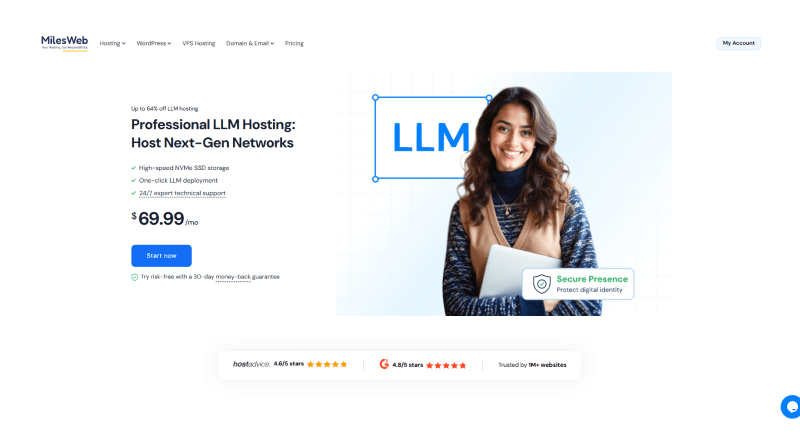
Best for: Budget AI projects, development & testing, and SaaS companies
MilesWeb offers specialized VPS and cloud GPU solutions configured for hosting, training, and deploying large language models (LLMs). Our VPS setup provides a lot of computing power and fast storage needed for demanding AI model tasks and deep learning. The strong infrastructure powered by AMD processors makes it easier to set up AI tools like Claude Code, OpenClaw, Flowise, and Typesense, all with built-in web-based terminals.
Key Features
- GPU-ready VPS
- NVMe SSD Storage
- Root Access
- Scalable Resources
- Managed Support
👍 Pros
AI Assistant Integration
Affordable Plans
Excellent Support
⚠️ Cons
Dedicated GPU Plans May Vary by Region
2. Hostinger
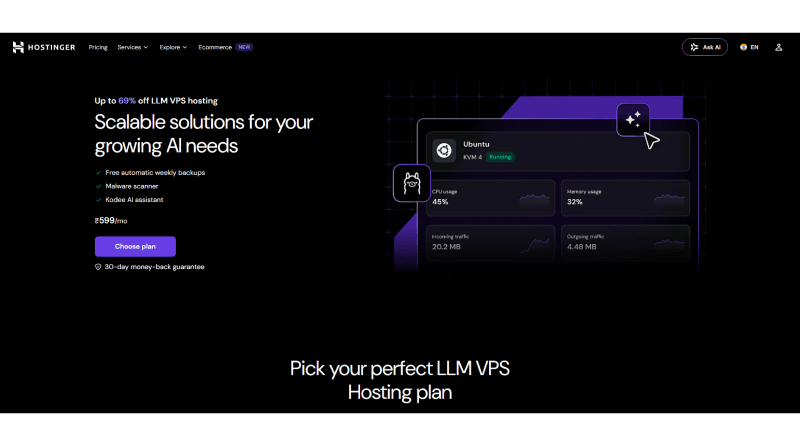
Best for: AI chatbots & small-scale models
Hostinger offers dedicated LLM VPS hosting solutions specifically designed for deploying AI models such as Ollama, TensorZero, and Dify. Their server environments are optimized to process multiple queries, featuring AMD EPYC processors, SSD NVMe storage, and Docker containers pre-configured for AI apps.
Key features
- Root Access
- Dedicated Resources
- Global Data Centers
👍 Pros
Affordable plans
Easy management
Excellent Support
⚠️ Cons
No Dedicated GPU
RAM Limitations
Also Read: Best Hermes Agent Hosting Providers
3. Hostkey
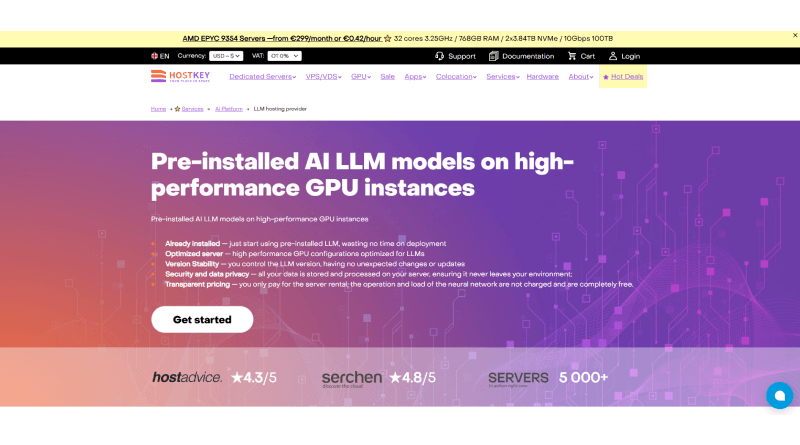
Best for: SaaS developers, privacy-first enterprises, and startups
Hostkey provides LLM-oriented cloud and VPS hosting environments designed for training, deployment, and testing pilot projects. Get access to NVIDIA and AMD processors to process queries in industry-leading enterprise models like Ollama & OpenWebUI. They have a flexible billing model that costs you only for the consumed resources. Hostkey’s servers are pre-installed with LLMs and ML tools for streamlined deployment of models.
Key features
- Hybrid billing model
- No hidden traffic fees
- Web UI integrations
- Full root access
👍 Pros
Massive cost savings
Zero configuration hassles
Total privacy
⚠️ Cons
Steep learning curve
No serverless scaling
4. AccuWeb Hosting
Best for: AI developers & prototypers and automation testing
AccuWeb Hosting provides a high-quality LLM hosting environment for the deployment of AI workloads. Using their VPS infrastructure, you can run models using local frameworks and have container support. Additionally, their pre-configured server resources can support the OpenAI API and ensure that clients have sufficient RAM for optimal speed and data scalability. The dedicated resources of the servers support the deployment and scaling of LLM workflow automation, all with no DevOps overhead.
Key features
- KVM virtualization
- Container-ready VPS environments
- 24/7 testing environments
- AI prototyping
👍 Pros
Cost-effective solutions
Best suited for developers
Global low latency
⚠️ Cons
Underpowered entry tiers
No automatic vertical autoscaling
5. DigitalOcean
Best for: Prototyping, bursty workloads, and lean teams.
DigitalOcean adopts AI-native cloud infrastructure, providing distinct hosting paths for open-source LLMs. Their managed infrastructure drives scalability through a per-token API system. The API-driven environment consists of dedicated GPU capacity acting as a warm, managed endpoint. Their pre-configured environment allows you to launch Hugging Face open-source models onto GPU droplets automatically.
Key features
- Intelligent inference routing
- Dedicated inference (BYOM)
- 1-Click marketplace deployments
- Serverless inference engine
👍 Pros
OpenAI compatibility
Data privacy
Predictable pricing
⚠️ Cons
Limited hardware selection
Fewer enterprise services
Also Read: Paperclip Alternatives
How Did We Evaluate the Best LLM Hosting Providers?
Factors such as latency, cost, and uptime are key influencers in choosing the LLM hosting provider. Our marketing and development team spent over 120 hours testing standard AI models 7B and 70B, looking at how long it takes to start up and how well they perform across more than 50 tests for each provider. Moreover, they raised real support tickets under standard accounts and reviewed security documentation and compliance reports. Following this methodology, we evaluated LLM hosting providers for your better judgment.
1. GPU Availability
GPU and core power are crucial elements that maintain the performance of AI LLM models. MilesWeb is the only LLM service provider to include the latest generation of GPUs and offer dedicated (non-shared) NVIDIA GPUs and on-demand provisioning. Hostinger has better pricing but has scaling limitations. Also, their servers handle limited traffic, and they do not offer cloud tiers.
2. NVMe Storage
The combination of SSD NVMe storage and GPUs gives MilesWeb fast read/write capabilities with their LLM hosting solutions. Compared to DigitalOcean Storage, MilesWeb NVMe Storage provides better performance and low latency and storage throughput. This NVMe storage solution resolves data loading bottlenecks and improves the overall training and iteration time.
3. Scalability
MilesWeb has entry level GPU plans with Scalability that supports large and flexible workflows and was simple for our development teams to switch between GPU Tiers without the need to fully redeploy to the GPU instances, making scaling to even more powerful computing resources extremely simple.
4. Model Deployment Support
MilesWeb supports model development through simple and raw GPU power. Their LLM hosting supports the deployment of popular models such as Llama 4, DeepSeek, Mistral, Qwen, and Gemma with minimal model deployment cycles. Hostkey and AccuWeb Hosting have longer model deployment cycles and latency with a fully outsourced third party DevOps team for proper deployments.
How to Choose the Best LLM Hosting Service?
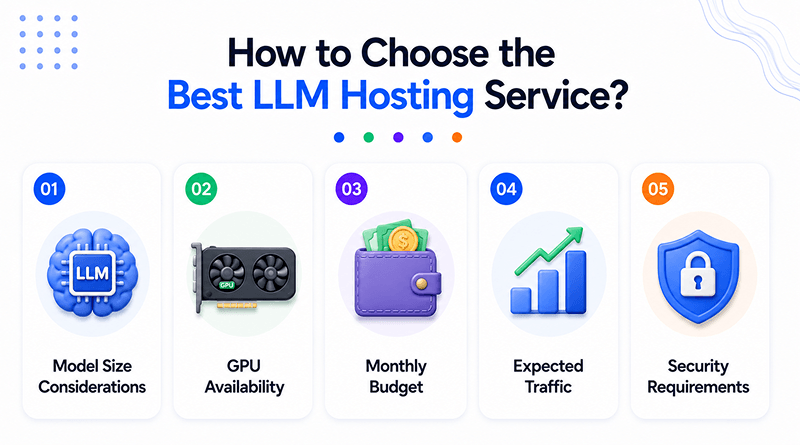
1. Model Size Considerations
- Single GPU (24GB+ VRAM) works for 7B–8B models.
- Single GPU works for models of any size with quantization. (GGUF, AWQ).
- Before picking a hosting plan, check the GPU VRAM.
2. GPU Availability
- Before deciding on a hosting service, make sure the GPUs (H100, H200, B200) will be available when you need them and that they will not be on a waitlist.
- Ask the service provider if the pricing will be for spot/preemptive resources or if it will be for reserved resources.
- Dedicated GPUs will be better than pooled or shared GPUs.
3. Monthly Budget
- When comparing hosting plans, compare total costs, not just the hourly rates. Consider costs for storage, egress, and idle GPUs.
- Spot/preemptive pricing offers lower costs, but it carries a higher risk of job interruptions.
- MilesWeb has a free setup and config, so you don’t have to pay for engineers to set it up for you.
4. Expected Traffic
- If your instance will usually have low, dedicated traffic, expect a plan with a dedicated instance.
- If traffic is unpredictable or expected to grow, consider a provider that will allow you to easily scale horizontally.
- Applications with a large number of concurrent users will require multiple instances.
5. Security Requirements
- If you are handling sensitive data (health, finance, legal), you will need a certification that will prove a third party has assessed the security controls, such as SOC 2 or ISO 27001.
- Look for Virtual Private Cloud Isolation (VPC) and encryption while data is at rest or during transfer.
Self-Hosted vs. Cloud Based Hosting: A Quick Comparison
Factor
🖥️
Self-Hosted
☁️
Cloud-Based
Cost
High upfront hardware cost, but low marginal cost long-term.
Pay-as-you-go model that scales directly with usage.
Control
Full control over hardware, models, and data privacy.
Shared responsibility model with less low-level control.
Maintenance
You’re responsible for managing drivers, updates, and uptime.
Provider manages all underlying infrastructure maintenance.
Scalability
Hard-capped by the physical hardware currently on hand.
Easily scales up or down in minutes via provider resources.
Common Challenges in Hosting Open-Source LLMs
💸
GPU Costs
Idle GPU compute is expensive and compounds your bill. Instant provisioning helps avoid paying for capacity you’re not using.
🧠
Memory Bottlenecks
Large LLMs exhaust available memory without quantization — a key factor to plan for before deployment.
⏱️
Latency Issues
Network-attached storage systems can lag on first-token response time, directly affecting perceived speed.
📈
Scaling Requests
Traffic influxes on bigger workflow instances need load balancers to distribute demand reliably.
🔐
Security Compliance
ISO- and GDPR-certified providers reflect stronger data governance and more dependable SLAs.
The Closing Line
Large language models demand exceptional computing power, scalable hardware, and manual assistance for deployment. This is where hosting can break or make AI deployment. Across the comparison, we factored upon dedicated GPU access, NVMe storage, and responsive technical support that pivots the assistance in real-world deployment.
We record, MilesWeb is worth evaluating for seamless deployment. We offer full root access, one-click LLM deployment, dedicated (non-shared) GPU instances, and 24/7 expert support without any technical overhead.
FAQs
1. What is the difference between managed APIs and raw GPU rental?
Managed API providers handle software setup, scaling, and model loading automatically for a fee per token used. Raw GPU rental providers just give you access to the hardware chips, requiring you to install and manage your own serving software.
2. Are my company data and prompts kept private?
Top commercial and enterprise providers promise not to train their public models on your private data inputs. However, strict privacy compliance like healthcare regulations often requires dedicated private cloud nodes or on-premise setups.
3. Can I host my own custom fine-tuned models?
Yes, many specialized platforms support custom weights and fine-tuned open-source models. You can upload your adapted model files and run them on dedicated private endpoints.

The Author
Popular on MilesWeb
MilesWeb is glad to announce an amazing contest for all the bloggers. Here is your opportunity of winning exciting prices! You are a blogger and fond of writing, so put…

More articles like this