Jackson Lane

Building an LMS program on WordPress is easier with LifterLMS and LearnDash WordPress plugins. Educators and educational creators count on these LMS platforms to build learning modules.
Just like you choose the web hosting provider, selecting a WordPress LMS plugin is an occasional decision. Switching between LMS platforms is possible, but it disrupts business operations.
So, the blog compares both WordPress LMS plugins, LearnDash vs. LifterLMS. This content gives you a holistic view about providing you with the right piece of information.
Table of Content
What are WordPress LMS Plugins?
WordPress LMS plugins transform the website into an e-learning platform. The WordPress learning plugin creates, manages, and facilitates content management, progress tracking, and integration of payment gateways.
With the help of WordPress plugins, you create and organize course content, track student progress, and even monetize courses through multiple payment options.
Also Read: Best WordPress Education Themes – Top LMS & School Themes
LearnDash vs. LifterLMS: Comparison at a Glance
LifterLMS: A Quick Overview
LifterLMS is a user-friendly WordPress LMS plugin enabling users to build and sell engaging online courses. Powerful features such as course builder, advanced quizzing options, and integrations with popular payment gateways and marketing tools, these features meet the custom configurations of educators.
LifterLMS is also compatible with multimedia content like audio, video, reporting tools, and advanced analytics. If you’re an entrepreneur, educator, or content creator, LifterLMS is the flexible and functional solution to make your online courses successful.
Key Features
- Drag and drop the e-learning course builder
- Multimedia: audio, video, images
- Advanced quiz/assessment options
- Customizable student dashboard
- Robust membership and access control functions
- E-commerce ready with built-in course-selling features
LifterLMS Key Strengths
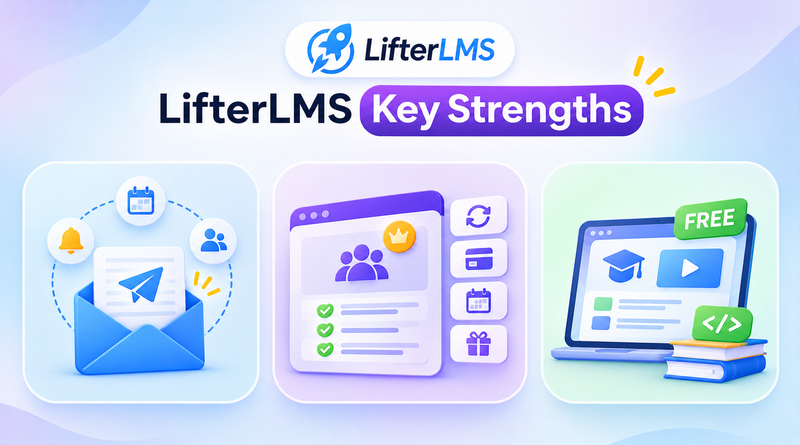
1. Built-in Email Marketing
LMS has a built-in automation feature that allows you to create drip campaigns, send engagement reminders, and nurture students without paying extra for separate email service.
2. Membership Features
LifterLMS excels at generating recurring revenue.
- Membership packages and access controls
- Subscription overview
- Payment plans and trials
- Bundled deals
3. Robust Free Version
LifterLMS is an open-source LMS plugin that helps you build a complete course website, accept payments and enroll students, all that without costing a fortune.
LearnDash: A Short Summary
LearnDash is a dynamic WordPress LMS plugin that lets you build and sell engaging online courses. This plugin is the best choice for educators and entrepreneurs alike thanks to its built-in intuitive drag-and-drop builder, customizable quizzes and assignments, and analytics capabilities.
If you’re building a single course or a full e-learning platform, LearnDash has the feature set and flexibility to increase knowledge retention. It is the perfect plugin to combine with WordPress hosting for a smooth learning experience.
Main Features
- Drag and drop e-learning course creator
- Advanced testing and assessment features
- Email alerts and automated reminders
- Badges and certificates as gamification elements
- Drip feed content and course requirements
- User management & group allocation
Also Read: Free WordPress LearnDash Themes
Strengths of LearnDash Core
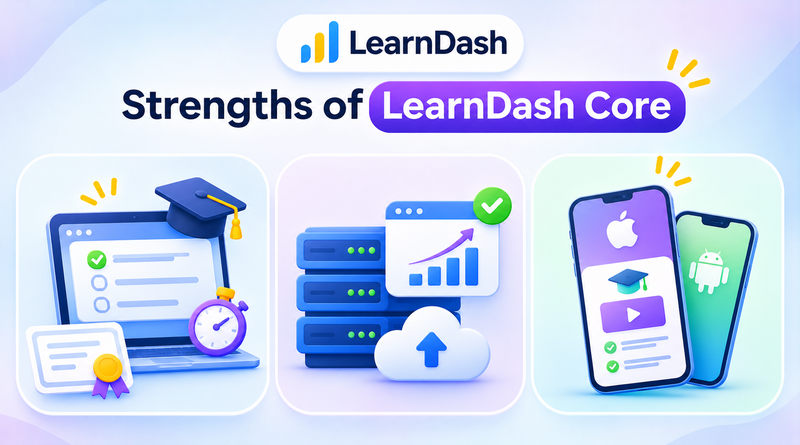
1. More Powerful Quiz Features
LearnDash creates complex quizzes with these powerful features:
- Various sets of questions
- Randomized Quiz Question Pools
- Time and effort limitations
- Creating certificates based on quiz results.
- Comprehensive stats and reports
2. Performance and Scalability
LearnDash is built on an optimized code base and can be supported by enterprise level web hosting infrastructure that can handle scalable traffic. This combination ensures reliable uptime, even with thousands of students logging in and taking courses at the same time.
3. Mobile App Integration
LearnDash offers a mobile app solution that’s genuinely useful. Your learners get the native iOS/Android experience that significantly boosts completion rates.
Which LMS Plugin, LearnDash or LifterLMS, is Better?
In terms of ease of use, we find both LifterLMS and LearnDash are easy to install and configure. But the course builder in LifterLMS offers more options than the one in LearnDash.
LearnDash offers PayPal as the default payment gateway, while LifterLMS does not provide any default payment options.
However, you can manually configure the payment option. Finally, although LifterLMS has a free version, it costs more than LearnDash, as you can install add-ons.
When to Choose LearnDash or LifterLMS?
Choose LearnDash when:
- Essay, sorting, and matrix questions are central, and you want them without additional purchase.
- Your content needs lessons with topics under them or quizzes at the course, lesson, and topic level.
- You can pay for one plan with the payment integrations included rather than assembled add-ons.
- A free starting point is not relevant to you.
Choose LifterLMS when:
- You need to test and build the complete website on a free core and pay only when card payment is accepted.
- Memberships, coupons, certificates, and automated emails are more important than having extensive question types.
- You need several pricing options on one course or membership, handled by one native checkout.
- You prefer buying specific add-ons, or one bundle, over choosing a feature tier.
Conclusion
LifterLMS and LearnDash are reliable WordPress LMS plugins, and the choice depends upon what you are building and the growth plan. LearnDash is the premium WordPress plugin with the course builder, quizzing options, and advanced learning tools, making it the perfect fit for content creators and organizations to curate in-depth modules. LifterLMS offers the free core plugins with add-ons, making it beginner-friendly for testing ideas and adding new features as you scale the e-learning platform.
Before committing, compare the costs beyond just the promotional price. Actually, check which add-ons need it, the renewal process, and the functionality of each plugin. Test a small course and ask yourself if the plugin handles future plans. Run a pilot project. Create a large project with clear pricing, features, and bundled charges.
FAQs
1. Is LifterLMS Better Than LearnDash?
LearnDash and LifterLMS are both a wonderful WordPress LMS plugin. If you want a premium all-in-one solution, LearnDash is a way to go. LifterLMS is an excellent choice if you’re looking for a free modular solution.
2. Does LearnDash work with any WordPress theme?
LearnDash is compatible with most WordPress themes, but you will find better design options and integration with some premium themes.
3. Is LifterLMS free to use?
Yes, LifterLMS has a free core plugin, and you can purchase add-ons or bundles for additional features.
4. What is the least expensive LMS?
If you only need some basic features, LifterLMS might be cheaper, but LearnDash might be a better value for premium, all-in-one access without needing several add-ons.