Jackson Lane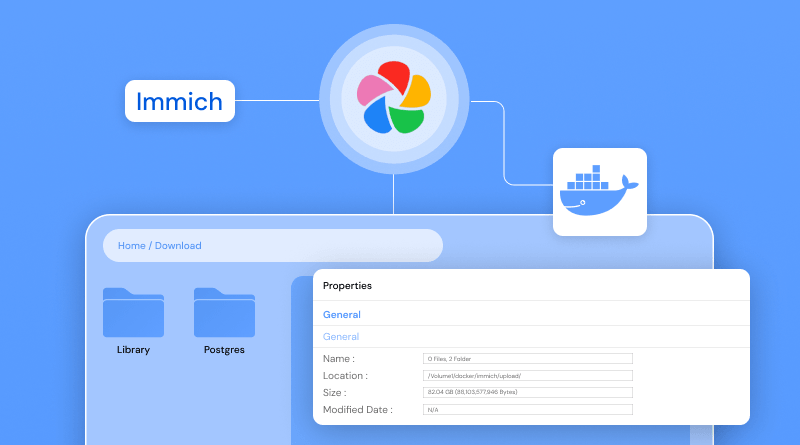
Your digital library deserves a space that grows as fast as your memories do, without ever forcing you to hit a delete button or pay for an extra gigabyte. Most of us treat our photo libraries like infinite vaults, but that 15GB limit on Google Photos eventually turns into a monthly subscription bill just to keep your pictures accessible. If you want to break away from these restrictions and regain total ownership of your media, a self-hosted Google Photos alternative is the ultimate move for your data privacy.
Immich is essentially the gold standard for anyone ready to quit relying on big tech and start owning their data. Immich represents the peak of what a self-hosted Google Photos alternative should be: fast, visually stunning, and entirely under your control. While many people rely on big tech platforms because they seem easier, opting for cloud hosting to run your private media server gives you the same premium experience without the privacy trade-offs. You get to keep every high-resolution video and every candid snapshot exactly where they belong—on your hardware.
Table Of Content
Why Is Immich a Popular Google Photos Alternative?
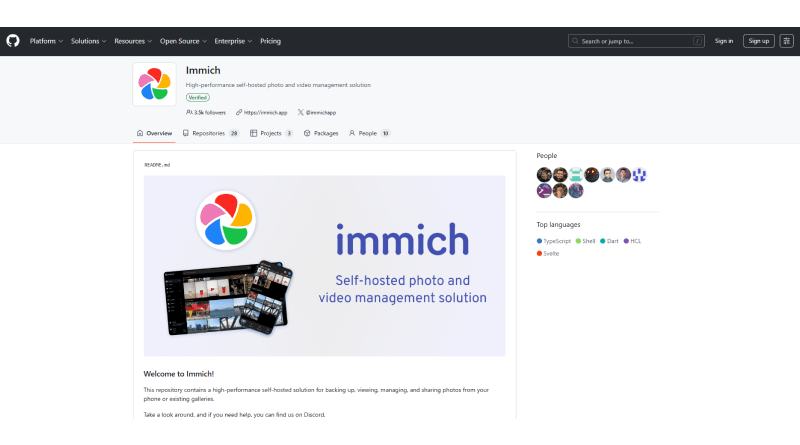
Immich is more than just a place to store files; it is a high-performance Immich server designed to replicate the exact features you love about mainstream apps. When you explore the Immich GitHub, you see a project built for speed, offering seamless scrolling through thousands of images without any lag. It includes Immich machine learning capabilities that automatically tag your friends, group faces, and even recognize objects in your photos.
Running this software on a reliable web hosting partner or your local server keeps your gallery fast and accessible at all times. Unlike major platforms that potentially sell your data to train their models, Immich keeps every file local. Whether you use Jellyfin for your movie collection or Immich for your personal photos, your goal is the same: achieving complete control of your digital life.
How Do You Prepare Your Environment for a Successful Setup?
Before you start the Immich Docker setup, confirm your server is powerful enough for the task. Since the platform requires a fair amount of processing power, an Immich Raspberry Pi works, but a high-performance VPS or a home server with at least 4GB of RAM offers a better experience. You need a Linux environment with Docker installed to run the containers for the application.
How Do You Install Docker and Docker Compose Quickly?
Setting up the foundation takes just a few minutes on most modern distributions. Update the system packages and configure your account for container management to bypass the need for elevated administrative privileges during every interaction. If you already manage a Linux environment for gaming or specialized projects or custom Minecraft hosting, you likely possess the command-line experience needed to finalize this setup effortlessly.
Related Read: Minecraft Server Commands: Most Popular Commands And How To Use Them
How Do You Set Up Immich with Docker Compose?
The Immich Docker Compose file is where the full setup is defined. It brings together the web app, database, machine learning service, and the background services used by Immich. You simply download the docker-compose.yml and an .env file from the official source. Inside the environment file, you define where your photos will live and set up your SSL certificates if you access the gallery securely over the web.
How Do You Run Immich with Docker Step by Step?
Once your files are configured, open your terminal in the directory and run docker compose up -d. This command triggers the Immich Docker engine to pull all necessary images and start the services in the background. It creates a private network where the database and the app can communicate with each other safely. If you’ve ever used ChatGPT prompts for UX designers to brainstorm layouts, you’ll appreciate how clean the resulting dashboard looks once it’s live.
How Do You Perform the First-Time Configuration?
Point your browser to your server’s IP address on port 2283. The setup wizard greets you, asking you to create an admin account. This is the only time you’ll need to set these credentials, so keep them safe. At this point, you can also look into creating a business email to receive system notifications or alerts regarding your server’s health. Once the admin profile is ready, you can immediately begin organizing your libraries and configuring your storage preferences.
How Can You Set Up Mobile Auto-Backup for Android and iOS?
The true magic happens when you install the Immich app on your phone. After logging in with your server URL, you can enable the Immich backup feature. It works exactly like Google Photos: every time you take a picture, it syncs to your server automatically. This ensures your social media click-through rates stay high because you always have high-quality original files ready to share, rather than compressed cloud versions.
Which Features Make Immich a Game-Changer for Your Gallery?
Looking through the interface shows various helpful tools that keep your library organized. Use the map view to find exactly where you captured those vacation shots, or check the Memories feature for “On This Day” highlights. If you plan to use personal media on a website or blog, the Immich API lets you pull images through code for more technical setups.
How Do You Manage Storage with External Drives or NAS?
When your storage drive is full, you can point the application to an external mount or a Network Attached Storage (NAS) device. Relying on external storage provides the necessary scalability to manage a library that grows over time. Just as hosting services must scale with more data, your photo server needs to expand as your library reaches the terabyte mark.
How Do You Secure Remote Access from Anywhere?
You shouldn’t have to be home to see your photos. Configuring a reverse proxy or a VPN provides the ability to browse your gallery from a coffee shop or while traveling. If port forwarding or DNS configuration becomes difficult to manage, a hosting provider with proactive support can help you set everything correctly. Tools like Grafana help to monitor connection activity and track bandwidth consumption while photos sync to your server.
How Do You Update Immich with Just One Command?
The contributors behind the project are incredibly active, frequently releasing new features and security patches. To learn how to update Immich, you simply navigate to your folder and run docker compose pull && docker compose up -d. This keeps your Immich alternative setup updated without losing any of your data or settings. It is much simpler than managing a manual Google cloud deployment where dependencies become a complex task , making it an excellent fit for developers exploring Google Cloud hosting alternatives.
Immich vs. The Competition: Why Performance Matters
| Tool | Immich | PhotoPrism | Nextcloud Memories | Google Photos |
|---|---|---|---|---|
| Primary Focus | Mobile performance | AI metadata tagging | Ecosystem privacy | Cloud convenience |
| Best For | Google Photos replacement | Advanced organization | Nextcloud deployments | General consumers |
| Storage | External drive / NAS | External drive / NAS | Native server storage/td> | Account-limited cloud |
| Development | Active rapid patches | Stable regular releases | Community-driven | Corporate-led updates |
| Monitoring | Grafana bandwidth tracking | Standard system logs | Nextcloud dashboard | Internal metrics |
How Can You Troubleshoot Common Issues Effectively?
Most issues arise from permission errors or incorrect file paths in the .env file. Detailed logs are an essential diagnostic tool; they tell you exactly why a service is failing so you can fix it in seconds. Your journey toward a private, unlimited digital library starts with a single installation. Taking ownership of your data removes the risk of data mining or paying for monthly subscriptions. While the technical configuration requires precision, the result is a system that you control entirely.
Why is Immich the Ultimate Google Photos Alternative?
Immich feels like the mainstream app you are used to, but without the corporate oversight. It bridges the gap between self-hosted privacy and slick, modern performance.
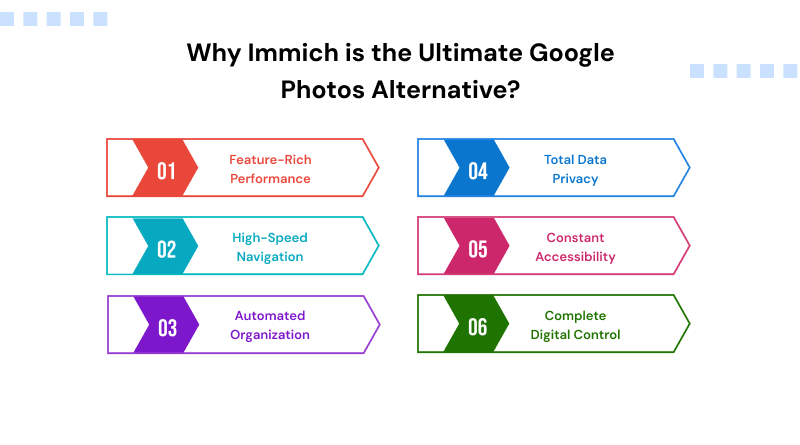
1. Feature-Rich Performance
The app handles massive libraries without stalling. Scrolling through thousands of videos and photos feels fluid because the mobile app is built for speed, not just storage.
2. High-Speed Navigation
Assets load instantly as you scroll. A lightweight backend handles heavy media rendering smoothly, preventing the stuttering common in basic network storage setups.
3. Automated Organization
Local machine learning handles facial recognition, object detection, and geocoding directly on your machine. You get smart search and auto-grouped albums without sending data to third parties.
4. Total Data Privacy
Your photos, face maps, and location data never leave your hardware. This setup cuts out corporate scanning and automated tracking entirely.
5. Constant Accessibility
Background sync updates your timeline automatically whenever you connect to your home network, matching the hands-off backup experience and streamlined server management of commercial clouds.
6. Complete Digital Control
Storage limits depend on your hard drives, not monthly subscription tiers. You own the files, the database, and the hardware outright.
Switching to a self-hosted platform puts you back in charge of your personal memories. It replaces unpredictable subscription fees and data tracking with real, physical ownership of your digital life.
Conclusion — Goodbye Google Photos!
Reclaiming your digital life starts the moment you stop renting space for your memories and start owning it. Self-hosting with Immich keeps your private files away from corporate scanning and ensures your family history is never locked behind a subscription. The decision-making is entirely yours, managing a permanent home for your media where the only storage limit is the size of the hard drive you choose to plug in.
Taking this step allows your digital archive to grow naturally alongside your life without any outside interference. Whether you are revisiting a decade of milestones or organizing a professional portfolio, the interface stays fast and the data stays strictly yours. Moving on from Google Photos to Immich is a commitment to privacy, ensuring your highest-quality moments remain preserved exactly as you intended—secured within your personal infrastructure and managed according to your own standards.
FAQs
1. Is Immich completely free?
Immich is open-source and free, so you can find the entire codebase from the Immich GitHub. This approach gives you full ownership of your setup without any recurring software costs.
2. Is Immich safe to use in production?
The platform is in a phase of significant growth, which means users benefit from a steady stream of improvements and new capabilities. While it is stable enough for many daily users, you should always maintain a secondary Immich backup of your files. Breaking changes can occur during updates, so it is vital to read the release notes before pulling a new Immich Docker image.
3. Immich vs. PhotoPrism—Which one is better?
Immich stands out because it actually handles background syncing and face recognition without constant manual intervention. While PhotoPrism is great for people who need deep metadata management and complex search tools, Immich offers a much more natural interface for just scrolling through your family albums.
4. Does Immich work on both Android and iPhone?
Absolutely. You can find the Immich app on both platforms, and it looks and feels exactly the same irrespective of which device you use. Once installed, it handles the heavy lifting of syncing your mobile library to your home setup automatically.
5. How much storage do I need for Immich?
Your storage needs depend entirely on the size of your current photo and video library. Since Immich stores files in their original quality, you should plan for at least 1:1 space for your media, plus a little extra for the thumbnails and machine learning cache. Using an Immich Docker Compose setup makes it easy to point the application to large external hard drives or a NAS as your collection grows.
6. Is Immich better than Google Photos for privacy?
For anyone prioritizing data ownership, it is a significant upgrade. Since the system runs locally, your private moments never leave your network, and third-party algorithms cannot scan them for advertising.