Jackson Lane
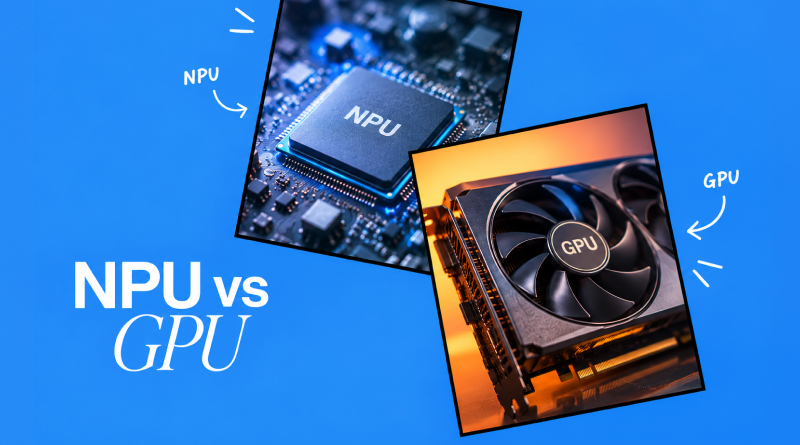
AI has revolutionised the technological landscape. In modern computers, laptops, and smart phones, AI processors enable them to carry out everyday computing operations. GPUs are a key component in comprehending complex gaming and content creation, as AI plays a critical role in key computing activities.
Machine learning can effectively serve both types of special-purpose processing units (SPUs), Neural Processing Units (NPUs) and Graphics Processing Units (GPUs), but in different ways. In the past, the CPU was the primary focus when buying a workstation. As gaming and content creation became mainstream, GPUs have become popular.
But the advent of AI-driven applications has made users pick NPUs for enhanced computing experiences. This in-depth article will discuss the distinction between NPU and GPU.
Table of Content
What is an NPU?
A Neural Processing Unit (NPU) is a specialised microprocessor engineered to accelerate on-device AI tasks. Unlike general-purpose processors, the NPU’s architecture replicates human processes through neural networks, enabling top-tier parallel processing with modest energy consumption.
How do NPUs Work?
It works with your CPU and GPU, helping to take some of the strain off of the system since AI inference is resource-intensive. Major capabilities include:
- Parallel architecture: It can be used to efficiently process batch type data, by running thousands of operations concurrently at the same time.
- In-built high-speed memory: Gets rid of data transfer bottlenecks.
- Specialised Computing Units: Enable neural networks to be more responsive and efficient.
- Power efficiency: Provides high-performance AI functions in a power-efficient way.
Also Read: How Cloud GPUs are Shaping Modern AI & ML Workloads?
What is a GPU?
Graphics Processing Unit (GPU) is a special microprocessor designed to render and process graphics in parallel. A GPU contains thousands of small cores for parallel processing and can perform similar operations at the same time, compared to a neural network-optimised NPU.
How GPUs Work?
This architecture will keep the rendering out of the CPU, and you should experience some major computing improvements. It has the following main features:
- Parallel Processing: Several thousand cores at a time.
- High Bandwidth Memory (dedicated VRAM): When using this memory, data access and transfer are very fast.
- Flexible Architecture: Supports graphics and various other workloads.
- Higher Energy Consumption: Higher energy consumption is required for heavy-duty operations.
Also Read: What is GPU in Cloud Computing?
NPU vs. GPU: Core Comparison
Also Read: Best GPU Cloud Providers
NPU vs. GPU: Core Architectural Comparison
NPUs and GPUs are designed to perform different kinds of workloads. GPUs are initially intended to render graphics, but they can simultaneously carry out thousands of operations on pixels and vertices. As a result, GPUs are now commonly used for general parallel computing tasks, including training AI. However, an NPU is meant to be used specifically to boost neural network operations, such as matrix multiplication and tensor computations.
1. Architectural Variations
The version of AI that uses general-purpose parallel processors is known as Design Intent GPUs. Neural network inference and training chips (NPUs) are chips that are specifically designed for neural network inference and training.
2. Core Structure Architecture
GPUs are optimised to deliver massive parallel processing, with thousands of small cores, CUDA cores and stream processor cores. The NPUs have dedicated and highly optimised tensor/matrix multiplication units, specialised for deep learning arithmetic computations.
3. Power Efficiency
These NPUs are engineered to be used efficiently for performing AI-related computations and are not consuming power on tasks unrelated to AI (like general computing). A higher power consumption is expected to be needed to run the same computational workload with the same accuracy as GPUs, because they have a wider architecture.
4. Memory Architecture
The GPU has high-bandwidth memory shared over several cores to boost the amount of data transferred. NPUs have on-chip memory, which is tightly coupled to the computing power, close to the compute units to reduce the latency of repeated operations over tensors.
5. Low-Precision Math
NPUs have strong inference capabilities for low-precision math (FP16/INT8). They trade some speed and efficiency for accuracy. It is possible to train and inference GPUs. The more accurate levels are FP32, FP16, and IN18.
6. Programmability
GPUs are not limited to AI. They offer CUDA and ROCm. Full-grown programming ecosystems. The majority of NPUs are partially programmable or have a specific function and are extremely optimised to operate neural networks, so it is difficult to improve their flexibility and efficiency.
7. Placement
GPUs are composed of high-power components, like dedicated cards or data centre accelerators, so they can be placed in a sandbox environment. NPUs can be embedded in an SoC (such as a smartphone chip or a laptop processor) to perform low-power AI functions on the device.
NPU and GPU: Can They Work Together?
Simple AI processing can be carried out on the device. However, does the laptop function effectively when the NPU is used for processing? The NPU is set to run in parallel with the CPU and GPU to free up processing power for more operations to be performed.
- Higher system performance
- Less battery consumption in AI processes
- 6% faster across applications
Since this is the only time the CPU’s performance is affected, it does not require any thermal throttling during continuous operation.
Also Read: Knowing About GPU Dedicated Servers
Compare GPU and CPU: Where does the CPU fit?
The brain of the computer is called CPU (Central Processing Unit). It is essentially designed to provide the support to sequential logic, decision-making and various operating systems.
Core Architecture Match
- CPU: Core memory of computer that starts and runs programmes. Coordinates data transferred between other computer parts such as RAM or input/output ports.
- Less, Stronger Cores: A CPU can have 2 to 24 strong cores to provide low latency and quick responses per core, versus thousands of simple cores that a GPU has.
- Serial Processing Master: It excels at complex, unpredictable tasks where one step depends on the result of the previous one (branching logic and decision-making).
NPU vs. GPU: Real World Use Cases
NPU Use Cases
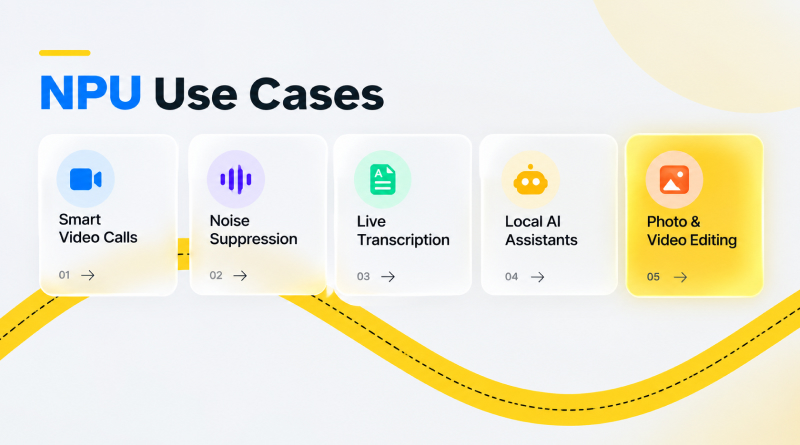
- Smart Video Calls: The Windows Studio Effects include intelligent features such as background blurring, background auto-framing and correction for eye contact.
- Noise Suppression: Get rid of background noise in microphones in meetings right away, and it won’t bog down your computer.
- Live Transcription: Converts speech to text instantly for taking notes and making captions.
- Local AI Assistants: These are agents that are embedded within the on-device tools (e.g., Microsoft Copilot) to which prompts are sent and carry out lightweight language models on devices.
- Photo & Video Editing: This includes new and improved features for object removal, background changes, and enhancements to image quality.
GPU Use Cases
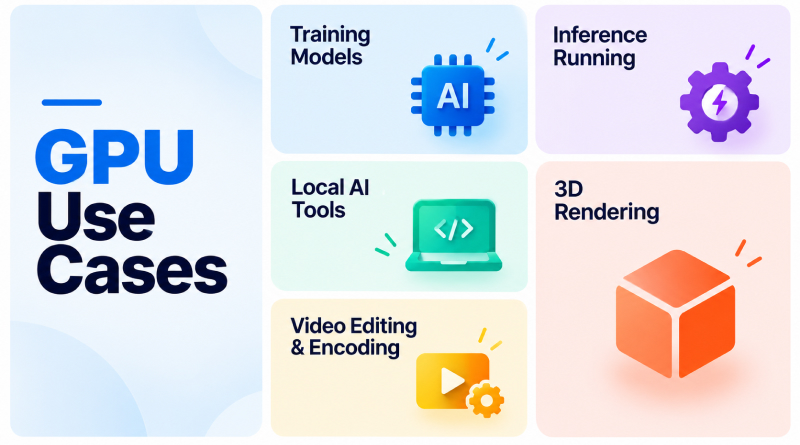
- Training Models: Fuelling the heavy matrix math required to build deep neural networks and large language models (LLMs).
- Inference Running: Trained AI models for real-time text generation, image classification or intelligent responses.
- Local AI Tools: Turning on local image generators, voice cloning, etc.
- 3D Rendering: 3D rendering & VFX speed up complex ray tracing, lighting calculations and geometry rendering for applications like Blender, Maya and others.
- Video Editing & Encoding: Faster high-res video exports, effects rendering, and stream transcoding in Premiere Pro and other apps.
Final Verdict
The decision between an NPU and a GPU depends on the choice between raw parallel processing capabilities and power efficiency. GPUs are essential for intensive tasks like 3D graphics and model training. Whereas, NPUs are well-suited for maintaining everyday AI functions without consuming excessive battery power.
With modern PCs becoming more and more embedded with both chips on a single SoC, a hybrid architecture will be essential for getting the most out of hardware. By freeing up your GPU to handle high-load tasks like gaming and media production, you can dedicate it entirely to repetitive AI tasks, which are better suited to specialized silicon.
This frees up your GPU to be used for all of your high-load gaming and media production tasks and allows you to dedicate it entirely to repetitive AI tasks, which are better handled by specialized silicon.
FAQs
1. What is the main difference between an NPU and a GPU?
.A GPU (Graphics Processing Unit) is a flexible, general-purpose parallel processor built for graphics rendering, video editing, and complex mathematical calculations. An NPU (Neural Processing Unit) is a specialized chip purpose-built specifically to handle AI and neural network operations with extreme power efficiency.
2. Does an NPU replace a GPU?
NPUs lack the pipeline features (like rasterization or texture mapping) required to process 3D graphics or render display outputs. Instead, they work alongside the CPU and GPU, offloading background AI tasks so the GPU can focus on graphics and heavy computing.
3. Do I need an NPU if I only use cloud AI like ChatGPT?
Cloud-based AI runs on remote servers. An NPU is only utilized when processing on-device AI features (like Windows Copilot features, local background blur, eye contact correction, live speech translation, or local image processing)
4. How does an NPU impact laptop battery life compared to a GPU?
NPUs preserve battery life. Offloading a task like continuous background audio noise cancellation to a GPU might pull 30–50 Watts, draining the battery rapidly. The NPU can handle the exact same task using 1–3 Watts, extending battery performance during long video calls or AI tasks.