Jackson Lane
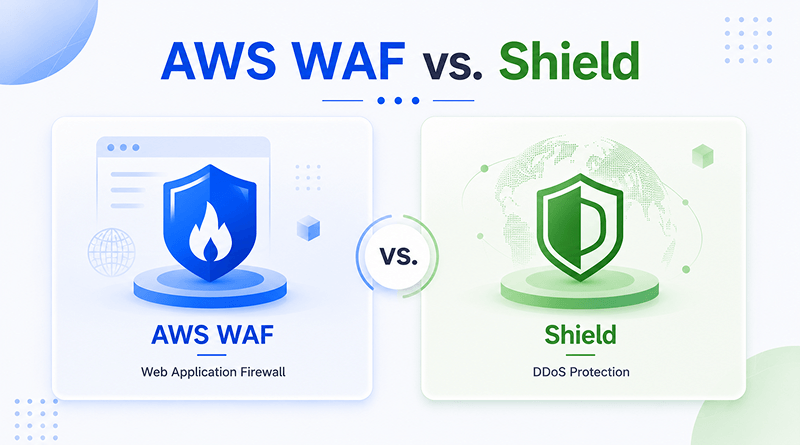
AWS Shield and AWS WAF are two crucial security elements that every AWS user counts on. This critical security layer protects your websites and applications from various types of cyberattacks, such as Distributed Denial of Service (DDoS).
AWS WAF protects web applications from common web exploits. Use AWS WAF to create customizable web security rules to filter malicious traffic, protect against attacks such as SQL injection and cross-site scripting (XSS), and integrate with other AWS services.
AWS Shield is a managed DDoS protection service. Use AWS Shield to enable automatic threat mitigation and protection against common DDoS attacks at the transport network layer.
Quick Answer
- WAF and Shield solve different problems — WAF filters malicious application-layer traffic (SQL injection, XSS); Shield absorbs network/transport-layer DDoS floods.
- Shield Standard is free and included with every AWS account, covering Layers 3 & 4. Shield Advanced costs $3,000/month plus usage, adding Layer 7 protection, 24/7 incident response, and financial cost protection.
- Most production environments need both — Shield alone won’t stop a SQL injection attempt, and WAF alone won’t stop a volumetric DDoS flood.
- For WAF rules, AWS Managed Rules cover common attacks (OWASP Top 10) for free with zero maintenance; custom rule groups give full visibility and control but require your team to maintain them.
- The real decision isn’t “WAF vs. Shield” — it’s whether your team has the bandwidth to configure, tune, and monitor both together, or whether a managed security provider makes more sense.
Table of Content
What is AWS WAF?
The AWS WAF (Web Application Firewall) service focuses on Layer 7 protection. WAF’s configurable feature set detects and blocks specific traffic patterns that try to reach applications in real time.
It interacts with CloudFront distributions, Application Load Balancers, Cognito user pools, AWS Verified Access instances, AppSync GraphQL APIs, and API Gateway REST APIs. A WAF can be configured to detect traffic from the following:
- Specific IP addresses
- Cross-site scripting
- SQL injection attacks
- IP ranges or country of origin
- IPs exceeding rate-based rules
- Content patterns in request bodies, paths, JA3/JA4 fingerprints, queries, headers, and cookies.
Also Read: Efficient Strategies For Securing Your Website Against Hacking Attacks
What is AWS Shield?
AWS Shield is an AWS-based service built to protect network systems against DDoS attacks. DDoS (Distributed Denial of Service) is an attack that uses a large number of servers to put a load on web services, bringing down servers and applications, making them unusable.
AWS Shield functions on a freemium model where no initial running costs are involved. Unlike AWS WAF, you can activate it automatically with fewer operational hassles and straightforward execution. This security layer incurs monthly usage costs to detect any suspicious communication. Overusage of resources costs will be waived off if it occurs during DDoS mitigation.
Also Read: Be Prepared For Hackers
AWS Shield Standard vs. Advanced: A Quick Breakdown
AWS Shield is an open-source, automatic service protecting ALL AWS consumers against network-layer DDoS attacks. AWS Shield Advanced is a premium tier ($3,000/month plus data fees) offering customized layer-7 protection, round-the-clock incident response, financial cost protection, and profound traffic visibility.
Feature
Shield Standard
Shield Advanced
Cost
Free — included with all AWS accounts.
$3,000/month (1-year commitment) + usage fees.
OSI layer coverage
Layers 3 & 4 (Network & Transport).
Layers 3, 4, & 7 (Network, Transport, & Application).
Protected resources
All AWS edge/origin services (CloudFront, Route 53, ELB, EC2).
Dedicated protections for CloudFront, Route 53, ELB, Global Accelerator, EC2 Elastic IPs.
Detection mechanism
Static, global AWS traffic baselines.
Tailored, application-specific traffic & health-based baselines.
Application layer (L7) mitigation
Not included.
Automatic L7 mitigation, automatic WAF rule creation, Anti-DDoS AMR included.
Financial safeguard
None — you pay standard AWS scaling/bandwidth costs during an attack.
DDoS Cost Protection — credits provided for attack-induced scaling spikes.
Support & incident response
Standard AWS support channels.
24/7 access to the AWS Shield Response Team (SRT) + Proactive Engagement.
Attack visibility & reporting
Limited or no visibility into active attacks.
Detailed real-time analytics, CloudWatch metrics, and attack reporting dashboards.
AWS WAF Rule Groups and Managed Rules: A Quick Comparison
| Comparing | Custom Rule Groups | AWS Managed Rules | Third-Party Marketplace Rules |
|---|---|---|---|
| Best for | Specific app logic, internal path protection, custom rate limits, proprietary business rules. | Stopping common web attacks out of the box (OWASP Top 10, IP reputation, basic bot traffic). | Specialized protection for specific tech stacks (WordPress, Magento, NGINX) built by security vendors. |
| Who handles updates | You do — your team updates signatures as the app changes or new exploits emerge. | AWS Threat Research — invisible updates pushed automatically behind the scenes. | The vendor (e.g., Fortinet, F5, Imperva) handles ongoing signature maintenance. |
| Can you see inside? | Yes, 100% — inspect every string match, regex pattern, and nested logical statement. | No — black-box rules. You see action labels and rule names, not the underlying code. | No — the vendor hides proprietary inspection logic to protect their IP. |
| Tweakability | Fully open — change any condition, logical operator, or response header. | Restricted — override full rule actions (e.g., Count instead of Block) or scope them down. | Restricted — action overrides and scope-down statements work, but base logic is locked. |
| Versioning control | Track changes through your own setup (Terraform, CloudFormation, Git). | Flexible — pick static releases, the automatic default stream, or Release Candidate builds. | Varies by vendor — some offer fixed versions, others push automatic updates. |
| Capacity (WCU) cost | Variable — calculated string-by-string depending on rule complexity. | Fixed up front — e.g., the Core Rule Set costs 700 WCU. | Determined up front by the vendor based on rule set complexity. |
| Impact on your bill | Basic WAF rates: $1.00/month per group + standard per-request fees. | Most baseline sets are free with WAF; advanced add-ons (Bot Control, Fraud) carry extra fees. | Double charge — baseline WAF fees plus the vendor’s subscription price and usage rates. |
AWS WAF vs. AWS Shield: Can You Use Both?
Yes, you can integrate AWS WAF and AWS Shield together. They complement each other by protecting applications at different network layers.
How Do They Work Together?
- AWS Shield protects against DDoS attacks at the network and transport layers (Layers 3 and 4), like SYN floods.
- AWS WAF shields web applications from exploits at the layer level (Layer 7), making it conducive to risk-free operations.
- AWS Shield Advanced integrates directly with AWS WAF, allowing the use of WAF rules to automatically or manually mitigate layer 7 DDoS floods.
Among several reasons for the increasing popularity of these two AWS solutions, both of them are available for Amazon clients. Moreover, both products are scalable, allowing you to dynamically develop the system without compromising on security. Deploying AWS WAF and AWS Shield to your AWS environment is easy and will help you stay on top of your ever-increasing business security requirements.
Why Do Teams Choose a Managed Alternative to AWS Security?
Building a secured AWS environment is not merely provisioning EC2 instances. It means configuring and maintaining a stack of separate services, including:
- IAM policies
- Security Groups
- GuardDuty
- WAF & Shield
- KMS
- CloudTrail
- VPC (Virtual Private Cloud) peering
Managing critical updates and security fixes is easier for the DevOps team. However, for growing SaaS companies or small businesses with limited development teams, a managed provider eliminates the manual overhead.
MilesWeb pairs core protection features:
- Firewall configuration
- DDoS mitigation
- Malware scanning
- Regular patching
- Managed backups
Consequently, the professional support team managed operational burden, enabling you to scale the business effectively.
Conclusion
AWS WAF and AWS Shield solve distinct problems. WAF provides granular control over website traffic, filters out SQL injection, and blocks cross-site scripting. Shield operates a layer below that, absorbing the protocol-level traffic influx that disrupts your infrastructure and takes it offline completely. Most production environments that serve real traffic typically require both WAF and Shield, rather than just one of them.
Whichever .net domain name provider you choose, one habit that matters is to check renewal pricing before you commit, not just the number at checkout. The real cost of domain ownership starts from the second year onward, despite first-year discounts across the industry. Take a few minutes to compare that figure and confirm what’s included versus what’s a paid add-on, and you’ll avoid the most common regret domain buyers run into a year later.
FAQs
1. What is the main difference between AWS WAF and AWS Shield?
AWS WAF protects your application layer (Layer 7) from web exploits like SQL injection and cross-site scripting by filtering web traffic. AWS Shield is a dedicated DDoS protection service that safeguards your network and transport layers (Layers 3 and 4) from large-scale volumetric attacks.
2. Do I need AWS WAF if I already have AWS Shield Standard?
Yes, because AWS Shield Standard only defends against automatic network-level DDoS attacks. It cannot inspect web traffic or block application-specific exploits, which is exactly what AWS WAF is designed to do.
3. Can AWS WAF protect my application against DDoS attacks?
Yes, but only against application-layer (Layer 7) DDoS attacks like HTTP floods. By using AWS WAF rate-based rules, you can automatically block IP addresses that send an abnormally high number of requests in a short time.
4.Is AWS WAF included when I buy AWS Shield Advanced?
Yes, AWS Shield Advanced includes AWS WAF protections at no additional cost for all covered resources. This bundle also gives you access to the AWS Shield Response Team (SRT) and financial protection against economic spikes caused by DDoS attacks.