Pravin Dahadade
Linux uses more of a specialized model in operating systems. Linux OS is a common server configuration among web hosting providers. This is arguably due to its convenient interface and open-source model. More so, its community support makes Linux attractive to developers. Distros like Fedora and Ubuntu tend to stand out for their different packaging and functionalities in the Linux models.
Fedora is a Linux distro for developers, enthusiasts, and users still on more open-source models with cutting edge distributions. Fedora acts as a testing environment for prototypes of RHEL and upstream open-source projects.
On the other hand, Ubuntu is a community-backed sponsored model from Canonical that brings a lot more to community support and friendliness. Ubuntu is designed to complement users new to Linux in their user journeys while still being a complete distro to advanced users of the Linux model. This blog also goes on to differentiate support structures and the models of these two systems. Read to get the right distro for your project.
Quick Answer
- There’s no clear winner — Ubuntu prioritizes stability and ease of use, while Fedora prioritizes cutting-edge tech and open-source purity.
- Ubuntu supports proprietary drivers (NVIDIA, Wi-Fi) out of the box; Fedora requires manual RPM Fusion setup for the same hardware.
- Fedora runs slightly faster — roughly a 4% I/O throughput edge from newer kernels, plus faster DNF package transactions versus Ubuntu’s APT.
- For production and enterprise use, Ubuntu’s LTS releases (5 years of support) are the safer bet; Fedora Server has a short ~13-month lifecycle and is better suited to testing upcoming RHEL features.
- Choose Ubuntu if you want beginner-friendly setup, gaming support, and long-term stability; choose Fedora if you’re a developer who wants the latest packages and a closer connection to upstream Linux/RHEL projects.
Table Of Content
What is Ubuntu?
Ubuntu is a Linux distribution, which is a version of the Linux kernel operating system. There are literally hundreds of different Linux distros out in the wild. Several are free and have communities of users providing each other with guidance and support. But installing a free Linux distro with restrained support can restrict the usage of a computer user.
It was started as a desktop OS but is currently used on other platforms such as web servers and cloud infrastructure. Several users choose it for its advantage over other OSes, which we will explore next.
What is Fedora?
Fedora OS is an open-source, Linux-based operating system providing an innovative, free, and user-friendly platform for hardware and devices such as PCs, laptops, clouds, and servers. As a famous Linux distro, it uses the Linux kernel as the core operating system.
Fedora OS was launched as a pilot project to offer extra software to Red Hat Linux. After Red Hat dropped the Fedora project, it was released as a free Linux distribution and became a trademark for Red Hat Inc. It is also the best OS choice for Linus Torvalds, the one who created the Linux kernel.
Also Read: AlmaLinux vs Ubuntu
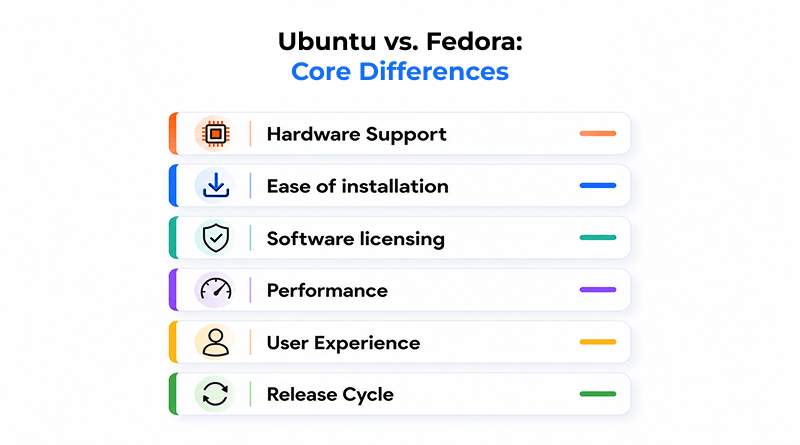
Ubuntu vs. Fedora: Core Differences
Factor
UB
Ubuntu
FD
Fedora
Hardware support
Out-of-the-box proprietary drivers (NVIDIA, Wi-Fi) through simple installer checkboxes.
Open-source systems only by default — requires enabling RPM Fusion repositories for proprietary hardware.
Ease of installation
Install from disc or USB; try it without installing; guided installation wizard.
Equally user-friendly — ISO burn or pen drive, plus a “Fedora Live Image” to sample the OS virtually first.
Software licensing
Compatible with a large pool of free and paid software; bundles proprietary drivers for easy usage.
Strict FOSS/FLOSS policy — excludes proprietary code from default repositories entirely.
Performance
Strong performance via APT package manager.
~4% I/O throughput edge from updated kernels and Mesa drivers; faster DNF transactions and lower app launch latency.
User experience
Built on GNOME with a user-friendly desktop focus; customization-friendly via terminal.
Innovative, secured platform for the latest tech; RPM format with DNF, backed by Red Hat and IBM.
Release cycle
New version every 6 months (YY.MM format); LTS every 2 years with multi-year lifecycles.
Short release cycles — testing ground for RHEL. Current stable release: April 28, 2026 (kernel 6.19, GNOME 50, KDE Plasma 6.6).
1. Hardware Support
Hardware compatibility is the core reason why Windows and OS X users are reluctant to migrate to Linux. A lot of older hardware simply refuses to work on the majority of the Linux distros. This problem also plagues computers with very new hardware still not supported by developers.
Ubuntu supports out-of-the-box proprietary drivers like NVIDIA and Wi-Fi through simpler installer checkboxes. Fedora supports open-source systems, demanding extra manual configuration like enabling RPM (Red Hat Package Manager) Fusion repositories for proprietary hardware.
2. Ease of installation
Ubuntu is easy to install onto a disc or download the package and run it from a USB flash drive. You also try out the OS without installing it on the hard drive. Its installation wizard navigates you through each and every step to expedite the process.
Fedora installation is as user-friendly as Ubuntu. Users burn an ISO file to a disc or copy the installation file onto a pen drive. It features a “Fedora Live Image” to offer a unique way to experience the OS without installation. This enables the user to sample the Fedora OS “virtually,” a great feature for those just testing the waters with Linux.
Also Read: Best Linux Hosting Providers
3. Software licensing
Both Ubuntu and Fedora follow a distinct software licensing approach. Fedora supports Free and Open Source Software (FOSS) only. Whereas Ubuntu is compatible with a large pool of free and paid software.
Ubuntu takes a pragmatic approach, bundling proprietary drivers and third-party non-free software for easy usage. Fedora follows a strict Free/Libre and Open Source Software (FLOSS) policy, excluding proprietary code from the default repositories.
4. Performance
Ubuntu and Fedora OS deliver significant performance improvements over Windows while using specific software. Between Fedora and Ubuntu, performance is determined through its I/O throughput speed. Fedora gains a performance edge by a nominal margin of 4%. It is because of the updated Linux kernels, Mesa drivers, and latest compiler toolchains.
Moreover, Fedora’s DNF package manager executes faster transaction speeds compared to Ubuntu’s APT, reducing wait times during large system updates. The app’s launch latency rate is minimal in Fedora against Ubuntu because of the RPM package deployment.
5. User Experience
Ubuntu and Fedora offer different user experiences. Ubuntu built on the GNOME environment focuses on a user-friendly desktop experience. The customization-friendly OS empowers users and developers to bypass occasional quirks using the terminal.
Fedora, being an innovative and secured platform, is ideal for Linux users demanding the latest technological advancements. Backed by Red Hat and IBM, it uses the RPM format with the DNF package manager for frictionless package management operations.
Also Read: Arch Linux vs. Ubuntu
6. Release Cycle
Ubuntu and Fedora roll out new releases every six months with unique operational philosophies. Fedora has short release cycles, allowing users to spearhead technological developments. It serves as the testing ground for features that are eventually incorporated into RHEL. The current stable release of Fedora was released on April 28, 2026, based on Linux kernel 6.19, GNOME 50, and KDE Plasma 6.6.
Ubuntu releases the new version every six months, using a YY.MM version format (such as Ubuntu 26.04 released in April 2026). There are several types of releases: long-term support (LTS) versions every two years with multi-year lifecycles and interim versions every six months for rapid feature updates.
Use Cases: Who Should Use Which?
🟠
Who Should Use Ubuntu? Stability & ease of use
✓
Beginners and casual users
Community support and ease of use, with minimal deployment time.
✓
Enterprise workstations
LTS means security updates with minimal disruptive changes to the system.
✓
Gamers and hardware-heavy users
Proprietary graphics cards (NVIDIA) and media codecs install out of the box.
✓
Commercial software users
Several third-party Linux apps come natively packaged in .deb format first.
🔵
Who Should Use Fedora? Cutting-edge & open-source purity
✓
Software developers & engineers
Recent programming libraries and up-to-date Linux kernels, plus a testing environment for RHEL.
✓
Open source purists
Core is Free and Open-Source (FOSS), using community-driven Flatpaks over proprietary container formats.
✓
GNOME lovers
A clean, stock user interface — less customized, more polished by default.
✓
Performance power users
Full DNF package manager, with early adoption of Wayland and other modern display protocols.
Also Read: Rocky Linux vs AlmaLinux
Server & Enterprise Considerations
Ubuntu and Fedora follow two different approaches while deploying production environments. Businesses count on Ubuntu servers because of their LTS releases to avoid operational disruptions. Whereas Fedora serves as a testing ground for Red Hat Enterprise Linux, Fedora Server and Fedora CoreOS are catered to specialized, container-first, or cutting-edge use cases.
Factor
Ubuntu Server (LTS)
Fedora Server
Fedora CoreOS
Support lifecycle
5 years of customer support.
Short lifecycle — roughly 13 months per release.
Auto-updates by design, no manual lifecycle tracking needed.
Best for
Widely used in the cloud (AWS, Azure, GCP); backed by Canonical’s enterprise support contracts.
Testing features of upcoming RHEL — not built for long-term production stability.
Containerized workloads and Kubernetes clusters specifically.
Upgrade path: Fedora is upstream of RHEL/CentOS Stream, so many enterprises prototype on Fedora first, then move to RHEL for production.
Ecosystem & support: Ubuntu has the wider ecosystem, with more community-supported forums and tutorials to draw on.
Key Differences:
- Ubuntu Server (LTS): 5 years of customer support. It’s used widely in the cloud (AWS, Azure, GCP). Canonical’s enterprise support contracts back it.
- Fedora Server: Features short lifecycles (~13 months per release). Used best to test features of upcoming RHEL. Not the best option for long-term production stability.
- Fedora CoreOS: Designed for containerized workloads and Kubernetes clusters. Has an auto-update feature by design.
- Upgrade path: Since Fedora is upstream of RHEL/CentOS Stream, many enterprises prototype on Fedora and then move to RHEL for production.
- Ecosystem & Support: Ubuntu has a wider ecosystem along with community-supported resources designed in forums and tutorials.
Also Read: Arch Linux vs Debian
Gaming & Multimedia Support
From a gaming perspective, Ubuntu is the beginner option of choice, having a mature set of drivers for NVIDIA support as well as access to proprietary codecs. Fedora’s approach to open-source gaming support means a couple of extra steps are manual for Fedora before getting the gaming experience multi-media support conducted and licensed smoothly.
Factor
UB
Ubuntu
FD
Fedora
NVIDIA drivers
Available through the “Additional Drivers” tool.
Requires enabling the RPM Fusion repo first.
Media codecs (MP3, H.264, etc.)
Easy prompt to install restricted extras.
Excluded by default — needs RPM Fusion to enable.
Steam & Proton: both fully compatible — no meaningful difference for digital storefront gaming.
Out-of-box experience
Ideal for users who want minimal setup.
Rewards users willing to add a couple of repos for a complete open-source-compliant system.
Key Differences:
- NVIDIA drivers: Ubuntu offers proprietary drivers through its “Additional Drivers” tool; Fedora enables the RPM Fusion repo first.
- Media codecs (MP3, H.264, etc.): Ubuntu features an easy prompt to install restricted extras. While Fedora excludes them due to RPM Fusion.
- Steam & Proton: Both Linux distros are compatible with digital gaming storefronts for an intuitive gaming experience.
- Out-of-box experience: Ubuntu is an ideal OS for users seeking minimal setup. Fedora rewards users willing to add a couple of repos for a complete open-source compliant system.
Wrapping Up
After evaluating both distributions for daily operations, package handling, hardware compatibility, and long-term reliability, there’s no clear “winner” between Fedora and Ubuntu; the right option is up to you.
Fedora is great for people wanting to adopt newer Linux tech/updates early, for people that feel comfortable needing to fix tech issues, and for people that code and want a strong connection with upstream projects like GNOME and the Linux kernel. The other thing to consider is that since Fedora is a Red Hat-sponsored project, learning Fedora is a great stepping stone for a future Red Hat Certified Engineer (RHCE) as well.
Ubuntu is the distribution to go if stability, support for third-party software, and the best community documentation are your priorities. If you want enterprise use, production, and a less time-intensive certification, Ubuntu’s LTS (long-term support) will be the best option. Less frequent disruptive changes are also a plus with Ubuntu.
FAQs
1. Is Fedora better than Ubuntu for beginners
Ubuntu is generally better for beginners due to its massive online community, predictable LTS (Long Term Support) stability, and easier out-of-the-box driver management. Fedora targets intermediate users who prefer modern default packages, vanilla GNOME, and cutting-edge software updates right out of the gate.
2. What is the main difference in software management between Fedora and Ubuntu?
Ubuntu relies on the apt package manager with dpkg alongside heavy integration of Canonical’s containerized Snap packages. Fedora uses the dnf package manager with RPM packages and emphasizes flatpaks via Flathub for sandboxed applications.
3. Which OS is more stable: Fedora or Ubuntu?
Ubuntu LTS releases offer superior long-term system stability with standard support lasting up to 5 years per version. Fedora prioritizes the latest technologies and Linux kernels on a 6-month release schedule, trading multi-year LTS stability for faster innovation.
4. Is Fedora based on Ubuntu?
Fedora is an independent Linux distribution developed by the community-supported Fedora Project and owned by Red Hat.
5. Is Fedora the Same as Red Hat?
Fedora and Red Hat are distinct, but Fedora is owned and sponsored by Red Hat. Think of Fedora as the innovative, community-driven upstream project where new features are tested, which Red Hat later stabilizes and refines into its commercial product, Red Hat Enterprise Linux (RHEL)