AI has redefined the way we work and manage daily business operations. ChatGPT, DeepSeek, Perplexity, Claude, and other AI tools have been highly leveraged by developers. From developing coding syntax to building HTML artefacts, these AI tools give you flexibility and control without premium SaaS pricing.
LibreChat is another tool positioned to match the engineering demands, DevOps efforts, and in-house governance tasks of companies. As more companies are overwhelmed by subscription costs of ChatGPT and Claude, they are integrating ‘LibreChat’ as an open-source alternative into their ecosystem. So, what is LibreChat? Its key features, benefits, and core functionalities.
Key Summary — What is LibreChat?
- 1 What it is — LibreChat is a free, open-source AI platform that unifies multiple models (GPT-4, Claude, Gemini, etc.) in one ChatGPT-like interface.
- 2 Privacy & control — Self-hosted on your own server, so your data never touches third-party systems — ideal for GDPR/HIPAA-sensitive teams.
- 3 No subscription costsYou only pay for API tokens you actually use, making it far cheaper than ChatGPT Teams.
- 4 Highly customizable — Supports plugins, custom agents, RAG (document Q&A), MCP, and integration with virtually any REST API or internal tool.
- 5 Trade-off — Requires basic Docker/DevOps knowledge to set up and maintain, so it’s best suited for developers or technical teams..
💡
This article walks you through the LibreChat and its alternatives.
Table of Content
So, what exactly is LibreChat?
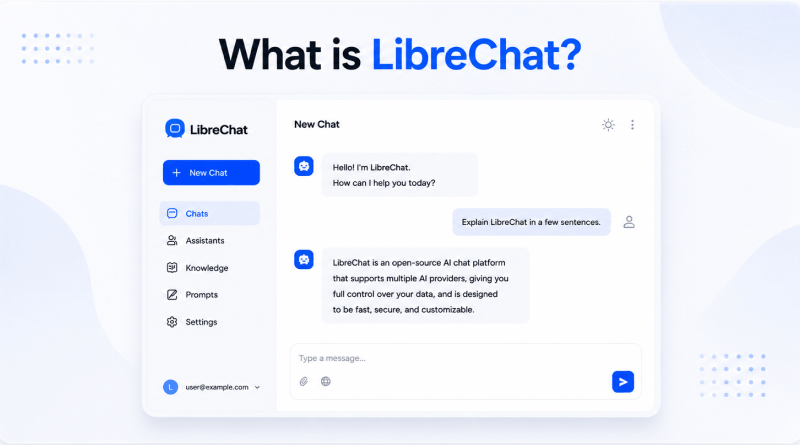
LibreChat is an open-source AI chat platform integrating multiple language models into a single, customizable interface. LLM models such as OpenAI, Anthropic Claude, Google Gemini, Mistral, Groq, AWS Bedrock, Azure, and local models are unified through Ollama. LibreChat gives complete control over your data with no contracts or subscription costs.
Founded by Danny Avila in early 2023, it was launched a couple of weeks after ChatGPT. Over the years, it has become the most active open-source AI project worldwide, with over 22,000 GitHub stars and 3 million+ container downloads. Then, ClickHouse acquired LibreChat in November 2025, becoming an open-source agentic data stack for enterprises.
At a glance, LibreChat looks almost identical to ChatGPT. But look closer, and you’ll find it does far more.
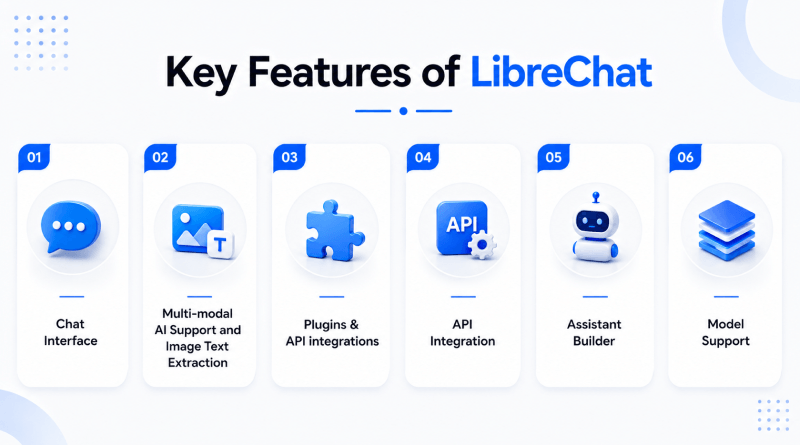
Key Features of LibreChat
1. Chat Interface
The chat interface is the major AI feature in LibreChat. Established as a ChatGPT alternative, it replicates the user interface. It becomes accessible to anyone familiar with ChatGPT but demands more privacy-oriented AI toolkits.
In this tool, you get a chat input box and a text box in the center of the screen. The text box is editable and accepts voice inputs as well, like ChatGPT’s prompt box. It has a vast memory database that stores conversational history and retrieves previously communicated information.
2. Multi-modal AI Support and Image Text Extraction
LibreChat supports multi-modal AI models, alongside textual conversations. If the selected model supports images, simply paste an image into the chat window and ask queries regarding it.
It is great to extract text and data from images, which is a premium LLM feature. You can paste the image and ask LibreChat to summarize or explain images.
3. Plugins & API integrations
LibreChat has an extensive plugin system, API integrations, and support for open standards such as Model Context Protocol (MCP). Its plugin systems allow models to interact with external data and services. These tools are often integrated through the Tools and Plugins configuration.
- Search & Retrieval: Integration with Google Search, Azure AI Search, Tavily, and SerpAPI for real-time web access.
- Media Generation: Supports DALL-E 3, Stable Diffusion, and Flux for image generation.
- Utility Tools: Built-in Code Interpreter for sandboxed code execution, Wolfram Alpha for computations, and OpenWeather for weather data.
- Workflow Automation: Zapier is easy to connect and integrate with multiple chat-based apps.
4. API Integration
LibreChat mediates between several backend AI providers and the end user.
- Multi-Provider Support: Connects seamlessly to OpenAI, Anthropic, Azure OpenAI, AWS Bedrock, Google Vertex AI, Ollama, and similar providers.
- Agents API: Currently in beta, the features expose LibreChat Agents through OpenAI-compatible interfaces, allowing external scripts and apps to interact with customized agents.
- RAG API: A dedicated Retrieval-Augmented Generation (RAG) API allows users to upload files and ask questions based on the specific document context.
- Custom Endpoints: Users can define custom endpoints through the LibreChat.yaml file to integrate virtually any OpenAI-compatible API service.
5. Assistant Builder
LibreChat offers an “Assistant Builder” that is similar to OpenAI’s ChatGPT “custom GPTs” feature. You can build your AI assistant using features such as semantic file search and execution of API-driven actions.
Its Assistant Builder feature is highly rated by users and allows creating a small agent with capabilities beyond simple text generation and data analytics. Using the actions, we can integrate basically any external REST API.
6. Model Support
LibreChat supports virtually the latest LLM models, with several first-class integrations for popular contenders such as OpenAI and Anthropic.
The integrations, which are provided out of the box without needing any additional model router or serving platform, are
- OpenAI
- Azure OpenAI
- AWS Bedrock
- Anthropic
- Google Gemini
- Assistants API
Additionally, LibreChat is compatible with any OpenAI API or LLM model through OpenRouter. It evolves LibreChat’s functionalities beyond a chatbot.
LibreChat vs ChatGPT vs Open WebUI
| Feature | Open-source | Self-hosting | Multi-model | Privacy |
|---|---|---|---|---|
 |
Yes | Yes | Yes | High |
 |
No | No | Limited | Medium |
 |
Yes | Yes | Yes | High |
Why is LibreChat the Best Alternative to ChatGPT?
1. No Vendor Lock-In
ChatGPT compels users to follow OpenAI’s roadmap and pricing decisions with limited model training. Also, OpenAI updated its APIs with an upgraded LLM model at premium charges.
LibreChat breaks the dependency by unifying the frontend, connecting to virtually any AI provider: OpenAI, Anthropic, Google Gemini, and other local models through LM Studio or Ollama. It is a platform that works with all of them, allowing you to route tasks within minutes during an outage.
2. Complete Control Over Your Data
ChatGPT’s root data centers are in the American region. Hence, your data passes through their state-of-the-art infrastructure. You rely on their data privacy policies, their security posture, and compliance certifications.
LibreChat is accessible on local servers; your conversation is hosted in the local databases without any third-party logging prompts. Moreover, there are no training data concerns and no grey area for GDPR, HIPAA, or internal data governance policies. Legal, healthcare, and financial teams can use AI without signing off on a risk waiver every time.
3. Custom AI Integrations
ChatGPT’s plugin and GPT ecosystem are being scrutinized. You are provided with the technical limitations of OpenAI.
LibreChat is a flexible AI tool for developers that connects to any OpenAI API. It is compliant with custom AI models, fine-tuned models, or third-party providers. Moreover, it fosters advanced features like Model Context Protocol (MCP), tool usage, code execution, and file management across different AI providers.
Developers can integrate it with internal systems such as knowledge bases, CRMs, support tools, and custom data pipelines, giving far more customization and control than platforms like ChatGPT.
4. Cost-Effective for Teams
The ChatGPT team costs £22.27 per user per month for the ‘Business ChatGPT & Codex’ plan. A customized plan is available for enterprises that opt for the pay-per-use model.
LibreChat is a self-hosted AI framework where a self-managed VPS, managed VPS, or cloud hosting server is the right hosting environment to consume AI tokens. For enterprises with fluctuating workforce counts, this model is affordable and scalable.
5. Ideal for Developers and Agencies
LibreChat isn’t developed for everyday folks who want a chatbot. It’s designed for those who wish to be in control. All code is available on GitHub, actively maintained, and is truly extensible. You’ll be able to fork it, theme it, add authentication layers, integrate it into existing SSO systems, and deploy it behind your own domain.
For agencies, it means they can offer their clients white-labelled AI solutions without losing margins due to per-seat fees. To developers, it is a production-ready AI interface reference implementation to learn from, adapt, or further develop. If you’re a team developing your own tools, it’s more of an extensible base than a strict SaaS solution.
LibreChat: Platform Overview
– Where to Find It?
LibreChat is an open-source platform self-hosted on GitHub.
- Core Repository: You access the main codebase, submit issues, and view source files at github.com/danny-avila/LibreChat.
- Documentation Repository: This code for their official documentation website is located at github.com/LibreChat-AI/librechat.ai.
- Regular Updates: Frequent updates support new LLMs and protocols.
- Adoption of cutting-edge features: It frequently introduces new features like the Model Context Protocol (MCP), generative UI artifacts, and sandboxed code execution environments.
- Docker-First Architecture: The project is based on Docker Compose due to frequent updates. Mostly, updating your instance is as easy as using Docker Compose pull to fetch the latest images, ensuring changes on your machine don’t break between versions.
- Active Maintenance: Bugs are fixed quickly, and new version releases are accompanied by a detailed changelog.
– Documentation Quality
The docs have released a big upgrade—they’re now organized with Next.js and Fumadocs, so everything’s easier to find.
The architecture guides walk you through everything, from the basics like setting up your .env files to more advanced stuff like configuring multi-provider endpoints in librechat.yaml.
You’ll also find clear instructions for different deployment scenarios. Whether you’re running things locally on Docker Desktop, setting up remote servers with Ubuntu Linux, or deploying on platforms like Railway, Render, or Hugging Face.
The documentation is fully open-source. It includes a complete “Documentation Guidelines” section outlining how users can write and format .mdx files to add new guides to the website.
How to Install LibreChat (Step-by-Step Guide)?
Before you begin the installation process, ensure the following prerequisites:
- Docker Desktop (or Docker Engine with Docker Compose for Linux)
- Git (to clone the repository)
- Use of an API provider like OpenAI, Anthropic, or Google.
Step 1: Download the Project
Manual Download
- Click on the Project Page: https://github.com/danny-avila/LibreChat.
- Download the ZIP File: Select the “Code” button and then choose “Download ZIP.”
- Once downloaded, click the “Extract All…” option appearing on the ZIP file.
- Using Git
- In your desired parent directory, execute this git command:
git clone https://github.com/danny-avila/LibreChat.gitStep 2: Install Docker
- Docker Desktop can be downloaded from the Docker Desktop Download Page.
- Install software by following the step-by-step prompts provided by the wizard.
- Check that nothing has changed, and Docker Desktop is running.
Notes:
Most users should use Docker Desktop. See our Ubuntu Docker Deployment Guide for an advanced Docker/container setup, especially for a remote server installation.
After installation, your computer may need to be restarted.
Step 3: Run the App
Navigate to the Project Directory:
- Set up .env file:
- Create a new .env file from the .env.example file.
- Enter all necessary values.
- An in-depth guide to environment configuration is located in the .env File Configuration Guide.
Start the Application:
To run the following command:
docker-compose up -dLibreChat Use Cases
1. Businesses Building AI Chat Tools
- White Labeling: Brand with logos, titles, and interfaces.
- Cost Control: More authentic API token spending is centralized throughout the entire company.
- Data Privacy: Protect the privacy of critical businesses and server infrastructure running in a self-hosted environment.
- User Control: Control employees’ access with secure, single sign-on (SSO) systems.
2. Agencies Managing Multiple Clients
- Multi-Tenant Setup: Different client projects in a single installation.
- Custom Endpoints: Connect unique AI models customized to specific client needs.
- Role Management: Restrict who can see, edit, or test particular prompts.
- Token Tracking: Accurate monitoring and billing by clients according to API usage.
3. Developer Testing AI models
- Model Comparison: Benchmarking other AI models (OpenAI, Anthropic, Gemini).
- Prompt Engineering: Save, export, and update prompt templates from a centralized repository.
- Plugin Integration: Run custom tools (like web scraping tools) and file search actions.
- Open-Source Code: Make modifications in the React & Node codebase to perform custom feature testing.
4. Internal Team Productivity Tools
- Shared Presets: Build and share special AI characters for marketing, HR, or coding.
- Secure RAG: Upload team documents & PDFs, and use semantic search.
- Advanced Message History Search Figureheads on the conversations you’ve interacted with in the past for the advanced search of conversations.
- Zero Training: Welcome employees with zero training using a familiar ChatGPT-like interface in real-time.
LibreChat tips carousel — 7 tips about using LibreChat
LIBRECHAT — TIPS & INSIGHTS
1 / 7
Pros and Cons of LibreChat
👍 Pros
Open-Source
Extremely Customizable
Free to Use
⚠️ Cons
Requires Technical Setup
Maintenance Responsibility
The Pros
- Open-Source: The LibreChat code is transparent and publicly available. Any developer can view, modify, and contribute to the forum. It supports vendor independence and its ability to drive community evolution.
- Extremely Customizable: All the facets of the interface are customizable. It offers tailor-made system prompts and AI agent settings, as well as special designs of the user interface.
- Free to Use: The core software costs nothing to download and run. It eliminates flat-rate monthly user subscriptions. You only pay cloud providers for exact API tokens that the team consumes.
The Cons
- Requires Technical Setup: Docker expertise is required to easily deploy applications, as is knowledge of LibreChat variables and knowledge of writing YAML files in order to point to different endpoints.
- Maintenance Responsibility: This encompasses ensuring server operations, safeguarding user data, dealing with software glitches, and manually installing updates to gain access to new capabilities.
LibreChat Alternatives
1. Microsoft Copilot
Pricing: Starts at £53.90/year as a Microsoft 365 add-on
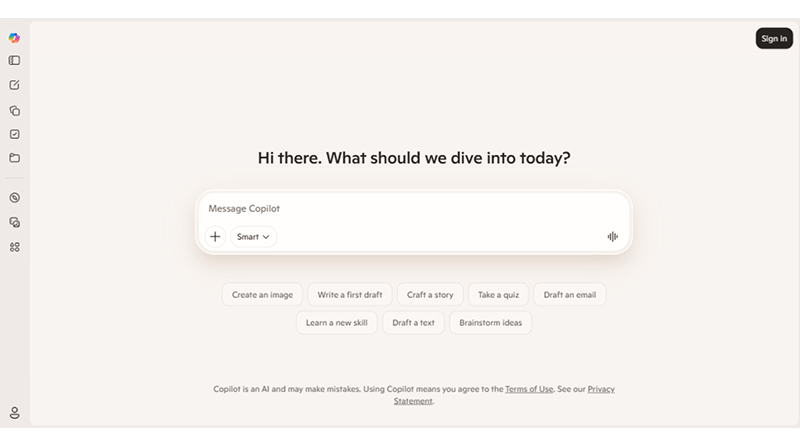
Copilot is Microsoft’s AI assistant that can be integrated into Word, Excel, PowerPoint, Outlook, Teams, and other Microsoft 365 products.
Features
- Rewriting, summarization, and in-app drafting
- Spreadsheet assistance in Excel
- Slide editing in PowerPoint
- Meeting summaries and follow-ups in MS Teams
👍 Pros
The app lives where users already work; no new app needs to be deployed
Microsoft 365 security/compliance
⚠️ Cons
Unlike LibreChat, it is not a general-purpose chat hub
Microsoft's model roadmap limits your model choice
2. ChatGPT
Pricing
- Personal plans start at £5.94/mo.
- Business plans start at £18.56/mo.
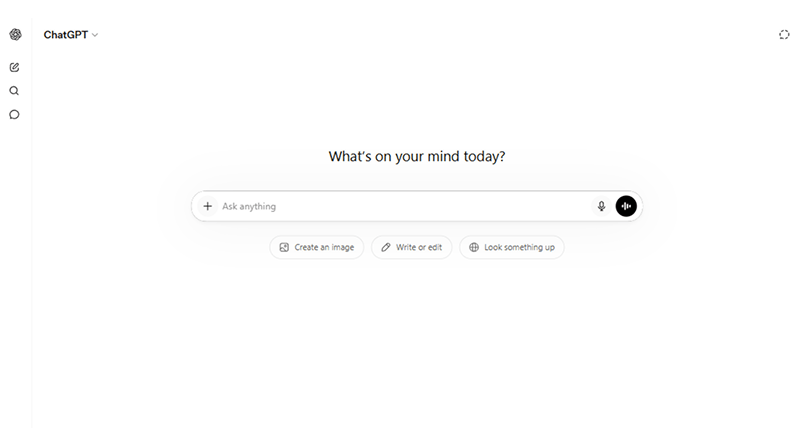
The best OpenAI AI framework is used for coding, image generation, and content creation using an intuitive conversational interface. The tool helps in brainstorming, analysis, coding support, and custom workflow automation.
Features
- Advanced multi-turn dialogue, role-playing, and contextual understanding
- Built-in image generation (DALL·E 3), voice interactions, and document/data uploading
- Ability to create or use tailored bots for specific tasks (e.g., writing, research, coding)
- In-chat Python execution for data crunching, math, and chart generation
👍 Pros
State-of-the-art AI models
General-purpose hub
⚠️ Cons
Data isolation
Workflow disruption
3. Ollama UI
Pricing
- Plans start at £14.85/mo.
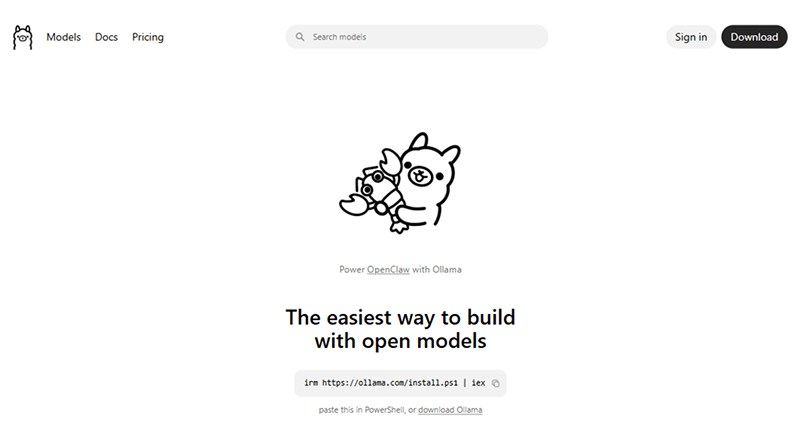
Ollama UI is a full-fledged open-source AI framework that features ChatGPT-like experiences. It works seamlessly with Ollama, allowing users to run LLMs on their own machines with zero cloud dependencies. It offers an intuitive design for users looking for a straightforward, no-frills experience.
Features
- A sleek interface to manage interactions and chat history
- Easily search for, download, and switch between various open-source models.
- Summarize documents, elaborate on specific sections, or analyze code scripts.
- Direct control to adjust the model's context length in the settings
👍 Pros
Clean UI and seamless interactions
Easy setup within a few commands
Simultaneous loading of AI models
Scans PDF and DOC files through AI
⚠️ Cons
Designed primarily for Ollama
Focuses primarily on chat interactions
4. HuggingChat
Pricing
- HuggingChat-Free
- Hugging Face—Plans start at £6.68/mo.
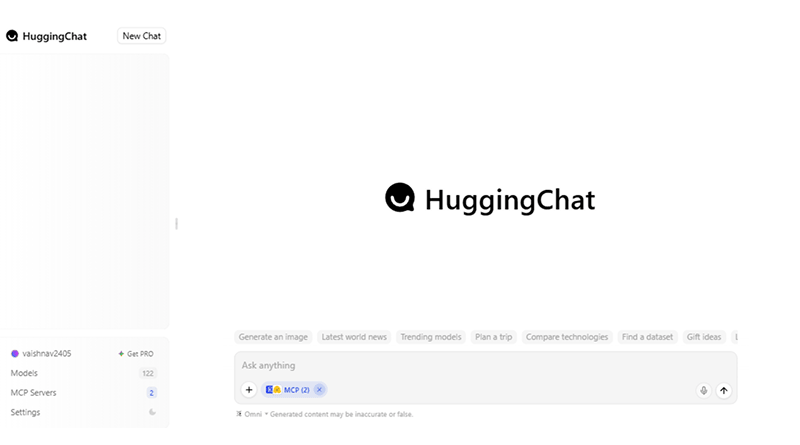
HuggingChat is an open-source LibreChat alternative featuring customization & plugins for easy web searches, model selections, and zero setup. This AI tool functions as a great sandboxed environment for comparing how different open-weight models perform.
Features
- Access built-in chat features directly on Hugging Face documentation pages.
- Supportive of MCP servers to access external development tools
- Allows users to build, host, and share customized AI assistants
- Fosters localization by communicating with AI in several languages
👍 Pros
Supports multiple languages
Engages users effectively
Intuitive interaction
⚠️ Cons
Inconsistent accuracy
Requires fine-tuning
High computational load
Is LibreChat Safe and Worth It?
1. Security Aspects
LibreChat is a self-hosted web application acting as a secure interface for AI models. It eliminates the data breach risks and third-party privacy vulnerabilities. It allows enterprise-grade authentication protocols, including Google, GitHub, and OpenID Connect, ensuring granular control and multi-tenant isolation.
2. Data Privacy
Privacy with LibreChat is a bit nuanced because it depends on the models you connect to it. If you plug it into cloud APIs, the prompt still has to go through providers for processing. The responses are generated on the servers, similar to using the official apps.
Your chat history and conversation structure are stored on your self-hosted server with LibreChat. The interface is not connected to just a single company’s account system. If you want to switch to local models, then no part of the workflow leaves your device or server.
When to Choose LibreChat?
Individuals or enterprises must choose LibreChat, demanding stringent data compliance, cost-optimization, and a unified AI workspace.
It is an ideal choice if you want to switch seamlessly between multiple AI models (GPT-4, Claude, and Gemini) within a single, ChatGPT-like interface without paying multiple subscription fees. It is suitable for users with basic technical expertise to run a Docker container and share AI access with team members.
Bottom Line
LibreChat is a free ChatGPT alternative for enterprises and developers demanding flexibility, control, and cost optimization. If a team needs to run AI with data governance policies or simply needs the freedom to use models without paying for multiple subscriptions, LibreChat is a production-ready platform available today.
However, LibreChat has a few trade-offs. It demands Docker expertise and proactive maintenance. But for any team with basic DevOps potential, the investment pays off quickly through reduced costs, greater customization, and complete ownership of every AI-based conversation.
Whether you are a solo developer in Bengaluru or in California, building your first AI-powered product, LibreChat is not just a ChatGPT alternative. It is a long-term, scalable AI infrastructure decision worth making.
FAQs
1. What is LibreChat used for?
LibreChat is a free, open-source AI platform that allows you to access and manage multiple AI models from different providers (like OpenAI, Anthropic, and AWS) within a single, unified interface. It is primarily used for seamless AI model switching, building custom AI agents, and maintaining full control over user data and conversation history.
2. Is LibreChat an MCP client?
LibreChat leverages MCP to dramatically expand what your AI agents can do, allowing you to integrate everything from file system access, web browsers, specialized APIs, to custom business tools.
3. Is ChatGPT an MCP client?
Yes, ChatGPT functions as an MCP (Model Context Protocol) client. It supports both read and write operations, allowing you to connect custom MCP servers or "apps" directly to your chat sessions.
4. Who owns 49% of OpenAI?
Microsoft does not own 49% of OpenAI, but it is entitled to 49% of the profits generated by OpenAI's for-profit arm, alongside a restructured 27% economic stake. The remaining 47% of equity and economic rights belong to OpenAI employees and other venture investors, while the original nonprofit retains governance control.

The Author
Popular on MilesWeb
If you’ve been using the Internet for a while now, you must have probably heard of the term “firewall” a lot of times. But many of you might not be…