Jackson Lane
In the digital age, information is incredibly valuable and has continued to shape how we live and work.
Information has turned into a driving force for businesses, leading them to browse the Internet seeking valuable information. As we are aware, the Internet is a nucleus of data and intelligence, and at times, it becomes challenging for individuals to find the records or data they are looking for.
You’ve probably heard the buzz about RSS feeds and noticed how businesses search for the best RSS feed plugins for WordPress. If you are willing to dig deeper, then this blog serves as a directive for you. Knowing the information given in this blog can be a huge difference maker for your business, especially if you’re using WordPress hosting to enhance your website’s competence. This is where the RSS feed plays a crucial role in providing.
Table Of Content
What is an RSS feed?
RSS stands for Really Simple Syndication. RSS feeds transform files and the newest website updates into a straightforward format. In summation, it enables you to organize various articles in a single place, making them readily available.
As illustrated earlier regarding the internet, another reason that has proven to be imperative is having a website. Irrespective of the scale of your business, having a website has become obligatory, as it can do miracles for your online brand. Hence, we have WordPress, which makes website building and management effortless.
However, solely creating a website is not adequate to entice visitors; it must feature critical elements and specific aspects that stand out from the crowd; engagement is one such aspect. To have interactive websites, brands are now vigorously choosing the WordPress RSS feed plugin for their websites.
The WordPress library offers dozens of RSS feed plugins to assist in the process. In the following sections, you will be introduced to the benefits and the best WP RSS plugin that assists you in adding RSS feeds to your WordPress website, so without any further delay, let’s dive in.
Benefits of RSS Feeds
Employing an RSS feed offers a multitude of benefits; a few of them are as follows:
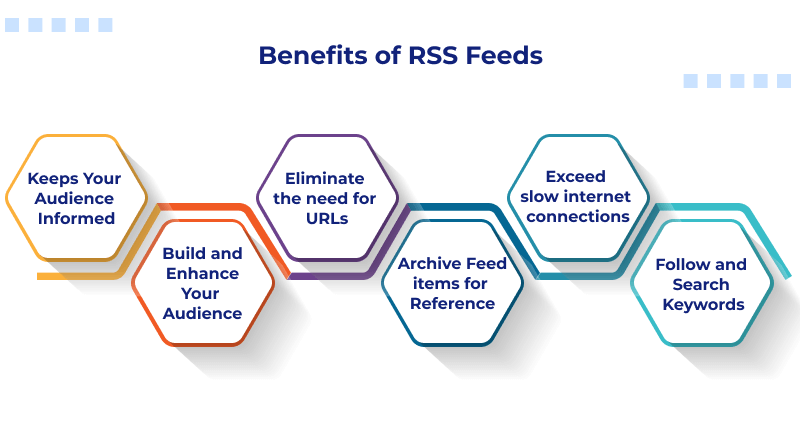
1. Keeps Your Audience Informed
With a WordPress RSS news feed plugin, your visitors receive instant notifications, newsletters, and updates straight to their desktops. Apart from that, they can organize various formats of media with their RSS feed, such as images, videos, blogs and much more.
2. Build and Enhance Your Audience
As your WordPress RSS feeds can make your blog more accessible, you attract more viewers and customers to your website. Additionally, active subscribers are more likely to spread your content ideas across social media channels. In general, it helps create awareness about your content and enhances your website traffic.
3. Eliminate the need for URLs
With the best RSS plugin for WordPress, it’s no longer necessary to remember all your favorite blogs; rather, you can access all updates from your feed reader.
4. Archive Feed items for Reference
Your feed viewers can save particular information for future use. For instance, if you have too much to read in updates, you can wait until you have time to open them.
5. Exceed slow internet connections
Rather than loading various blog pages on a slower connection, feed readers can provide updates to you from several sources.
6. Follow and Search Keywords
If you’re tracking a precise niche, you can use keyword filtering to sort through your feeds. You can additionally set your feed readers to inform you when precise keywords arise in your feed.
How to Determine If an RSS Feed Is Functioning Properly and Validly?
Every website has its own RSS feeds, while WordPress also allows users to display RSS feeds coming from other sites. Before integrating any third-party RSS feeds, it is essential to verify that they are fully functional and delivering accurate, up-to-date content.
Two simple ways that provide good reliability in determining if an RSS feed is valid are:
1. Using Your Browser to Test the RSS Feed Directly
One of the fastest ways of testing an RSS feed is by visiting that RSS feed URL in your web browser. Simply grab the feed URL for the RSS feed and stick it into your browser’s address bar.
When you view the RSS feed URL in your web browser, if the URL is working, it will display in raw XML format, thus indicating that the RSS feed exists, and it produces content that can be utilized on your website.
2. Validating the Feed Through the W3C Validator
For added detail on validating a feed, use the W3C Feed Validation Tool, which is a well-established and trusted means of confirming if an RSS feed is valid. To do this, simply take your RSS feed URL and paste it into the W3C Feed Validation Tool’s validation field, then simply click on “Check.”
You’ll receive an immediate determination as to whether the RSS feed is valid or invalid. If the RSS feed is from your own site, the W3C Validator may also supply you with helpful hints about how to enhance its compatibility and the ease of reading it.
Disabling RSS Feed in WordPress
RSS feeds are a great way to distribute your content, but not every website will benefit from their use. If implementing RSS feeds doesn’t fit into your content strategy or you want to keep the functionality on your site to a minimum (to reduce maintenance efforts/overhead), then disabling RSS feeds is an easy process within WordPress.
To disable RSS feeds in WordPress, there are two easy options:
1. Disabling RSS Feeds with a Plugin
A simple option for those who want to avoid any coding is to use a plugin. The Disable Feeds plugin is specifically developed for removing all types of feeds—RSS, Atom, RDF—by redirecting feed requests back to regular web pages.
While this particular plugin hasn’t been updated in recent years, most users have found that this plugin continues to work properly with the current versions of WordPress. However, keep in mind that you will have to manually remove any links to your RSS feeds from your theme, sidebar, or footer widgets, as the plugin only “disables” the feed itself.
A plugin is the quickest way to “deactivate” the feeds for beginner users and website owners wanting quick results without modifying their theme files.
2. Disabling RSS Feeds by Changing the Theme
The second method for eliminating your site’s RSS (Really Simple Syndication) feed is to edit the functions.php file from the active theme.
To edit this file, log in to your WordPress Dashboard and navigate to Appearance > Theme Editor. Next, locate the functions.php file from the right column of the editor and add the following code at the end of the file:
add_action( 'do_feed', 'itsme_disable_feed', 1 );

add_action( 'do_feed_rdf', 'itsme_disable_feed', 1 );

add_action( 'do_feed_rss', 'itsme_disable_feed', 1 );

add_action( 'do_feed_rss2', 'itsme_disable_feed', 1 );

add_action( 'do_feed_atom', 'itsme_disable_feed', 1 );

add_action( 'do_feed_rss2_comments', 'itsme_disable_feed', 1 );

add_action( 'do_feed_atom_comments', 'itsme_disable_feed', 1 );
After adding the above code, save the file. The above code will disable RSS feed generation at the theme level entirely.
It is also good practice to use a child theme or create a backup of any theme files before modifying them—particularly with production websites hosted on a performance-optimized web host, such as MilesWeb.
If RSS feeds do not support or complement your site’s purpose, then disabling them is an excellent option for many users. WordPress provides a variety of flexible options for both plugin-based and manual customization of RSS feed functionality on your website.
Comparison of RSS Feed Plugins
| Plugin | Best For | Key Features | Free Version |
| Feedzy | Content aggregation & flexible RSS displays | Auto RSS aggregation, shortcodes & Gutenberg blocks, keyword filtering, caching | ✔️ |
| WPeMatico RSS Feed Fetcher | Auto-blogging feed import | Campaign-based feed management, flexible scheduling, keyword filtering | ✔️ |
| All in One SEO (AIOSEO) | SEO + RSS enhancement | Enhanced RSS content control, feed customization, social content templates | ✔️ |
| RSS Aggregator | Multi-source feed aggregation | Imports & clusters multiple feeds, shortcode & block integration, customizable display | ✔️ |
| Category-Specific RSS Feed Subscription | Category-based feed subscriptions | Allows user subscription by category/tag | ✔️ |
| RSS Include Images | Improve RSS engagement | Adds pages and featured images to feeds | ✔️ |
| Featured Images in RSS for MailChimp | Visual RSS feeds | Adds featured images to RSS feeds, great for MailChimp campaigns | ✔️ |
| Super RSS Reader | Lightweight feed display | Display multiple RSS feeds in widget/shortcode, animated ticker, grid/column view | ✔️ |
| RSS Feed Pro | Easy RSS feed management | Enhanced importing, sorting, archive options, widget & shortcode support | ✔️ |
Best WordPress RSS Feed Plugins 2026
1. Feedzy
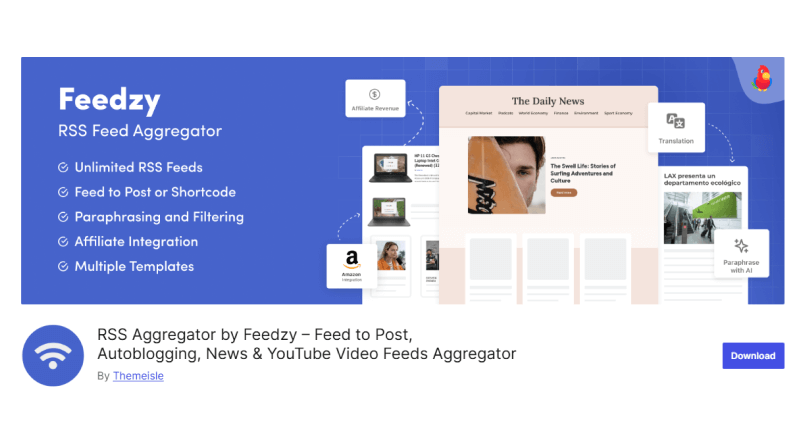
Feedzy is a leading RSS aggregator plugin for WordPress that acts as a reliable solution for organizing and publishing RSS feeds on your website. Its services are similar to WP RSS Aggregator—it allows limitless RSS feed imports and uses shortcodes for placing feed displays. With its features, you can also classify RSS feeds to merge multiple feeds from various sources.
Feedzy’s premium plans are ideal for those who heavily rely on RSS feeds. The paid versions include additional templates, client support, and the capability to import more feeds into WordPress posts. A single-site plan starts at $59/year.
Key Feature: Unlike its competitors, Feedzy offers a wide range of templates, giving you superior control over feed layouts.
Features:
- Automatic RSS Feed Aggregation
- Responsive & SEO-Friendly Feed Display
- Shortcode & Gutenberg Block Support
- Keyword Filtering & Feed Customization
- Caching for Performance
2. WPeMatico RSS Feed Fetcher
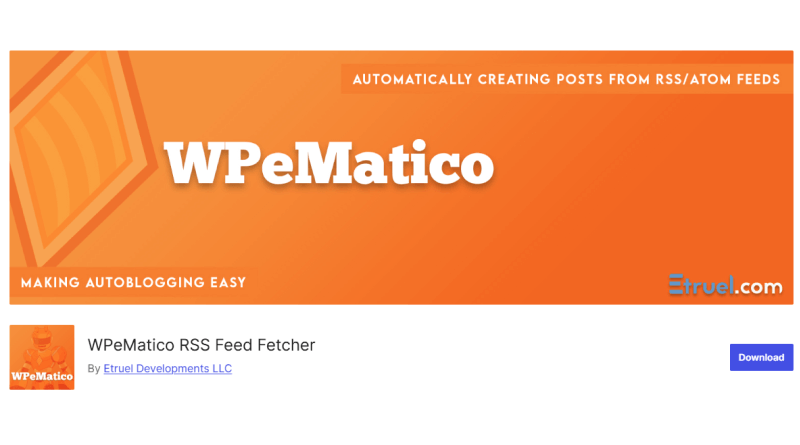
WPeMatico illustrates itself as an auto-blogging plugin. It can publish various posts from your preferred RSS/Atom or XML feeds using the SimplePie library or an external library integrated into the plugin. This WordPress RSS feed plugin is designed to keep your website’s user experience in mind.
With WPeMatico RSS Feed Fetcher, you can retrieve content from various feeds and organize them in a significant way as per categories to make them more user-friendly. This best RSS feed plugin for WordPress offers a captivating interface following the WordPress standards that enables you to manage all the feeds you import.
Key Feature: You can automatically add various categories from source posts. Additionally, feed auto-discovery enables you to add feeds even if you are not sure of the exact URL.
Features:
- Automatic RSS/Atom Feed Importing
- Campaign-Based Feed Management
- Flexible Scheduling / Cron Support
- Post Creation Options
- Keyword Filtering & Exclusions
4. RSS Aggregator
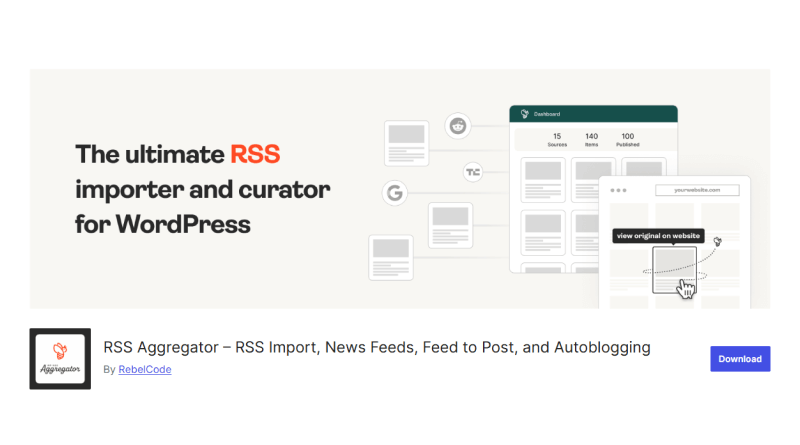
RSS Aggregator is a flawless WordPress RSS feed plugin for clustering several RSS feeds into single displays. If you want to compile feeds from distinct websites, this plugin allows you to retrieve unlimited resources and features. WP RSS Aggregator is the perfect plugin to quickly import RSS feeds, build a news aggregator, and enable easy auto-blogging.
Additionally, you can display a feed on any posts or a page using a shortcode or a Gutenberg block. WP RSS Aggregator is a premium tool; however, its free version is also quite proficient. With the RSS Aggregator plugin, you can add RSS feed content to your WordPress posts, include more premium templates to match your theme, and sort RSS content by keywords.
Key Feature: For those who are fond of customizations to elevate the user experience of their website, this popular WordPress RSS plugin offers a peak level of customization services.
Features:
- Import & Display RSS/Atom Feeds Easily
- Shortcode & Gutenberg Block Integration
- Feed Grouping & Multiple Sources
- Excerpt & Link Control
- Caching for Performance
5. Category-Specific RSS Feed Subscription
Category-specific RSS feed plugins not only make your content more engaging but also provide an opportunity to add RSS feed menu subscription buttons on tags. This enables readers to subscribe only to the feeds that interest them.
This plugin is especially beneficial for larger websites with regular output across various topics, like news websites. If a user subscribes to the main RSS feed; they may get stunned by the inappropriate content. With this WordPress news feed plugin, they can subscribe to posts under their desired categories, such as politics, sports, arts, and much more.
Key Feature: The main goal of the category-specific RSS feed subscription plugin is to provide content that readers want; it helps content-heavy WordPress websites achieve that.
6. RSS Include Images

The role of RSS Includes Images is quite easy—it enables you to add both posts and pages to your WordPress website’s RSS feed. This plugin WordPress RSS provides an impactful solution for clients, particularly helpful if you use pages for operations like announcements.
This plugin strategically transforms RSS feeds to add pages and posts. Disabling the plugin restores RSS feeds to their default condition. Adding pages to your feeds is helpful if you are using WordPress as a CMS, where pages represent a significant portion of your content. Additionally, the premium version offers numerous stunning features, such as filtering pages by ID, adding custom types like WooCommerce products, Avada portfolio, and much more, all for under $15.
Key Feature: This WordPress RSS feed plugin is lightweight and doesn’t interrupt your workflow.
Features:
- Adds Pages to Your RSS Feed
- Simple & Lightweight
- Supports Multiple Feed Types
- Improves Syndication Scope
- No Configuration Required
7. Featured Images in RSS for MailChimp
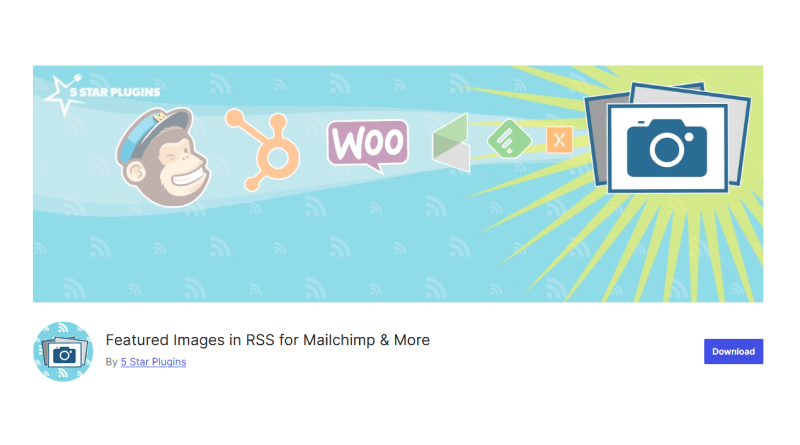
In this graphics-oriented world, your RSS feed must utilize the potential of images. If you are looking for a solution to achieve that, this plugin might be what you need. Thanks to its featured images for MailChimp and much more., It’s convenient to include images in your RSS feed instantly.
Even better, this plugin is completely free, and with over 30,000 active installations, you can see how many people are leveraging it. With this plugin, you can deliver featured images to email campaigns. (including those in HubSpot). Featured images in RSS were crafted for content marketers, offering an easy way to set up with the least configuration to get started in a few minutes.
Key Feature: Everyone likes options, and with this free WordPress RSS plugin you can have them. You can choose the featured image size; thus, controlling the exact resolution of the picture.
Features:
- Add Featured Images to Your RSS Feed
- Improves Engagement in Feed Readers
- Supports All Post Types with Featured Images
- Lightweight & Easy to Use
- No Coding Required
8. Super RSS Reader
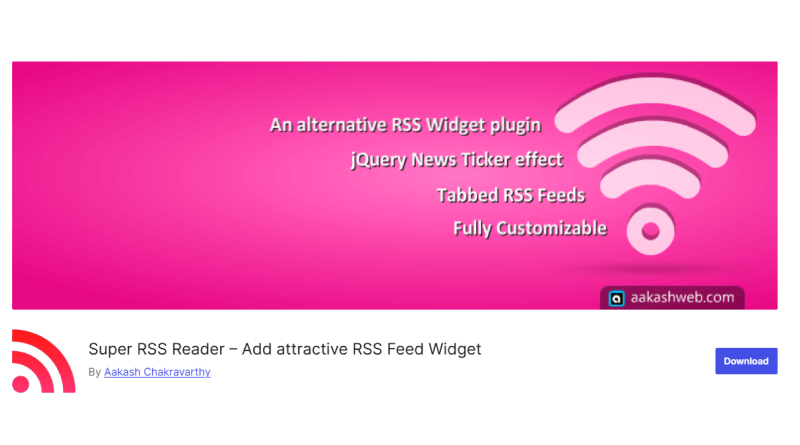
The Super RSS Reader plugin is another free alternative to the WordPress RSS widget. It allows you to include multiple RSS feeds within your WordPress sidebar and modify them with various display features, such as an animated news ticker, tabs to distinguish feeds and thumbnails for display images.
This widget is fully personalizable; you can fine-tune your Super RSS feed with external CSS or choose from a variety of colour schemes. Moreover, Super RSS Reader Pro enables you to feature a feed display with a shortcode rather than a widget and supports both a grid and a column view.
Key Feature: This feed RSS WordPress plugin is one of the best cost-effective solutions, with a lifetime cost of $19/website.
Features:
- Display RSS Feeds Anywhere
- Customizable Feed Appearance
- Multiple Feed Support
- Responsive & Lightweight
- Easy Setup & No Coding Needed
9. RSS Feed Pro
RSS Feed Pro is a plugin created for WordPress that allows the owner of a website to pull in, display, and manage multiple RSS feeds from different outside sources. Using this WordPress RSS reader plugin, users can create coherent layouts of their RSS feeds on your website. All of your imported RSS feeds will be displayed in an easy-to-read format.
Also, the plugin will allow you to use shortcodes to place your RSS feeds anywhere on your website, such as on pages, posts, or widgets. In addition, the plugin allows you to import feeds from various sources and formats without sacrificing the overall performance of your website.
RSS Feed Pro is a simple and user-friendly solution to integrating RSS feeds with WordPress. With the automatic updating feature, you can always ensure that your website stays updated without having to manually check for updates.
Key Feature: With minimum setup, the RSS Feed Pro plugin provides easy integration of your RSS feed. This makes it a great tool for users who want a simple, reliable way to stay updated with awesome content consistently.
Features:
- Enhanced RSS Feed Importing
- Podcast-Ready Functionality
- Sort & Archive Options
- Improved Image Support
- Widget & Shortcode Integration
Tips for Optimizing RSS Feeds
RSS feeds allow users to keep up with your most recent posts without going back to your website every time. To encourage more subscriptions, the RSS feed needs to be optimized to help readers get the information they want cleanly and quickly.
Below are some efficient ways to optimize your RSS feed on a WordPress blog:
– Summary versus Full Posts
If you are including complete articles in your RSS feeds, it could discourage users from visiting your site since they can read everything in their feed reader. Instead of including full articles, consider providing summary versions of each article and including a “Read More” link to the actual post on your blog. By providing users with an opportunity to visit your website for the full post, you are providing them with an incentive for them to return and read additional posts on your blog.
WordPress has a built-in feature for creating article summaries. You can access this by going to “Settings > Reading” and selecting “Summary” from the “Show” dropdown list. Making this small adjustment to your settings will greatly enhance reader engagement and increase the number of page views made from the RSS feed.
– Enable Category and Tag-Based RSS Subscriptions
Subscribers to a website do not necessarily want to receive updates regarding all sections of the site, which is why a reader can opt for an RSS feed subscription based on categories or tags. This allows readers to follow only the pages that interest them.
Category-specific RSS feed subscriptions can be easily set up using the use of a plugin and are especially beneficial for sites that produce a large amount of content (i.e., blogs/news sites, etc.) and feature a broad range of topics.
– Make Author-Specific RSS Feeds Available
On multi-author blogs, author RSS feeds provide readers with an opportunity to subscribe to an author’s published articles, thereby adding a more personalized touch. Many readers will only be interested in a limited number of authors who help encourage long-term engagement between the author and the reader.
In WordPress, each author automatically generates an author-specific RSS feed in the following format:
http://example.com/author/authorname/feed/
Authors can link to their feed in their bios and on their author page or as part of their email signature to increase an author’s readership.
Creating optimized RSS feeds will ensure that the right content reaches the appropriate readers while redirecting continuous traffic to your website. Together with a good quality WordPress host such as MilesWeb, optimized RSS feeds can help increase website performance and reader engagement and help improve a website’s content distribution strategy.
Conclusion
These were some exceptional WordPress RSS feed plugins that assist you in integrating RSS feeds on WordPress websites. RSS feeds not only enhance your website’s design and layout but also make your website more unique and captivating. You can consider these RSS WordPress plugins, choose the one that suits your needs, and integrate them with your WordPress website.
RSS feeds offer a trustworthy source of additional functionality for your website. You can leverage them to bring content from other websites to your website without manually updating the feed. As a result, you can see an increase in engagement and conversions.
So, stop waiting and choose your desired RSS plugins for WordPress now, and make your digital footprint more enticing and convincing.
FAQs- WordPress RSS Feed Plugins
Significance of RSS Feeds, and why to give a try?
The best RSS feed plugin for WordPress strikes a fine balance between providing information and delivering knowledge. WP RSS feeds catch the attention of readers and keep them hooked to your website. Whenever someone opens your website, this precise information appears in front of them. Its captivating benefits, like organizing content, gathering traffic to websites, offering customization, saving time, and keeping you informed about niche topics, make it a must-try solution.
Why should I use an RSS feed plugin for my WordPress website?
Highlighting RSS feeds on your WordPress helps enhance SEO, customer engagement, and website traffic. In essence, RSS feeds allow users to view your content in a quick and easy-to-read format.
Can RSS feed plugins create custom RSS feeds?
Yes, WordPress enables you to manage RSS feeds using plugins or customizing the theme’s file. Additionally, you can add elements like media and post metadata.
How can I use RSS feeds to improve my website’s SEO?
Employing a WordPress RSS feed plugin free can help to enhance SEO results by offering increased backlinks and content updates through syndication. This in turn optimizes your feeds with relevant content to enhance their global reach.
How can I prevent unauthorized access to my RSS feeds?
To restrict unauthorized access to your RSS feeds, you can use password protection or IP whitelisting. Moreover, you can secure the feed with encryption or time-sensitive access tokens.