Jackson Lane
Artificial intelligence has evolved from being simply a program that generates text responses to an agent that generates an immediate, automated and well-directed response to the user. The user wants systems that generate actions autonomously. The change in thinking has resulted in applications such as OpenClaw. If you want to automate your process, then it would be beneficial for you to know what OpenClaw is.
OpenClaw is an entirely new class of AI tools. It provides both conversational AI capabilities and system-wide execution support. In addition to generating responses, it can execute real physical actions on your computer or hosting server.
Gartner projects that by 2025-2026, AI automation will account for more than 40% of all company workflows. OpenClaw and similar products are poised to play a significant role across both personal and professional environments, offering versatile solutions that enhance efficiency, productivity, and user experience.
Table Of Content
What is OpenClaw?
OpenClaw is a self-contained open-source artificial intelligence agent framework that runs on a system that you own and operate. Whether operated by a computer (local), a virtual private server (VPS), or a standalone hardware device, OpenClaw gives users the ability to control their data and the execution environment in which they run their applications.
Cloud-based products only provide users with the ability to access their data remotely, but they don’t allow for the storage of data on their own local hardware. The Clawdbot project began in late 2025 and gained momentum rapidly as more people became aware of it.
In three days after being publicly released in January 2026, Clawdbot achieved a star count of over 60,000 (62,222 stars at the time of the announcement) on GitHub, making it one of the most rapidly growing repositories on GitHub at the time. Subsequently, Clawdbot was renamed to OpenClaw to better reflect the open-source and self-hosting characteristics.
Open-Source AI Agent Framework Explained
Developers and end-users can use the open-source AI agent framework to verify, modify, or build upon any part of it. OpenClaw is an example of an open-source AI agent framework built to provide maximum transparency and flexibility compared to other closed-source AI platforms. It gives developers full control over how all elements of their AI agents function.
Some significant components of OpenClaw include:
- Open-source code available for modifications
- Ability to connect to local tools and scripts
- Support for multiple types of AI models
- Unlimited deployment options
According to a McKinsey & Co. research, 65% of organisations are now using generative AI for at least one corporate function. The use of open-source frameworks is helping companies to adopt this form of artificial intelligence by minimising their reliance on other companies’ proprietary or third-party systems.
OpenClaw Feature Breakdown
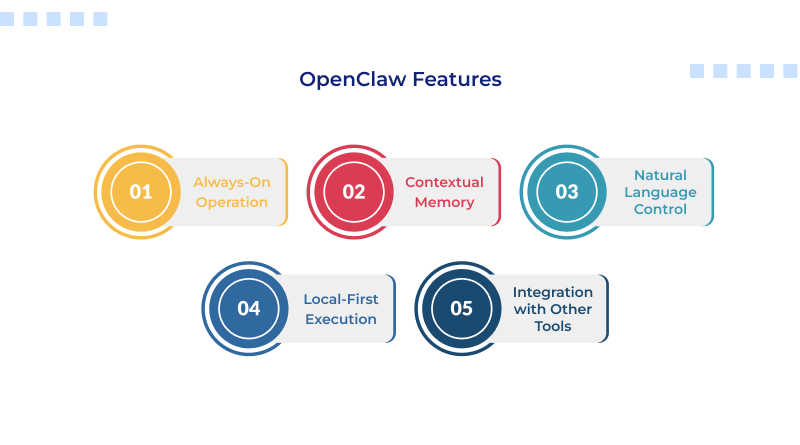
1. Always-On Operation
OpenClaw operates continuously and will not reset after every interaction. These capabilities provide OpenClaw with the ability to:
- Track long-term jobs
- Monitor system status
- Provide updates or notifications without manual input
2. Contextual Memory
One of the key features of OpenClaw is its ability to remember previous interactions by storing:
- User options
- Prior instructions
- Task history
As a result, the repeated use of OpenClaw improves accuracy over time.
3. Natural Language Control
Users will communicate with OpenClaw through short, simple text messages rather than writing scripts. For example, users are able to type or say the following:
- Organize my files
- Check system logs
- Create reminders
This allows any user to automate their lives.
4. Local-First Execution
Another vital feature of OpenClaw is that it allows users to execute tasks locally. The following types of devices can run tasks:
- Your computer
- Virtual private servers (VPS)
- Dedicated servers
This provides users with the highest level of privacy and control.
5. Integration with Other Tools
OpenClaw can execute the following types of commands to interact with hardware:
- Terminal commands
- File systems
- Web browsers
This enables OpenClaw to interact with devices and perform real-world tasks rather than just explain how to execute commands.
How OpenClaw Works?
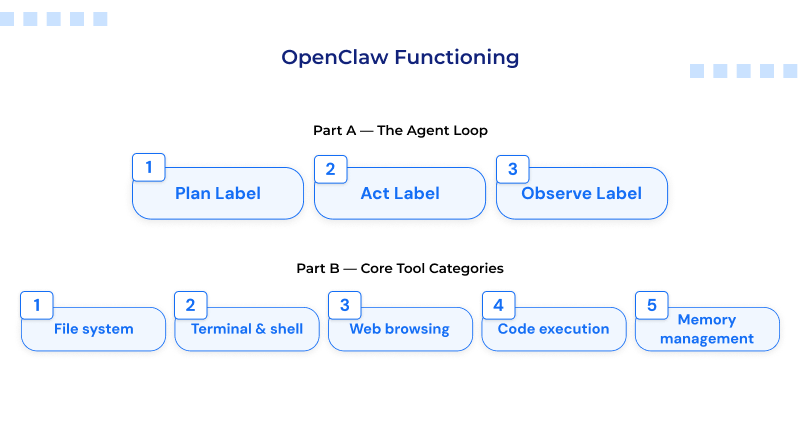
To truly appreciate the capabilities of OpenClaw, you need to look at how its workflow operates.
- Input Through Messaging Application
OpenClaw receives a message containing natural language commands through a chat application such as Telegram or Slack.
- Intent Recognition
This platform reads and analyzes the intention of the user based on the command given to the system.
- Context Retrieval
OpenClaw will then refer to previously stored data and user messages to better understand the full context of the request.
- Workflow Planning
The request will then be broken down into several smaller tasks, and then the correct tools will be used as needed to complete the request.
- Execution
Once the steps to fulfill the request have been completed, OpenClaw will either execute the commands directly on the user’s computer or through a remote server.
- Follow Up
OpenClaw notifies you about the status of your command request. You will get a reminder and a confirmation about the task completion.
Best OpenClaw Use Cases
1. Automation of Personal Productivity
OpenClaw functions as an intelligent personal assistant, operating silently in the background. It automatically manages your schedule, creates reminders, and tracks daily activities without requiring you to enter data repeatedly. This not only helps you stay organised but also saves you valuable time spent on planning.
2. Developer Automation
For developers, OpenClaw offers the ability to automate tedious and repetitive technical functions. For example, OpenClaw will automatically execute scripts, monitor log files, and set up development environments automatically. By doing this, OpenClaw helps to reduce the time that developers spend completing manual tasks.
3. System Monitoring
With OpenClaw, you can continuously monitor the system’s performance and be alerted when problems arise. It can help keep track of servers, monitor resources, and identify problems before they happen.
4. Long-Running Tasks
OpenClaw is built for processes with longer operational phases and multi-level functions. It can monitor events, execute workflows, and provide real-time updates automatically.
The growth in spending on automation tools such as AI is forecasted to reach a value of $300 billion by 2026 (Statista). Therefore, solutions like OpenClaw are going to be the future of continuous automation.
OpenClaw vs. Traditional AI Tools
Traditional AI tools focus on conversation. OpenClaw focuses on execution.
Key Differences:
| Feature | OpenClaw | Traditional AI |
|---|---|---|
| Execution | Performs tasks | Provides suggestions |
| Memory | Long-term | Limited |
| Deployment | Self-hosted | Cloud-based |
| Interaction | Continuous | Session-based |
This makes OpenClaw more suitable for automation rather than simple content generation.
OpenClaw vs. Workflow Automation Tools
OpenClaw is frequently compared with other tools, such as n8n.
The differences:
- OpenClaw utilises natural language.
- n8n utilises pre-built workflows.
- OpenClaw can adjust in real-time.
- n8n uses established logic.
Both programs can work together; an event in OpenClaw can trigger a workflow built in n8n.
OpenClaw Deployment Options
There are two primary methods by which OpenClaw can be deployed, as follows:
Local Deployment:
- Runs on your own machine
- Gives you immediate access to files
- Useful for testing or single-user usage
VPS Deployment:
- Runs 24/7
- Can be accessed remotely
- Designed for long-running processes
In this case, hosting companies such as MilesWeb offer dependable VPS infrastructure to support OpenClaw.
OpenClaw Security Considerations
Considerations for securing OpenClaw locally depend entirely on users. There are specific actions that should be taken to ensure maximum security:
1. Securely control user access through an authentication mechanism.
2. Restrict access by way of IP whitelisting.
3. Run your application in contained environments.
4. Do not expose your sensitive data.
According to the 2025 IBM Security Report, the average cost of a data breach was reported to be $4,450,000 globally. The significance of how you configure your self-hosted solutions is apparent.
Why OpenClaw Matters for the Future?
AI is transitioning from passive systems to active systems.
The OpenClaw project is helping facilitate this transition by providing:
- Accomplishing tasks
- Keeping a context
- Being continuous
According to PwC (2024), AI may help add up to $15.7 trillion to the world economy before 2030; employing tools (automation) such as OpenClaw will be part of how that happens.
Who Should Use OpenClaw?
OpenClaw is designed to benefit individuals with a technical background who are comfortable using technical systems and want complete control over the way AI functions in their environment.
These are the most significant groups influenced by OpenClaw:
– Developers
OpenClaw enables developers to integrate AI into their development processes. Developers can use OpenClaw to automate coding, testing, file management, and repository management. As an open-source project, developers will have access to the source code, allowing them to modify and add their custom features to OpenClaw as needed.
– System Administrators
System administrators can use OpenClaw to automate server management, script execution, and monitoring servers, especially under managed VPS hosting. In contrast to other SaaS offerings, OpenClaw operates within your environment, making system security and operation monitoring very straightforward.
– Automation Enthusiasts
OpenClaw allows for the flexibility to automate your workflows by creating a way to connect different APIs together. It allows more advanced workflows than existing tools provide.
– Repetitive Tasks in the Workforce
OpenClaw can be used by businesses to manage repetitive tasks such as data entry, report generation, and maintaining internal processes. OpenClaw helps improve productivity while also providing a secure environment for storing sensitive information within its system.
Concluding Insights
OpenClaw is an ideal example of artificial intelligence evolution. It has revolutionized AI platforms from merely an interface intended solely for answering questions to one capable of performing complex tasks. This shift in the functionality of AI will enable users to be more efficient with their work by saving them time, as well as reducing the need for users to perform repetitive manual labour every day.
OpenClaw runs on your own computer system, so your data remains secure with you, and you have complete authority over OpenClaw. You have complete control over how OpenClaw works, what OpenClaw can access and how OpenClaw completes tasks. Therefore, OpenClaw provides you with both privacy and flexibility.
When applied appropriately, OpenClaw can serve as a dependable source for assisting with ongoing tasks, as it will operate behind the scenes. In the future, technologies such as OpenClaw will serve as the next evolution of AI utilisation. Users no longer have to switch between applications and tools. They will only use one program to perform a specific number of functions, therefore streamlining their workflow process.
FAQs
1. Is Clawdbot the same as OpenClaw?
Yes. Clawdbot was the original name, and its new name is OpenClaw.
2. Do I need to pay monthly for OpenClaw?
OpenClaw is free. It’s an open-source framework to build an AI agent. There may be costs associated with hosting or using APIs.
3. Is it possible to run Open Claw on my PC without a web connection?
Yes, many OpenClaw features will work without an internet connection. However, advanced features that use sophisticated AI may require stable internet connectivity to access models outside of those saved on your computer.
4. Is it secure to allow AI agents access to my machine?
Though AI agents (like OpenClaw) can be secure when they have access to your machine, they are not automatically considered safe by default. The level of security varies based on how you configure, control, and monitor these AI agents.