Jackson Lane
Managing prompt iterations often feels like trying to organize a library with the books constantly shifting position. Developers frequently find themselves juggling dozens of file versions while manually testing output to see if a model performs as expected. When a user reports an unexpected response from a chatbot, the developer searches through Git commits or local text files to find which version of the prompt generated that output. This search process is often slow, and even after finding the version, replicating the failure involves manual testing across different inputs, hoping the error appears again.
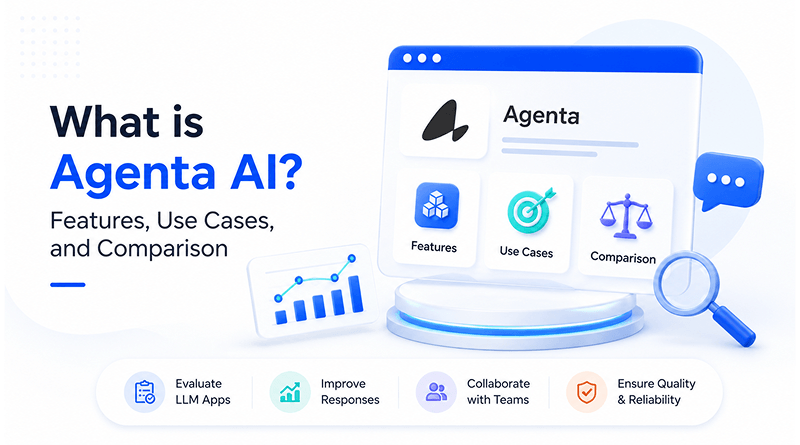
Agenta AI functions as an open-source LLMOps platform designed to provide full control over your development cycle. Because the core features carry an MIT license, you can self-host the platform on your own web hosting infrastructure without restriction. Agenta operates on an open-core model. All primary functional tools are fully accessible under the MIT license. This includes prompt management, the playground, evaluation systems, and observability features.
Table Of Content
What is Agenta AI?
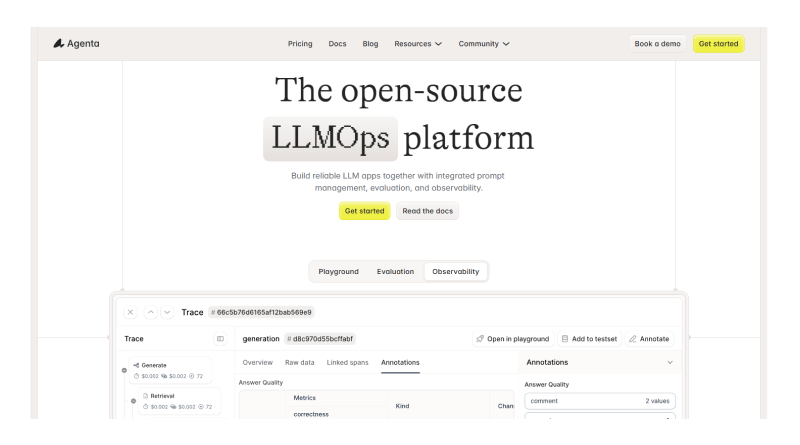
Agenta AI acts as a storage and testing interface for prompt configurations. Instead of keeping system instructions inside your application code, you move them into this platform. Modifying model responses happens directly within the Agenta interface, where each iteration receives a version number for integration into the main application.
Agenta AI changes how teams interact with their models. Instead of sending a code update to change a prompt, a team member logs into the platform, changes the text, and runs a test to see the result. Agenta AI keeps a record of every change, allowing you to go back to a previous version if a new instruction produces unexpected behavior.
Related Read: Ollama Models List: Top AI Models You Can Run Locally
How does Agenta AI work?
In practice, you spend your time in the sandbox environment of the tool. You provide an input—such as a common user question—and look at how the model responds based on your current prompt. Fine-tune settings like temperature to shift the model’s creative output and see how the results change immediately.
Once you identify an instruction that performs well across numerous questions, you save it as a new version. You then write a script that runs a list of these questions through the tool to see how often the model hits your target requirements. If you incorporate the best AI agents like Ackee into your work, this process tells you exactly how a change to a single word in your prompt shifts the final response across hundreds of test cases.
What are the key features of Agenta AI?
The tool focuses on documentation and repeatability. These functions serve as your quality control gate, allowing you to validate model performance and catch errors before any changes reach your users.
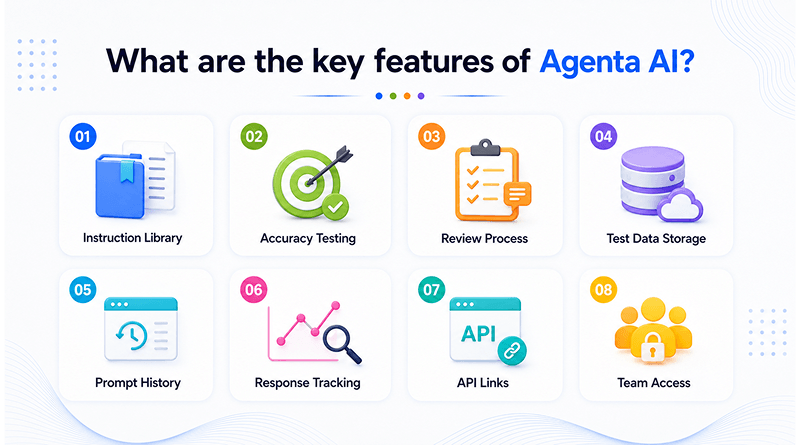
Instruction Library
Storing different prompt versions in a single repository eliminates the risk of data loss. When you want to try a new approach, you can create a new version without overwriting the previous one.
Accuracy Testing
Users can feed a large list of test questions into the platform and compare the model outputs. This helps you notice if a prompt change improves accuracy or introduces a new pattern of errors.
Review Process
Agenta AI allows you to invite colleagues to view outputs and mark them as correct or incorrect. The tool tallies these marks so you can see where the model fails most often.
Test Data Storage
Developers can keep files of test questions and expected answers within the tool. They can reuse these files whenever they iterate on a prompt to maintain a consistent testing baseline.
Prompt History
The system assigns a unique ID to every saved prompt. Link your app to a specific ID to keep your live results from shifting unexpectedly.
Response Tracking
Review logs of recent user queries and model answers. Catch repetitive or wrong responses as soon as you update your system.
API Links
Connecting an application to the platform via API allows for seamless integration. The application then calls the specific prompt version selected within the dashboard.
Team Access
Work in a shared space. The team sees the same prompt history and logs, so no one repeats work. This unified environment streamlines collaboration across development and operations.
What are the common Agenta AI use cases?
Development teams deploy this system in scenarios where user questions vary significantly but the required output must remain steady.
AI Chatbots
Testing checks how the chatbot handles vague or unclear questions, and confirms that specific prompt versions stay coherent across the conversation.
Customer Support
Automation verification procedures confirm the model references provided product guides accurately instead of generating incorrect factual information.
Internal Knowledge Assistants
Testing validates the agent’s ability to locate correct files when responding to queries concerning internal company policies.
RAG Applications
Comparative analysis of search logic identifies which versions provide the most relevant document chunks to the underlying language model.
AI Content Generation
Batch sampling enforces style guidelines. Procedures target sentence length and restricted vocabulary.
Input Stress Testing
Test the model with difficult questions. This shows if the model stays on track when faced with complex input.
Enterprise LLM Governance
Comprehensive logs of prompt modifications document how specific model logic shifts throughout the duration of a project lifecycle. This record becomes essential during audits, since it shows exactly who changed what and when, rather than leaving compliance teams to guess.
When your application handles high traffic, you may need a top AI model like Paperclip for zero human companies, which implies planning for the hardware necessary to host those models.
What are the pros and cons of Agenta AI?
Agenta AI simplifies the development lifecycle, but it also adds operational requirements teams need to plan for.
Pros
Structured iteration
Data ownership
Unified context
Cons
Setup time
Self-hosting management
Smaller ecosystem
Can Agenta be self-hosted on a VPS?
You can run Agenta on a private server, so you control your entire LLM development environment on your infrastructure. Docker deploys the backend, frontend interface, and supporting services together. This keeps the entire application stack in a single environment. Since project data lives on your managed server, you’re not depending on a third-party host for everyday development work.
Before you deploy, it’s worth planning out resources properly. The platform needs at least 4GB of RAM to run, though 8GB makes evaluation and ongoing development noticeably smoother. Docker Engine and Docker Compose need to be installed on the server beforehand. Plan for roughly 20-40GB of disk space—that covers the application files and logs, plus room for the project to grow over time.
Relted Read: What is Jellyfin? How to Set Up Your Free Netflix Alternative with Docker
Agenta vs. Langfuse: Feature Comparison
Agenta provides a place for you to rewrite and test prompts, while Langfuse provides a look at what happens after those prompts are live. You’d choose Agenta when you need to refine your prompts and Langfuse when you need to inspect long traces of user interactions.
| Feature | Agenta | Langfuse |
|---|---|---|
| Primary Focus | Collaboration, full LLMOps lifecycle | Observability, tracing, & engineering |
| Versioning Model | Git-like (branches, commits, variants) | Linear (versions and labels) |
| Collaboration | High; UI-driven for non-developers | Moderate; focused on team annotation/review |
| Observability | Integrated; focused on testing/evaluation | Deep; extensive tracing & production analytics |
| Licensing | MIT (Open Source) | MIT (Open Source) |
| Versioning System | Enables parallel experimentation | Decouples prompts from code via labels |
| Data Architecture | Full lifecycle support in one place | Traces, observations, and sessions |
| Best For | Teams needing cross-functional collaboration | Teams needing granular production monitoring |
Closing Thoughts
Ultimately, Agenta AI provides a specific environment for the back-and-forth work of prompt engineering. By keeping your instructions in a versioned format and testing them against a library of questions, you gain a clearer view of how your model will respond before it goes live.
Agenta AI moves you away from relying on intuition during deployments. You check the test results instead of guessing, make sure the numbers hold up, and push the update knowing what’s actually going to happen. And as the project gets bigger, you can easily check how every change was made — so when something breaks, you’re not searching without direction, and you can see exactly what each tweak did to the output. This transparency builds a framework for creating applications that behave predictably, keeping your momentum high as you move from one milestone to the next.
Frequently Asked Questions
1. Is Agenta free to use?
Agenta offers an open-source version under the MIT license, permitting deployment on private infrastructure without licensing costs. Users remain responsible for the costs associated with the server resources and cloud infrastructure required to operate the platform.
2. Is Agenta better than Langfuse?
It depends on what you’re trying to do. Agenta’s built more as an LLMOps setup—it’s meant for handling the prompt lifecycle and letting your team work on prompts together. Langfuse leans the other way, focusing on production observability and dealing with high volumes of telemetry data. If prompt engineering is your main concern, you’ll probably find Agenta fits better. If you need deep tracing for large-scale production monitoring, Langfuse is usually the stronger pick.
3. Can Agenta be self-hosted on a VPS?
Yes, Agenta can run on a VPS, as long as it meets the resource requirements (4GB RAM minimum, 8GB recommended) and has Docker Engine and Docker Compose installed.
4. Does Agenta support local/open-source LLMs?
Yes, the platform allows you to connect local models through standard APIs or inference engines. This functionality ensures you conduct your testing and evaluation processes entirely within your private infrastructure.
5. What is the difference between LLM observability and evaluation?
Evaluation happens before you deploy anything. You run your prompts against a set of curated datasets, which helps you catch regressions before they hit real users. Observability’s the other side of it—once things are live, it watches actual production traffic and shows you performance issues.