Jackson Lane
Long before a product goes live, someone has to decide where its data will live and who’s responsible for keeping it fast, secure, and consistently available. Supabase and PostgreSQL both answer that question, yet they approach it from opposite directions. PostgreSQL is the database itself, a relational engine trusted across industries for more than three decades. Supabase is a platform that builds on PostgreSQL and adds the components most teams end up assembling on their own, including authentication, storage, and real-time updates.
Teams researching cloud hosting options for their next project often confront this choice earlier than expected, sometimes while the product roadmap is still a rough sketch. A founder choosing infrastructure in month one is really deciding how much development time gets spent on backend setup versus features later on, and that decision ripples through hiring, budgets, and how quickly a first version reaches real users. This blog breaks down the differences between these two options, explains where each one fits best, and helps you decide which one is right for your project.
Table Of Content
What Are Supabase and PostgreSQL?
PostgreSQL forms the foundation of Supabase, which makes the two related rather than competing tools. One is a database engine; the other is a platform built around that engine. Understanding what each one actually does makes the rest of this comparison far easier to follow, especially since the two are often mistakenly compared as if they solve the same problem.
What is PostgreSQL?
PostgreSQL is an open-source relational database. Tables hold the data, relationships connect it, and queries handle genuine complexity, all without sacrificing speed or precision. Developers have been building on it since 1996, from small internal tools to large-scale financial systems, and when it comes to reliability, few databases come close to matching its track record. Advanced indexing, custom data types, and a broad set of extensions let development teams shape the database around what they actually need, instead of bending their architecture to fit someone else’s design.
What is Supabase?
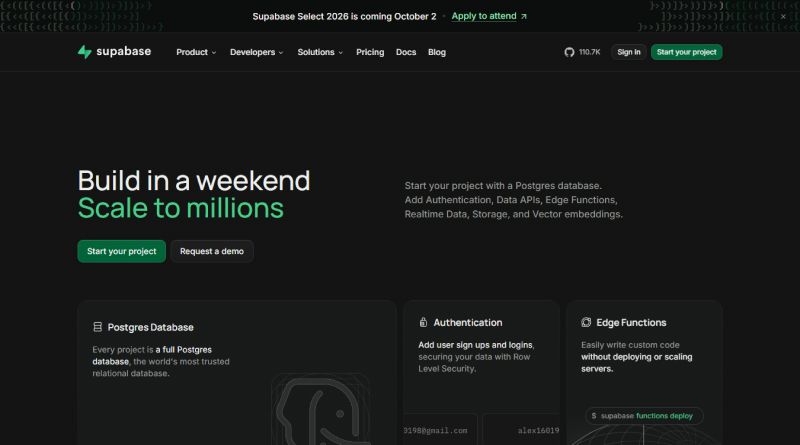
Supabase is a backend platform that wraps PostgreSQL with ready-made services that a typical application needs. It generates instant APIs, handles user authentication, manages file storage, and streams real-time updates, all connected to a PostgreSQL database running underneath. In short, Supabase gives teams a working backend without asking them to write that infrastructure from scratch.
Supabase vs PostgreSQL: How Do They Compare?
A side-by-side view, before the finer details, brings the core distinctions into immediate focus. The table below outlines how each option handles the features most teams care about first.
Related Read : PostgreSQL vs MariaDB: Finding the Perfect Match for Your Cloud Strategy
What Is the Difference Between Supabase and PostgreSQL?
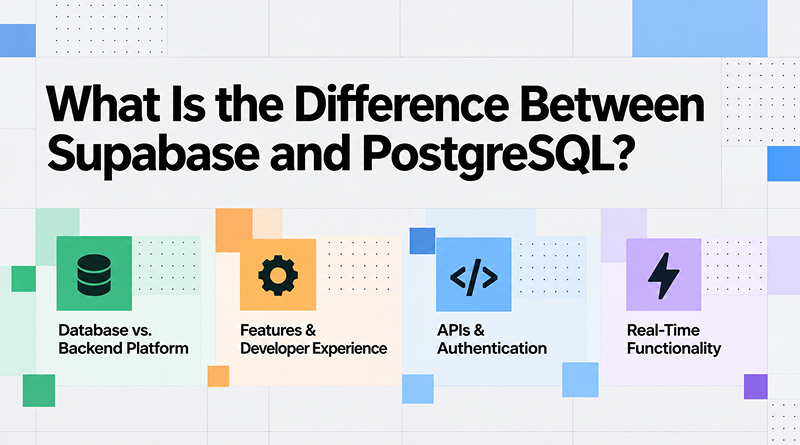
The Supabase and PostgreSQL difference becomes clearer once you look past the surface and examine how each one behaves in a real project. Four areas tend to shape that decision the most.
1. Database vs. Backend Platform
PostgreSQL is purely a database, storing and retrieving data without dictating how your application connects to it. PostgreSQL handles the storage layer with precision, while every other piece, from user sessions to server logic, stays entirely up to the development team. Supabase, in contrast, packages that same database inside a complete backend platform, so a project can go from an empty repository to a working application without stitching together five separate services. That single distinction shapes nearly everything else in this comparison, from how fast a team delivers a first release to how much ongoing maintenance the project demands.
2. Features & Developer Experience
A developer working directly with PostgreSQL writes their connection logic, builds their admin tools, and configures their server environment from the start. Teams sometimes compare this setup against alternatives like MongoDB when they want a more flexible schema, though PostgreSQL still wins on relational integrity. Supabase removes several of these early steps by offering a dashboard, instant table creation, and a built-in SQL editor, which shortens the distance between an idea and a working prototype.
3. APIs & Authentication
Raw PostgreSQL offers no API layer at all, so every request, permission check, and authentication flow has to be coded from scratch or added through external libraries. Supabase auto-generates REST and GraphQL endpoints straight from your database schema and pairs them with a ready authentication system, reducing typical backend development time by weeks. Row-level security policies in Supabase extend the functionality further, letting teams define exactly which users can read or write specific rows without writing custom middleware.
4. Real-Time Functionality
PostgreSQL supports real-time behavior only through extensions or external tools that listen for database changes and push them elsewhere. Supabase includes this capability natively, streaming updates to connected clients the moment data changes, which suits chat applications, live dashboards, and collaborative tools. Founders without a dedicated engineering team often turn to a no-code database at this stage, and Supabase’s real-time layer fits directly into that workflow.
Related Read : PostgreSQL vs MongoDB: Databases for Modern Applications
How Does Supabase Pricing Compare to PostgreSQL Hosting Costs?
Either option can run on a VPS, though the logic behind favoring one over the other changes once self-hosting comes into play.
Small projects and prototypes run fine on the free tier, and once database size, storage, or API requests grow, Supabase moves you into paid plans. The Pro plan holds a fixed monthly rate and scales with extra compute and bandwidth, so founders know roughly what to budget for from the start.
Self-hosted PostgreSQL carries no licensing fee since the software itself is free, though hosting costs still apply through your chosen server provider. A team running its PostgreSQL instance pays for compute, storage, backups, and the development hours needed to maintain uptime and security, including a valid SSL certificate for encrypted connections. This route rewards teams with existing DevOps experience, since the savings on software cost often get absorbed by the time spent maintaining the server, monitoring performance, and applying security patches on a regular schedule.
Should You Choose Supabase or PostgreSQL?
Deciding between Supabase or PostgreSQL depends less on which tool is objectively better and more on what your team already has in place. The points below break down when each option earns its spot.
Can You Host PostgreSQL or Supabase on a VPS?
Supabase and PostgreSQL are both capable of running on a VPS, but once self-hosting becomes part of the decision, the reasoning for picking one over the other looks different.
Self-hosted deployment lets Supabase run on a VPS, and this suits teams that want Supabase’s feature set without depending on its managed cloud. Organizations with data residency requirements, or those who’d rather keep infrastructure inside their network, tend to find this route works well. Server performance still hinges on the underlying stack, and a LiteSpeed server paired with it can noticeably speed up response times for API-heavy workloads.
Hosted directly on a VPS, PostgreSQL puts the most granular control over configuration, memory allocation, and security hardening in a team’s hands, which suits developers who want direct, unmediated access to the database engine. Both paths demand a comfort level with server administration, so teams without that background usually lean toward managed options instead, at least until their technical team grows.
Closing Insights
The Supabase vs. PostgreSQL decision rests on how much of the backend your team wants to own versus how much they would rather hand off. Deep control, custom configurations, and a database that fits the architecture exactly are where PostgreSQL tends to win. Supabase, on the other hand, fits teams that want to launch faster, reduce repetitive backend work, and still rely on PostgreSQL as the underlying database.
Neither option replaces the other so much as it serves a different stage of a product’s journey. Many teams eventually use both as their needs evolve, starting on Supabase for speed and shifting portions of their stack toward raw PostgreSQL as requirements grow more specific. Whichever path you take, the foundation stays the same reliable database that has powered applications for decades, now available in whichever shape your project needs next, ready to support whatever you build on top of it.
Frequently Asked Questions
1. Is Supabase the same as PostgreSQL?
No. PostgreSQL handles the actual work of storing and managing data. Supabase builds on top of it, adding authentication, storage, instant APIs, and real-time updates, none of which a plain PostgreSQL setup comes with on its own.
2. Is Supabase better than PostgreSQL?
Neither is better in every case, since the right choice depends on the project. A team working under time pressure gets more value from Supabase because much of the backend is already in place. A team that wants control over every layer usually prefers standalone PostgreSQL.
3. Can Supabase replace PostgreSQL?
No. Every Supabase project runs on an underlying PostgreSQL database. What changes is how that database is accessed and managed, not the engine that powers it.
4. Can I self-host Supabase?
Yes. Supabase can be deployed on a private VPS or server instead of its managed cloud, an option many teams choose when data residency or compliance requirements leave them no alternative.