Jackson Lane
Node.js powers about 4.6% of all global sites whose server-side technology is known, showing that it’s a strong and growing player in the web server ecosystem (Source: W3Techs). In the 2024 Stack Overflow Developer Survey, 40.8% of respondents are using Node.js, making it the most popular web technology (Source: Stack Overflow).
Running a production-ready app in Node.js hosting is more than just writing clean code. Behind every fast and scalable app is a solid hosting environment. So, if you’ve asked yourself, “What is the best hosting option for production-ready Node.js apps?” you’re not alone. The hosting choice you make today will affect your app’s speed, scalability, and influence the overall reliability of your app tomorrow.
In this post, you will know the best hosting for Node.js production, where we will break down the top five Node.js app hosting options, what makes them a good choice, and what our survey of hosting providers shows that the best hosting looks like. Whether you are deploying a side project or a SaaS, this blog post will serve as your handy guide.
Table Of Content
How Hosting Makes an Impact for Node.js Apps?
Node.js is an extremely powerful platform and is well-suited for asynchronous operations, real-time data, and scalable backend services. However, even the best code cannot compensate for a broken hosting environment. Your app can come to a halt for many reasons, including frequent crashes, insufficient scalability, or unsuccessful deployments. Poor Node.js hosting can compound these issues, particularly in production. Many developers use simple solutions, such as shared and VPS hosting options. While this may work well for development, hosting becomes a consideration when your app begins growing on a large scale.
When looking for a production-ready Node.js hosting solution, you want something that offers more than a server; you want a provider that can ensure uptime, support scaling, facilitate deployment, and have specific tools available related to your app. If you choose the right Node.js hosting providers upfront, this will save you hours of debugging, time to repair lost traffic, and provide a smooth path to scaling your app. Whether you’re launching a startup or capitalizing on enterprise-level traffic, the hosting platform you choose for your app is likely what will make or break your app.
Comparison of the Node.js Hosting Platforms in 2026
| Provider | Starting Price | Storage | Control Panel | Bandwidth | Money Back Guarantee |
|---|---|---|---|---|---|
 |
£5.99/mo | 150 GB SSD (NVMe) | cPanel + 1 click installer | Unmetered Bandwidth | 30 days |
 |
£4.99/mo | 50 GB SSD (NVMe) | hPanel | 4 TB bandwidth | 30 days |
 |
$9.99/mo | 30 GB SSD | cPanel | Unlimited Bandwidth | 30 days |
 |
£5.44/mo | 100 GB SSD (NVMe) | Webmin | Unlimited Traffic | 14 days |
 |
£5.00/mo | 5 GB SSD | cPanel | Unlimited Bandwidth | 30 days |
 |
$2.49/mo | 20 GB SSD (NVMe) | cPanel | Unlimited Bandwidth | 45 days |
 |
$4.19/mo | 60 GB SSD | The client panel | Unmetered Bandwidth | 30 days |
 |
£1.34/mo | 10 GB SSD | cPanel | 1 TB bandwidth | 30 days |
Best Node.js Hosting Providers for Production-Ready Node.js Apps
1. MilesWeb
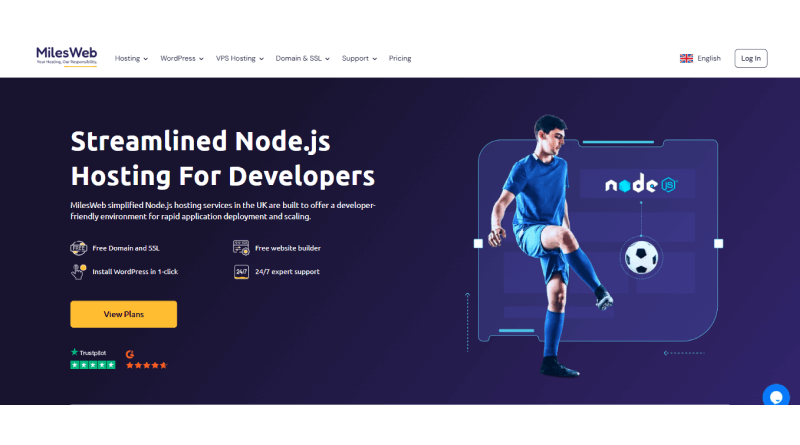
MilesWeb is a leading Node.js hosting provider, delivering cheap, feature-rich shared hosting with 100% SSD NVMe storage, free SSL certificates, and cPanel for easy app deployment. Their 24/7 expert support and free website migration make it ideal for developers building scalable apps.
Core Features:
- One-click Node.js installer and cPanel management
- Free SSL, unlimited email accounts, daily backups
- SSD NVMe storage, worldwide servers (India, UK, USA, etc.)
Why choose MilesWeb?
MilesWeb offers affordable Node.js hosting optimized for speed with Intel tech and seamless setup, perfect for developers targeting local audiences.
| Pros | Cons |
| Very affordable with guaranteed resources. | Primarily shared hosting, less ideal for massive scale. |
| 24/7 priority support and free migrations. | Manual Node.js version management is required. |
| Instant setup and 99.9% uptime. |
2. Hostinger

Hostinger provides high-performance Node.js VPS hosting with OpenLiteSpeed, 1000 Mb/s network speed, and 1-click template installers for Ubuntu 24.04. It supports easy scaling of CPU, RAM, and storage without downtime, ideal for real-time apps. Global data centers ensure low latency for users.
Core Features:
- 1-click Node.js template with OpenLiteSpeed
- AI-assisted management and seamless backups.
- Multiple locations for fast loading.
Why choose Hostinger?
Hostinger combines reliable uptime, excellent support reviews, and developer tools for high-traffic Node.js sites at competitive prices.
| Pros | Cons |
| Lightning-fast speeds and easy scalability | Self-managed VPS, no direct tech support for code issues |
| Strong customer praise for stability and support | No automated Node.js updates to avoid breaks |
| Customizable Node.js versions |
3. Hosting.com (A2 Hosting)

Hosting.com, formerly A2 Hosting, offers optimized shared and Turbo hosting for Node.js with cPanel selector, up to 20X faster performance, and free migrations. It’s built on premium hardware for complex apps, with 24/7 expert support. Ubuntu and Nginx compatibility enhances developer workflows.
Core Features:
- Easy Node.js setup via cPanel or CLI
- Turbo servers for superior speed.
- Free migrations, 99.9% uptime guarantee.
- Why choose hosting.com?
hosting.com delivers developer-friendly Node.js hosting with high reliability and performance boosts, trusted for SEO and conversions.
| Pros | Cons |
| Up to 20X faster than competitors. | Node.js mainly on higher plans or VPS. |
| 24/7 in-house support and risk-free trials. | Potential extra costs for advanced add-ons. |
| Optimized shared hosting for Node.js. |
4. ChemiCloud

ChemiCloud Node.js hosting plans are powered by LiteSpeed and Turbo Cache technology to optimize performance. Host unlimited websites stress-free, with no backup concerns. ChemiCloud offers backup for up to 30 days. MilesWeb automates daily backups with all our Node.js hosting plans to ensure complete data security.
Core Features:
- Email service
- Free CDN
- Daily backups
Why choose ChemiCloud?
ChemiCloud has global server locations that cater the best user experience for your visitors’ demographics worldwide. They deploy the LiteSpeed Cache system to turbocharge Node.js apps to handle traffic spikes.
| Pros | Cons |
| Free domain for life | Renewal prices are significantly higher than intro rates |
| 24/7 world-class support | Limited storage on the basic plan |
| Fast NVMe storage |
5. HostPresto

HostPresto uses state-of-the-art hardware incorporated in its managed VPS hosting plans. Host up to 10 Node.js apps, power-packed with SSD storage. Get a database (MySQL, MongoDB, Redis, or PostgreSQL) of your choice that aligns with your project’s need for persistent storage.
Core Features:
- Uses renewable energy
- DDoS protected
- Database choices
- Supports any Node.js version
Why choose HostPresto?
HostPresto claims to use 100% renewable energy in its data centers. Hence, it is an eco-friendly option for users seeking premium features at an extra cost. Their plans support any required Node.js version, popular package managers like NPM and Yarn, making it a developer-friendly option.
| Pros | Cons |
| UK-owned data centers | Not optimized for global traffic |
| Responsive technical support | No phone support on introductory plans |
| Supports package managers (NPM and Yarn) |
6. CloudClusters

CloudClusters leverages cloud infrastructure to power Node.js apps. The web host blends SSD and SATA storage technology to optimize data accessibility and storage for users worldwide. Moreover, they allow web admins to host Node.js apps across operating systems backed by cross-platform scalability.
Core features:
- JavaScript full-stack
- Server management tools
- Twice per month backup
Why choose CloudClusters?
Users seeking rapid deployment of Node.js apps must choose CloudClusters. They use container orchestration and application isolation to ensure apps run seamlessly in a virtualized environment.
| Pros | Cons |
| One-click application deployment | Performance can be inconsistent |
| Managed database hosting included | Limited control over the underlying server OS |
| Flexible “pay-as-you-go” billing |
7. AccuWeb.Cloud

AccuWeb.Cloud commits to scalable Node.js hosting infrastructure with enterprise-grade reliability. Their billing model follows a pay-per-use model where you scale resources as per the traffic count. AccuWeb.Cloud includes an asynchronous Google V8 engine built to execute functions seamlessly.
Core Features:
- Peak performance with the V8 engine
- Monitoring & developer tools
- Enterprise-ready clusters
Why choose AccuWeb.Cloud?
AccuWeb.Cloud is suitable for developers for quick deployment. They claim the quick deployment from Git in under 60 seconds with automatic builds.
| Pros | Cons |
| Worldwide presence of server locations | Affordable pricing for 3-year period only |
| Offers both Windows and Linux Node.js hosting | Cluttered checkout process |
| Fast NVMe storage |
8. YouStable

YouStable is one of the cheapest and cPanel-powered Node.js hosting providers. But due to its limited developer-friendly features, we have ranked YouStable last in this listing. However, other features like free auto backup, advanced DDoS protection, and complete SSH access make it one of the Node.js hosting options in our listing.
Core Features:
- Zero-cost migration
- Quick setup
- User-friendly client area
Why choose YouStable?
YouStable utilizes a storage system (SSD NVMe) leveraged with LiteSpeed Cache technology to assure low-latency of Node.js apps.
| Pros | Cons |
| Extremely cheap starting prices | Limited data center choices |
| Uses LiteSpeed and NVMe for speed | Limited advanced developer tools |
| Includes free malware scanning |
Deploy Node.js App to Production Like a Pro
- Begin by setting up your environment. The ideal step starts with addition of .env files to securely store environment variables and application secrets.
- Install PM2 to run your application as a process manager. It will run your app in the background and keep it running even if your app or the server goes down.
- Incorporate the CI/CD process for deploying your code changes to production. GitHub Actions and services built into the platform you host your application, which enable you to move code to production and streamline implementing changes, allowing you to reduce possible human error.
- Finally, ensure you use monitoring tools, such as New Relic, Datadog, and Sentry, to monitor your application for performance issues and errors that occur before the user experiences them.
Features Every Beginner Should Look For
- Free SSL Certificates: Since every website now requires HTTPS, prioritizing infrastructure that includes ‘Auto-SSL’ helps beginners avoid the procedural barriers of manual security configuration.
- Isolated Environment Silos: Dedicated containers separate your project files from the main server OS. This partitioning lets you run specific runtimes—like Node 18 or 20—as independent processes to prevent version conflicts.
- One-Click Git Integration: This enables beginners to deploy by simply pushing code to GitHub, removing the need to learn complex terminal commands or FTP.
- In-Browser Terminal (SSH): The integrated terminal provides immediate server access, securing efficient remote management. A built-in terminal allows you to run npm install or check npm audit directly from your hosting dashboard.
- Automated Backups and “Pit-Stop” Snapshots: Before making a major change, you should be able to take a manual “snapshot.” If an update triggers a system error, you can revert your setup to that exact point, maintaining operational stability.
- Resource Monitoring Alerts: Resource exhaustion remains obscured during early development stages. Automated alerts trigger at 80% usage, which preserves peak performance stability for your infrastructure.
- Non-Root User Access: Running a Node.js app as a “Root” user is a significant security risk. Look for hosts that automatically set up a restricted user environment for your application.
Node.js Launch Mistakes: What Beginners Often Miss
- Forgetting to Restart: Unlike a simple document, Node.js saves your website in the server’s memory. If you change a word or a color, you must restart the application for the changes to take effect on the web.
- The “Missing Tool” Error: If your website works at home but crashes on the server, you likely forgot to tell the server to install one of your tools. Always run a final check to ensure your package.json file is up to date.
- Version Mismatch: Building a website with the latest Node.js version requires a provider that avoids outdated environments to ensure the platform maintains peak performance. Use a host that allows you to pick your version from a simple menu.
Essential Steps for a Production-Ready App
– The “Startup File” Trap
On your local machine, you manually run a command such as node app.js to start your project. A live server, however, requires a specific designation for the file that operates as the ‘entry point. If you do not define this in your hosting control panel, the server will not know how to launch your application. Always verify that your main file (typically app.js or index.js) is correctly identified in your settings.
– The PORT Variable
While developing, you likely hardcoded your app to run on port 3000. In a production environment, the hosting provider manages thousands of ports and will assign one specifically to your app. To avoid errors, the application must recognise the server’s assigned port as a priority.
Pro Tip: Use const port = process.env.PORT || 3000; in your code. This tells your app to use the server’s choice while still letting you use 3000 at home.
– NPM Install Automation
One of the most convenient features of modern hosting is automation. When you upload your project, the server looks for your package.json file. If it finds one, it automatically runs the installation commands for all your required libraries. This saves you from having to manually install every piece of software your project needs to function.
– Environment Variable Security
Never write your database passwords or secret API keys directly into your code. Most professional hosting platforms provide a dedicated area to enter these “Environment Variables.” By keeping these details in the hosting panel rather than your code files, you protect your project from unauthorized access.
– The “Always On” Strategy
If your app encounters a minor error on your computer, the terminal immediately stops. On a live website, you utilize a tool like PM2 to operate as a dedicated resilience layer. The utility maintains 24/7 oversight of the application and initiates an immediate reboot if the process unexpectedly terminates, validating that the platform maintains operational continuity.
MilesWeb: A Developer’s Powerhouse for Node.js
MilesWeb maintains a dedicated environment for JavaScript deployments, matching every technical necessity of the Node.js execution layer.
Why It Stands Out for Node.js Developers
- Lightning-Fast NVMe Storage: Every Node.js plan utilizes enterprise-grade SSD NVMe storage. This architecture mitigates input/output bottlenecks, which cultivates an environment for accelerated request processing.
- Optimized Based Servers: If you’re building for users, MilesWeb runs top-tier facilities locally to keep things fast. Domestic hosting maintains latency under 50ms, securing accelerated page delivery.
- The “Plug-and-Play” mPanel: Instead of dealing with complex server configurations, the integrated mPanel provides a visual interface to manage your Node.js apps. You can start, stop, or restart your processes with a single click.
- Complete Terminal Control: While the dashboard is user-friendly, you still get full SSH access. Elevated permissions facilitate custom terminal commands, real-time log monitoring, and the ability to resolve issues with the precision of a systems architect.
Enterprise-Grade Security as Standard
MilesWeb treats security as a core feature rather than an add-on. Every plan includes:
- Auto-SSL: Automated SSL deployment utilizes algorithmic protection to facilitate the secure data masking of all inbound and outbound traffic.
- Daily & On-Demand Backups: System snapshots trigger instant rollbacks after errors, securing system reliability.
- Advanced DDoS Protection: Network scrubbing neutralizes flood attacks, maintaining uninterrupted connectivity.
Scalability for Growth
A project that starts as a small script can quickly turn into a high-traffic product. MilesWeb facilitates fluid transitions across service tiers. You can begin with entry-level shared hosting and expand to dedicated VPS or Cloud infrastructure while retaining your code on the same high-performance network.
Final Considerations
The environment you choose for your Node.js application can make or break your experience in production. Understanding the best hosting environments for production-ready Node.js apps allows you to proceed more rapidly and with less friction.
Here’s a review of the leading Node.js hosting providers. MilesWeb is recommended for developers looking for a budget-friendly way to self-manage; Heroku is particularly fast and easy for developers starting to deploy their apps; Vercel is a serverless and scalable platform.
Render is a new, full-featured PaaS; and AWS is best for enterprise-ready, scalable, Node.js applications. Each of these platforms takes a unique approach to deploying Node.js apps in production, so it’s wise to map each platform to your app’s specific hosting needs.
FAQs
1. Can shared hosting be used for Node.js applications?
Shared hosting is not the ideal option for running a Node.js application. Most shared hosts are optimized for PHP or don’t support persistent processes for Node.js. If you are end-users considering actual production-ready hosting for Node.js, then prefer VPS hosting of MilesWeb, PaaS solutions like Heroku or Render, or serverless hosting for Node.js via Vercel or AWS Lambda. In summary, shared hosting is not a reliable option, nor adequate enough to deploy a real-world application with Node.js.
2. What is the process of serverless hosting in Node.js?
Serverless hosting in Node.js ensures your code runs in response to an event such as an HTTP request, without the need to manage your own servers. Serverless hosting provided by platforms such as Vercel or AWS Lambda will handle scaling your app automatically, bill you only for what you use, and abstract the burden of infrastructure away. This style of hosting solution works well for APIs, webhooks, and microservices. Developers evaluating the best hosting for Node.js in production feel the benefits, particularly in terms of cost and simplicity.
3. How many clients can a Node.js server support?
Node.js is designed to handle many connections simultaneously. The limiting factors depend on your server’s hardware resources, the complexity of your application, and your optimization of code. From a proper configuration, thousands to millions of users can run concurrently.
4. What is the process of serverless hosting in Node.js?
Serverless hosting in Node.js ensures your code runs in response to an event such as an HTTP request, without the need to manage your own servers. Serverless hosting provided by platforms such as Vercel or AWS Lambda will handle scaling your app automatically, bill you only for what you use, and abstract the burden of infrastructure away. This style of hosting solution works well for APIs, webhooks, and microservices. Developers evaluating the best hosting for Node.js in production feel the benefits, particularly in terms of cost and simplicity.