Jackson Lane

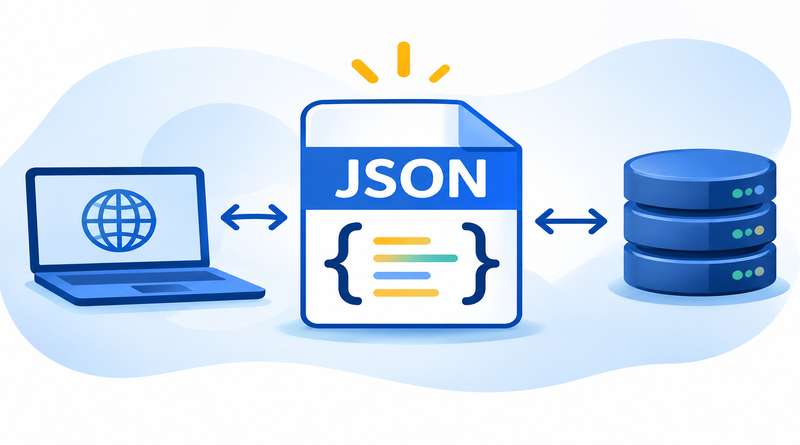
JSON is a lightweight programming language to store and transport data between client and server. CSV, XML, and YAML are other programming languages in the queue executing the same tasks. JSON’s popularity has increased recently because of its language-agnostic nature.
If you’re working with JavaScript, JSON is an essential tool for managing and interacting with data. The post explores more about JSON, its usage in JavaScript, and different classes used in the language.
Table of Content
JSON: Explained in Simple Terms
JSON (JavaScript Object Notation) is the standard text-based format representing structured data based on JavaScript object syntax. It is mostly used for transmitting data in web applications. A web application exchanges the information between the server and client in the JSON format but renders the output in HTML for users. It facilitates the seamless data exchange for fast and interactive web experiences.
Also Read: JavaScript Code Editor
JSON Syntax
Important parts of JSON syntax are:
- Data is represented as key/value pairs.
- Elements of data are separated by commas.
- Objects are defined by curly brackets {}.
- Square brackets [] designate arrays.
As a result, JSON object literal syntax looks like this:
{“key”:“value”,“key”:“value”,“key”:“value”.}Also Read: Best JavaScript Frameworks
Types of JSON Values
In the section, we will discuss the types of JSON values.
1. Array
An array is the collection of values. An array value contains JSON objects, meaning that it uses the same key/value pair concept. For instance:
{

"students":

{"firstName":"Tom", "lastName":"Jackson"},

{"firstName":"Linda", "lastName":"Garner"},

{"firstName":"Adam", "lastName":"Cooper"}

]

}
2. Object
JSON objects are made up of pairs of two components:
Keys are strings: sequences of characters surrounded by quotation marks.
Values are valid JSON data types. They are useful in the form of an array, object, string, boolean, null, or a number.
A colon is placed between each key and value, with a comma separating pairs. Both components are held in quotation marks.
{

"employees":{

   "firstName":"Tom",

   "lastName":"Jackson"

}

}
Here, employees are the key, while everything inside the curly braces is the object.
The information within the square brackets forms an array of three objects.
3. String
String values are set sequences of zero or more Unicode characters with double quotes enclosing them.
For example:
{"firstName":"Tom"}The example illustrates that “Tom” signifies a string, as it is a set of characters inside a double quote.
4. Number
Any integer or floating point represents the number value in JSON.
For example:
{“age”:30}5. Boolean
True and false values make up the Boolean data type.
For example:
{“ordered”:false)6. Null
Null is an empty value that represents no information.
For example:
{"bloodType":null}Also Read: Best Node.js Hosting Platforms
What Does JSON Use For?
- Data transit between client and server in a web page: Earlier, formats such as XML were used for data transmission. But operations like parsing and mapping of data are resource intensive. JSON is light and flexible, and data can be transferred easily between client and server. It is prepared as name value pairs.
- Reducing development time of web applications: JavaScript is the core essential language used for web development. JS stores the data collected from a user, for instance, form data, as an object. The data is sent to the server (back-end) without much coding effort using JSON.
- Faster availability of data: Most web pages nowadays are asynchronous, where data should be available faster and without a page refresh. Using JavaScript, applications can quickly send data in JSON syntax.
- Configuration files: JSON is often used for storing application settings, like preferences or environment variables and application and system metadata.
- Logging and error reporting: JSON format is simple to parse and search for; hence, logged-in data stored in the same format is easily analyzed.
- Data storage in NoSQL databases: Databases such as MongoDB use a JSON-like format to store data.
Also Read: JavaScript Data Types Explained for Web Developers
Benefits of JSON
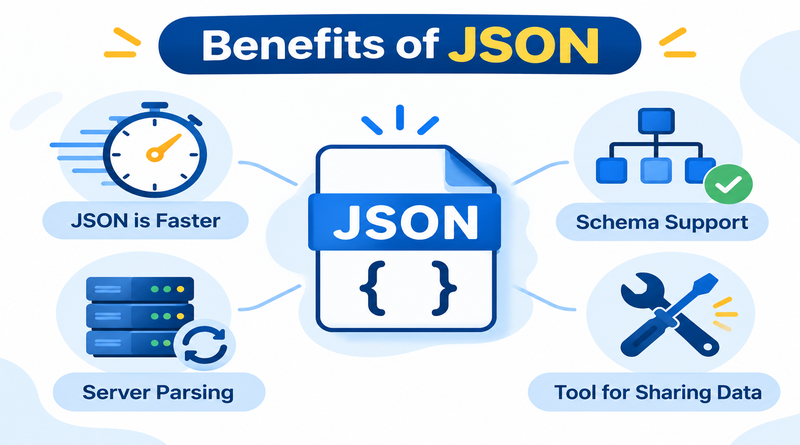
1. JSON is Faster
JSON syntax is beginner-friendly. Programmers only use -> as a syntax that provides straightforward data parsing and faster execution. Since its syntax is small and lightweight, that’s the reason it executes the response faster.
2. Schema Support
JSON is compatible with many browsers. Because of this compatibility, developers don’t spend extra time or effort tweaking code to ensure their applications work on different web browsers.
3. Server Parsing
JSON is great for quick server-side parsing, which is important for quick application response. Server-side high-speed parsing means users get the quick response times they expect, making it a great choice for server-side development.
4. Tool for Sharing Data
JSON is the crucial tool for sharing data of any size, even audio, video, etc. This advantage is because JSON stores the data in the arrays, so data transfer is easier. For this reason, JSON is a superior file format for web APIs and for web development.
Also Read: PHP vs JavaScript
Conclusion
JSON is widely used as a way to exchange and store data because of its lightweight and readable nature. It is simple for machines to parse; whether you are pulling data from an API, saving app settings, or sending information between server and browser, JSON usually does the job with very little fuss.
Its structure has a lower learning curve. Data is stored in key-value pairs, grouped into objects and arrays, and works with almost every modern programming language. Hence, beginners pick it up easily, and experienced developers still reach for it.
A few habits save errors by validating your JSON, preserve clean formatting, and watch for common slip-ups like missing commas or mismatched quotes. A good formatter or validator catches most of these in seconds.
If you work with web development, APIs, or cloud services, understanding JSON isn’t optional. It is a foundational tool that will be reused, so the time you spend getting comfortable with it pays off quickly.
FAQs
1. Is JSON the same as SQL?
JSON is a language based text format to store and transport structured data. Whereas, SQL is a programming language used to query databases. Its structured information into key-value pairs, while SQL actively manages data inside relational tables.
2. Is JSON a coding language?
JSON is not a programming language. It is a lightweight data-interchange format. It can’t do logic or functions, but it’s just a standard way to organize text data.
3. What’s the difference between JSON and XML?
XML is bulkier, since it has to use opening and closing tags, JSON is shorter and faster with simple key-value pairs. XML is easier to be read by machines, while JSON is easier by humans and has advanced data validation and metadata.
4. What does JSON stand for in API?
JSON is the most popular data transfer format used in APIs between client and server. It is the most commonly used option for modern web APIs because of its small footprint which makes transferring data faster.