Popular Website Builders for Dropshipping Businesses

26 October 2026 • 24 min Read Jackson Lane
A dropshipping brand picks up speed once the platform behind it does three jobs well: linking suppliers, taking payments, and expanding with each new product line. A website builder covers all three, and the right one takes a product idea to a live store in just a few hours. Builders now cover every budget and skill level, from drag-and-drop editors to API-first systems. Merchants who pair a capable website builder with reliable web hosting or cloud hosting give their products a faster, steadier home. In this post, we will explore the benefits of website builders, the top platforms, and a launch checklist that gets the store ready for its first order.  Table Of Content What Is A Dropshipping Website Builder? What Benefits Do Dropshippers Get From a Website Builder? What Are Popular Website Builders For Dropshipping Businesses? MilesWeb AI Website Builder Shopify WooCommerce Ecwid Instamojo StoreHippo BigCommerce How Do The Top Dropshipping Website Builders Compare? How Do You Choose The Right Website Builder For Your Dropshipping Business? How Can You Set Up Your Dropshipping Website for Launch? Frequently Asked Questions What Is A Dropshipping Website Builder? A dropshipping website builder is a software platform that lets a founder create and run an online store without writing code. It supplies the design tools, product catalog, checkout, and hosting, then connects to suppliers who hold the stock. The workflow is short. A shopper places an order on the store, the website builder passes the order details to the supplier, and the supplier ships the product directly to the buyer. The founder skips the inventory management and spends the week on branding, pricing, and getting customers. What Benefits Do Dropshippers Get From a Website Builder? A website builder shortens the distance between a product idea and a first sale. Themes, payment options, and supplier links are all ready on the first day, so the founder can move on to ads and product research. .mw-feat, .mw-feat * { box-sizing: border-box; } .mw-feat { display: flex; flex-direction: column; gap: 20px; width: 100%; margin: 24px 0; padding: 0; font-family: inherit; line-height: 1.6; text-align: left; } .mw-feat .mw-card { --c1: #2563eb; --c2: #06b6d4; display: grid; grid-template-columns: 88px minmax(0, 1fr) 64px; align-items: center; column-gap: 8px; margin: 0; padding: 24px 24px 24px 12px; border: 2px solid transparent; border-radius: 18px; background: linear-gradient(#ffffff, #ffffff) padding-box, linear-gradient(135deg, var(--c1), var(--c2)) border-box; box-shadow: 0 8px 22px rgba(15, 42, 92, .10); } .mw-feat .mw-num { margin: 0; padding: 0; font-size: 46px; font-weight: 800; line-height: 1; text-align: center; background: linear-gradient(160deg, var(--c1), var(--c2)); -webkit-background-clip: text; background-clip: text; -webkit-text-fill-color: transparent; color: var(--c1); } .mw-feat .mw-body { margin: 0; padding: 2px 16px 2px 20px; border-left: 2px solid #e5ecf6; min-width: 0; } .mw-feat .mw-title { margin: 0 0 6px; padding: 0; font-size: 19px; font-weight: 700; line-height: 1.3; color: #0f2a5c; } .mw-feat .mw-text { margin: 0; padding: 0; font-size: 15px; line-height: 1.6; color: #4b5a70; } .mw-feat .mw-icon { width: 56px; height: 56px; margin: 0; border-radius: 16px; display: flex; align-items: center; justify-content: center; background: linear-gradient(135deg, #eef4ff, #e9f9fc); } .mw-feat .mw-icon svg { width: 28px; height: 28px; display: block; } .mw-feat .k1 { --c1: #2563eb; --c2: #06b6d4; } .mw-feat .k2 { --c1: #4f46e5; --c2: #2563eb; } .mw-feat .k3 { --c1: #0d9488; --c2: #06b6d4; } .mw-feat .k4 { --c1: #7c3aed; --c2: #4f46e5; } .mw-feat .k5 { --c1: #0284c7; --c2: #14b8a6; } .mw-feat .k6 { --c1: #2563eb; --c2: #7c3aed; } @media (max-width: 680px) { .mw-feat .mw-card { grid-template-columns: minmax(0, 1fr) 52px; grid-template-areas: "num icon" "body body"; row-gap: 12px; padding: 18px 16px; } .mw-feat .mw-num { grid-area: num; text-align: left; font-size: 38px; } .mw-feat .mw-icon { grid-area: icon; width: 48px; height: 48px; } .mw-feat .mw-body { grid-area: body; border-left: 0; border-top: 2px solid #e5ecf6; padding: 12px 0 0; } } 01 Quicker launch Guided setup and ready layouts can put a store online within a few hours. A faster launch means earlier customer feedback on every product. 02 Supplier links Supplier integrations pull in product details, prices, and stock counts. When a customer orders, the details travel to the supplier without a single copy and paste. 03 Payments ready at setup Cards, UPI, and wallets work from the first day. Buyers pay the way they like, and fewer of them abandon the cart at checkout. 04 AI-assisted design An AI website builder drafts the layout, navigation, and first product descriptions from a short brief. The founder edits a finished-looking store instead of starting from scratch. 05 Mobile-first pages Themes resize cleanly across phones and tablets. Most dropshipping traffic arrives on a phone, so this layout work has a direct effect on sales. 06 Space to grow Higher plans raise limits on products, currencies, and sales channels. A store that doubles in size needs no rebuild. What Are Popular Website Builders For Dropshipping Businesses? A dropshipping website builder bundles storefront design, product pages, checkout, and supplier connections in a single dashboard. Seven platforms lead the field, and each one has a clear strength in supplier connectivity, speed, or catalog size. The providers below cover what every platform offers and the seller it fits best. 1. MilesWeb AI Website Builder At MilesWeb, we built our AI website builder so a dropshipping store starts with a simple prompt. Type what the store sells, and within 5 to 10 minutes the builder returns layouts, menus, product templates, AI-generated graphics, and written content for each page. The builder, hosting, and business email come under the same roof, so launching needs one account instead of three. New users receive free AI credits in mPanel, and no coding skills are needed to start. Security comes built in on all projects. It includes SSL security for safe checkouts and daily backups for quick recovery. Key features Built-in free AI credits AI-generated store layouts Supplier import and order sync SSL security and firewall protection Daily backups with 24/7 support Related Read : MilesWeb Launches AI Builder: Powered by Vibe Coding 2. Shopify Shopify takes care of the server side, so a new store opens with checkout, security, and a dashboard already working. DSers connects AliExpress suppliers and Spocket lists US and EU vendors, and both automatically sync stock. Developers can edit Liquid theme files or build on the Storefront API. Shopify Payments handles cards in supported regions. Sellers after a large app library and dependable uptime tend to start here. Key features Large app marketplace Liquid theme customization Automatic inventory sync Hosted checkout Related Read : Webflow vs Shopify: The Battle for Total Control 3. WooCommerce WooCommerce is a free, open-source plugin that turns a WordPress website into a full store. Extensions like AliDropship and WooDropship take care of product imports and order forwarding, while hooks, REST endpoints, and direct database access support custom workflows. Speed depends on the server underneath, so a scalable cloud VPS hosting plan helps catalog queries stay quick as inventory expands. It rewards teams that are comfortable with code and plugin management. Key features WordPress integration Thousands of plugins REST API access Full code control 4. Ecwid Ecwid is an e-commerce plugin that adds an online store to an existing website, whether it runs on WordPress, Wix, or plain HTML. One catalog then sells across the website, Facebook, Instagram, and marketplaces. Supplier links run through services such as Printful and Modalyst, and a single control panel manages cart, tax, and shipping rules. Ecwid offers a free plan with a capped product count, which suits sellers testing one or two products. Sellers without a website can use Instant Site, which turns the catalog into a simple storefront. It suits bloggers and content publishers who want to add a working shop without rebuilding their website. Key features Embeddable storefront Multichannel selling Free starter plan Centralized tax and shipping rules 5. Instamojo Instamojo combines a store builder with payment collection, specifically designed for Indian sellers. Sellers can open a store from their phones and accept UPI, cards, or wallets. Payment links work on social channels, courier tie-ups track each parcel, and GST invoices are ready to send out. Payouts settle directly into the seller’s bank account, which keeps cash flow easy to follow. The same dashboard can also sell digital products such as guides or templates next to physical goods. The catalog tools work best for small and mid-size assortments, so it is a practical place to test demand with local suppliers. Key features UPI and wallet payments Payment links GST-ready invoicing Courier integrations 6. StoreHippo StoreHippo is a SaaS platform with a headless-friendly design and support for multi-vendor and multi-store setups. Developers pull catalog, order, and customer data through the APIs for a custom front end. The admin panel takes bulk uploads and applies pricing rules. For cross-border selling, each store can run in its currency and language, so the catalog reads naturally in every market. Built-in SEO fields, coupons, and abandoned cart emails then help that traffic turn into orders, even across a large product range. Key features Headless-ready APIs Multi-store management Multi-currency support Bulk catalog tools 7. BigCommerce BigCommerce operates on an open SaaS model, offering a comprehensive native feature set that reduces the need for paid apps to run a store. BigCommerce lets developers pull catalog data through its APIs, which makes a headless front end possible when a project needs one. Multi-currency checkout and product filters ship with the base platform. Supplier apps like Spocket and Modalyst link to the catalog in a few clicks, so supplier products reach the storefront fast. Pages stay quick even as the range grows, and that gives a brand space to expand. Key features Open APIs for custom front ends Product filters in the base platform Checkout in multiple currencies Handles large, growing catalogs How Do The Top Dropshipping Website Builders Compare? Every dropshipping store has different needs, from launch speed to catalog size. The table below lines up each builder on performance, scalability, ease of use, and the seller it suits best. .mw-cmp, .mw-cmp * { box-sizing: border-box; } .mw-cmp { width: 100%; margin: 24px 0; padding: 0; font-family: inherit; line-height: 1.5; border-radius: 18px; border: 1px solid #cfe6e1; box-shadow: 0 12px 30px rgba(13, 80, 72, .14); background: #ffffff; overflow-x: auto; overflow-y: hidden; -webkit-overflow-scrolling: touch; } .mw-cmp table { width: 100%; min-width: 860px; margin: 0; border-collapse: collapse; border-spacing: 0; border: 0; table-layout: auto; } .mw-cmp thead tr { background: linear-gradient(120deg, #0b3b4a 0%, #0f766e 50%, #14b8a6 100%); } .mw-cmp th, .mw-cmp td { margin: 0 !important; padding: 16px 18px !important; border: 0 !important; text-align: left !important; vertical-align: middle !important; word-break: normal !important; overflow-wrap: normal !important; hyphens: none !important; -webkit-hyphens: none !important; } .mw-cmp th { font-size: 12.5px; font-weight: 700; letter-spacing: .07em; text-transform: uppercase; line-height: 1.35; color: #ffffff; background: transparent; white-space: nowrap; } .mw-cmp td { border-bottom: 1px solid #e3efec !important; font-size: 14.5px; line-height: 1.5; color: #3c4f57; background: transparent; } .mw-cmp .nb { white-space: nowrap; } .mw-cmp tbody tr { background: #ffffff; } .mw-cmp tbody tr:nth-child(even) { background: #f4faf9; } .mw-cmp tbody tr:hover { background: #e9f7f4; } .mw-cmp tbody tr:last-child td { border-bottom: 0 !important; } /* Provider column */ .mw-cmp th:first-child, .mw-cmp td:first-child { white-space: nowrap; position: sticky; left: 0; z-index: 1; } .mw-cmp th:first-child { background: #0b3b4a; } .mw-cmp td:first-child { font-weight: 700; color: #0b3b4a; background: inherit; } /* Highlighted first row */ .mw-cmp tbody tr.mw-top, .mw-cmp tbody tr.mw-top:hover { background: linear-gradient(90deg, #d5f5ee 0%, #e3f4f1 45%, #fdf0d5 100%); } .mw-cmp tbody tr.mw-top td { border-bottom: 1px solid #bfe3da !important; color: #123b41; font-weight: 600; } .mw-cmp tbody tr.mw-top td:first-child { color: #0f766e; font-size: 15.5px; background: #d5f5ee; } Provider Hosting Model API Access Dropshipping Integrations Security MilesWeb Hosting included Standard integrations Supplier import tools SSL, firewall, daily backups Shopify Fully hosted Storefront API DSers, Spocket Built-in SSL WooCommerce Self-hosted REST API AliDropship, WooDropship Depends on the server Ecwid Cloud-hosted embed Platform API Printful, Modalyst Platform-managed Instamojo Managed SaaS Limited Indian courier tie-ups Payment-grade checkout StoreHippo SaaS Headless-ready APIs Multi-vendor tools Platform-managed BigCommerce Open SaaS Catalog APIs Spocket, Modalyst Platform-managed How Do You Choose The Right Website Builder For Your Dropshipping Business? Start with the store's goals, then test each platform against them. A shortlist built this way protects the budget through the first growth phase. A written list of must-have features before any demo also keeps the comparison honest. .mw-chk, .mw-chk * { box-sizing: border-box; } .mw-chk { display: flex; flex-direction: column; gap: 18px; width: 100%; margin: 24px 0; padding: 0; font-family: inherit; line-height: 1.6; text-align: left; } .mw-chk .mw-item { --a: #0f766e; --b: #14b8a6; display: flex; align-items: flex-start; gap: 22px; margin: 0; padding: 24px 28px; border-radius: 18px; background: linear-gradient(120deg, #ffffff 0%, #f1faf8 100%); border: 1px solid #d3e9e4; box-shadow: 0 8px 22px rgba(13, 80, 72, .09); transition: box-shadow .25s ease, transform .25s ease; } .mw-chk .mw-item:hover { transform: translateY(-3px); box-shadow: 0 16px 32px rgba(13, 80, 72, .16); } .mw-chk .mw-tile { flex: 0 0 60px; width: 60px; height: 60px; margin: 0; border-radius: 16px; display: flex; align-items: center; justify-content: center; background: linear-gradient(135deg, var(--a), var(--b)); box-shadow: 0 8px 16px rgba(13, 80, 72, .22); } .mw-chk .mw-tile svg { width: 28px; height: 28px; display: block; } .mw-chk .mw-info { flex: 1; min-width: 0; margin: 0; padding: 0; } .mw-chk .mw-step { display: inline-block; margin: 0 0 8px; padding: 3px 12px; border-radius: 999px; font-size: 11.5px; font-weight: 700; letter-spacing: .1em; line-height: 1.5; color: #ffffff; background: linear-gradient(90deg, var(--a), var(--b)); } .mw-chk .mw-head { margin: 0 0 6px; padding: 0; font-size: 20px; font-weight: 700; line-height: 1.3; color: #0b3b4a; } .mw-chk .mw-copy { margin: 0; padding: 0; font-size: 15px; line-height: 1.65; color: #496068; } .mw-chk .i1 { --a: #0f766e; --b: #14b8a6; } .mw-chk .i2 { --a: #0e7490; --b: #22d3ee; } .mw-chk .i3 { --a: #047857; --b: #34d399; } .mw-chk .i4 { --a: #0369a1; --b: #38bdf8; } .mw-chk .i5 { --a: #115e59; --b: #2dd4bf; } .mw-chk .i6 { --a: #166534; --b: #4ade80; } @media (max-width: 560px) { .mw-chk .mw-item { gap: 16px; padding: 20px 18px; } .mw-chk .mw-tile { flex-basis: 48px; width: 48px; height: 48px; border-radius: 14px; } .mw-chk .mw-tile svg { width: 24px; height: 24px; } .mw-chk .mw-head { font-size: 18px; } } @media (max-width: 380px) { .mw-chk .mw-item { flex-direction: column; gap: 14px; } } 01 Supplier compatibility Please verify whether the builder supports the suppliers already included in the plan. Native integrations reduce manual order handling and the delays it brings. 02 Total cost Add up the subscription, app fees, and transaction charges. One monthly figure per platform makes the comparison fair. 03 Ease of setup Open the editor and click through onboarding before paying anything. A builder that is quick to learn gets the first product listed sooner. 04 Speed and uptime Look for rapid page loads and a stated uptime commitment. Both shape search rankings and the share of visitors who buy. 05 Security standards Look for an SSL certificate first, then payment compliance and malware scanning. A secure checkout page is often what convinces buyers to complete their orders. 06 Growth limits Read the caps on products, traffic, and sales channels. Find out whether checkout still loads fast during a busy sale. Stores that expect a rush during sale events can host the builder on a cloud hosting provider, which keeps pages fast and online when traffic spikes. How Can You Set Up Your Dropshipping Website for Launch? A clear checklist turns a finished design into a store that is ready for traffic. Each step takes a few hours, and together they shape the first impression every customer gets. Working through them in order also exposes gaps while changes are still cheap. .mw-st-wrap { width: 100%; margin: 28px 0; padding: 0; container-type: inline-size; container-name: mwst; } .mw-st, .mw-st * { box-sizing: border-box; } .mw-st { --rail: 56px; --node: 48px; --gap: 22px; width: 100%; margin: 0; padding: 0; font-family: inherit; line-height: 1.6; text-align: left; } .mw-st .mw-row { position: relative; display: grid; grid-template-columns: var(--rail) minmax(0, 1fr); column-gap: 20px; margin: 0 0 var(--gap); padding: 0; } .mw-st .mw-row:last-child { margin-bottom: 0; } /* Rail lives inside its own column, so it never touches the text */ .mw-st .mw-rail { position: relative; margin: 0; padding: 0; } .mw-st .mw-row:not(:last-child) .mw-rail::after { content: ""; position: absolute; left: calc(var(--rail) / 2 - 1px); top: calc(var(--node) + 4px); bottom: calc(var(--gap) * -1 - 2px); width: 2px; border-radius: 2px; background: linear-gradient(180deg, #9db8e8, #cdd9ee); } .mw-st .mw-node { position: relative; z-index: 1; width: var(--node); height: var(--node); margin: 0 auto; border-radius: 50%; display: flex; align-items: center; justify-content: center; font-size: 16px; font-weight: 800; letter-spacing: .02em; line-height: 1; color: #ffffff; background: linear-gradient(135deg, var(--a), var(--b)); box-shadow: 0 0 0 5px #ffffff, 0 8px 18px rgba(15, 42, 92, .25); } .mw-st .mw-card { margin: 0; padding: 22px 26px 24px; border-radius: 14px; background: linear-gradient(135deg, #ffffff 0%, #f5f8fe 100%); border: 1px solid #dde6f3; box-shadow: 0 8px 22px rgba(15, 42, 92, .08); transition: transform .25s ease, box-shadow .25s ease; } .mw-st .mw-row:hover .mw-card { transform: translateY(-3px); box-shadow: 0 16px 32px rgba(15, 42, 92, .14); } .mw-st .mw-top { display: flex; align-items: center; justify-content: space-between; gap: 16px; margin: 0 0 8px; padding: 0; } .mw-st .mw-title { margin: 0; padding: 0; font-size: 19px; font-weight: 700; line-height: 1.3; color: #0f2a5c; } .mw-st .mw-chip { flex: 0 0 auto; width: 40px; height: 40px; margin: 0; border-radius: 10px; display: flex; align-items: center; justify-content: center; background: linear-gradient(135deg, #eaf1fd, #dce8fb); } .mw-st .mw-chip svg { width: 22px; height: 22px; display: block; } .mw-st .mw-desc { margin: 0; padding: 0; font-size: 15px; line-height: 1.7; color: #4a5a70; } .mw-st .s1 { --a: #0f2a5c; --b: #1e40af; } .mw-st .s2 { --a: #1e3a8a; --b: #1d4ed8; } .mw-st .s3 { --a: #1d4ed8; --b: #2563eb; } .mw-st .s4 { --a: #2563eb; --b: #0284c7; } .mw-st .s5 { --a: #0284c7; --b: #0ea5e9; } .mw-st .s6 { --a: #0e7490; --b: #14b8a6; } @container mwst (max-width: 560px) { .mw-st { --rail: 42px; --node: 38px; --gap: 18px; } .mw-st .mw-row { column-gap: 14px; } .mw-st .mw-node { font-size: 14px; box-shadow: 0 0 0 4px #ffffff, 0 6px 14px rgba(15, 42, 92, .22); } .mw-st .mw-card { padding: 18px 18px 20px; } .mw-st .mw-title { font-size: 17px; } .mw-st .mw-chip { width: 34px; height: 34px; } .mw-st .mw-chip svg { width: 19px; height: 19px; } } @container mwst (max-width: 360px) { .mw-st .mw-chip { display: none; } } 01 Connect suppliers Import products and map prices to the chosen margins. Place one test order from start to finish before going live. 02 Write product pages Each listing needs a clear name, key benefits, and the specifications. Original descriptions on every page provide search engines a reason to index it. 03 Set payments and shipping Switch on local gateways and list delivery times by region. Clear timelines mean fewer questions reach the support inbox. 04 Activate security Turn on SSL and firewall protection before the first visitor arrives. The padlock shows in the browser, and checkout stays safeguarded. 05 Test on every device Open the store on a phone, a tablet, and a desktop. Smooth navigation matters most for mobile buyers. 06 Prepare analytics and ads Install tracking pixels and link Google Analytics. Early numbers show which campaigns to back. A staging copy on a free cloud VPS gives the team a safe space to rehearse these steps before the public launch. Key Takeaway The dropshipping market rewards speed, trust, and consistency, and each builder above supports those goals in its own way. Shopify and BigCommerce bring depth, WooCommerce brings control, and Ecwid, Instamojo, and StoreHippo cover embedding, local payments, and complex catalogs. Founders who establish the right foundation will move faster than ever as AI reshapes store design and management. MilesWeb’s AI Website Builder gives dropshippers that head start with instant layouts, built-in SSL security, daily backups, and round-the-clock support for every store. As these tools improve, launching a first store and the next will get faster and easier. Frequently Asked Questions 1. What is a dropshipping website builder? It builds a ready-to-sell online store, and nobody has to write a line of code. You pick a layout, add products from your suppliers, and switch on payments. When someone orders, the supplier packs and ships it, so you never hold stock. 2. Can I create a dropshipping website without coding? Yes. Modern builders work with drag-and-drop editors and ready-made templates. With our free dropshipping AI website builder, you describe the store in a few lines and get a working draft in minutes. You then edit text, images, and prices directly on the page. Thereafter, connect a supplier, enable payments, and publish, with no code needed at any step. 3. Which is the easiest dropshipping website builder to use? It depends on your starting point. Shopify suits sellers who want a hosted all-in-one setup, and Ecwid suits anyone who already has a site. For a first-time seller, our AI website builder at MilesWeb is one of the quickest routes, because the layout, menus, and product pages are drafted for you. New users also get free AI credits to try it before committing. 4. Are dropshipping website builders mobile-friendly? Most are. Themes resize automatically for phones and tablets, and that matters because many dropshipping shoppers browse and buy on a phone. Every store made with the MilesWeb AI Website Builder comes with a mobile-friendly design, so product pages and checkout work well on small screens without extra setup.

A dropshipping brand picks up speed once the platform behind it does three jobs well: linking suppliers, taking payments, and expanding with each new product line. A website builder covers all three, and the right one takes a product idea to a live store in just a few hours.

Builders now cover every budget and skill level, from drag-and-drop editors to API-first systems. Merchants who pair a capable website builder with reliable web hosting or cloud hosting give their products a faster, steadier home. In this post, we will explore the benefits of website builders, the top platforms, and a launch checklist that gets the store ready for its first order. 

Table Of Content

What Is A Dropshipping Website Builder?

A dropshipping website builder is a software platform that lets a founder create and run an online store without writing code. It supplies the design tools, product catalog, checkout, and hosting, then connects to suppliers who hold the stock.

The workflow is short. A shopper places an order on the store, the website builder passes the order details to the supplier, and the supplier ships the product directly to the buyer. The founder skips the inventory management and spends the week on branding, pricing, and getting customers.

What Benefits Do Dropshippers Get From a Website Builder?

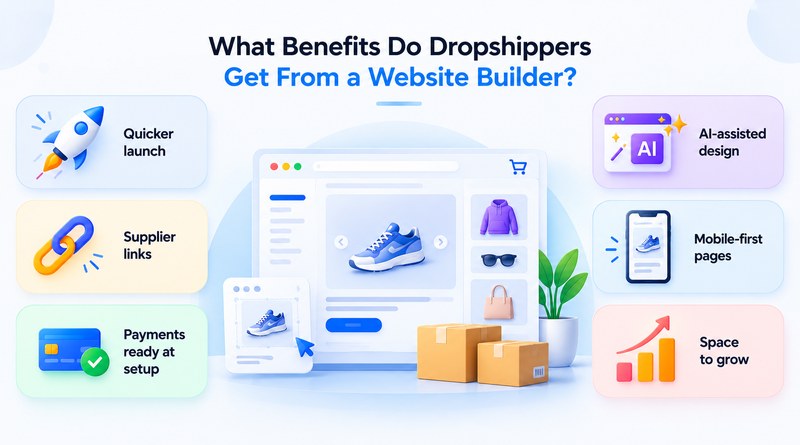
A website builder shortens the distance between a product idea and a first sale. Themes, payment options, and supplier links are all ready on the first day, so the founder can move on to ads and product research.
what-benefits-do-dropshippers-get-from-a-website-builder
01
Quicker launch
Guided setup and ready layouts can put a store online within a few hours. A faster launch means earlier customer feedback on every product.
02
Supplier links
Supplier integrations pull in product details, prices, and stock counts. When a customer orders, the details travel to the supplier without a single copy and paste.
03
Payments ready at setup
Cards, UPI, and wallets work from the first day. Buyers pay the way they like, and fewer of them abandon the cart at checkout.
04
AI-assisted design
An AI website builder drafts the layout, navigation, and first product descriptions from a short brief. The founder edits a finished-looking store instead of starting from scratch.
05
Mobile-first pages
Themes resize cleanly across phones and tablets. Most dropshipping traffic arrives on a phone, so this layout work has a direct effect on sales.
06
Space to grow
Higher plans raise limits on products, currencies, and sales channels. A store that doubles in size needs no rebuild.

What Are Popular Website Builders For Dropshipping Businesses?

A dropshipping website builder bundles storefront design, product pages, checkout, and supplier connections in a single dashboard. Seven platforms lead the field, and each one has a clear strength in supplier connectivity, speed, or catalog size. The providers below cover what every platform offers and the seller it fits best.

1. MilesWeb AI Website Builder
milesweb-ai-website-builder

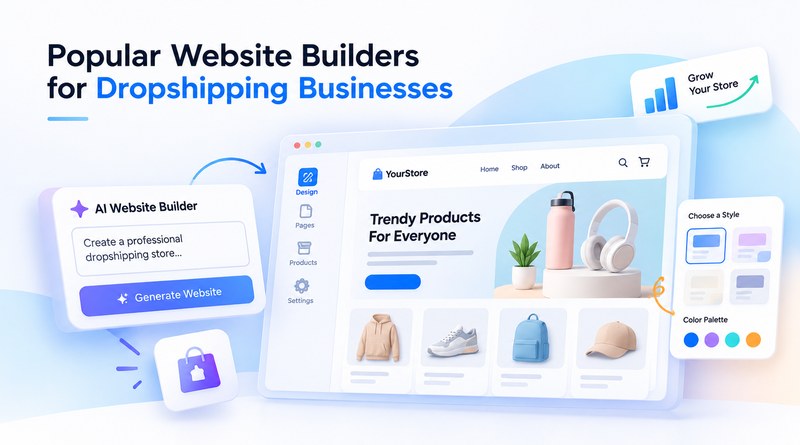
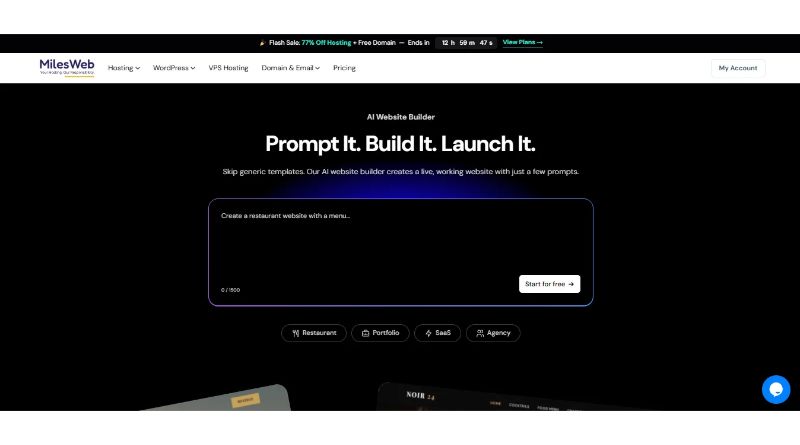
At MilesWeb, we built our AI website builder so a dropshipping store starts with a simple prompt. Type what the store sells, and within 5 to 10 minutes the builder returns layouts, menus, product templates, AI-generated graphics, and written content for each page. The builder, hosting, and business email come under the same roof, so launching needs one account instead of three. New users receive free AI credits in mPanel, and no coding skills are needed to start. Security comes built in on all projects. It includes SSL security for safe checkouts and daily backups for quick recovery.

Key features

  • Built-in free AI credits
  • AI-generated store layouts
  • Supplier import and order sync
  • SSL security and firewall protection
  • Daily backups with 24/7 support

Related Read : MilesWeb Launches AI Builder: Powered by Vibe Coding

2. Shopify
shopify

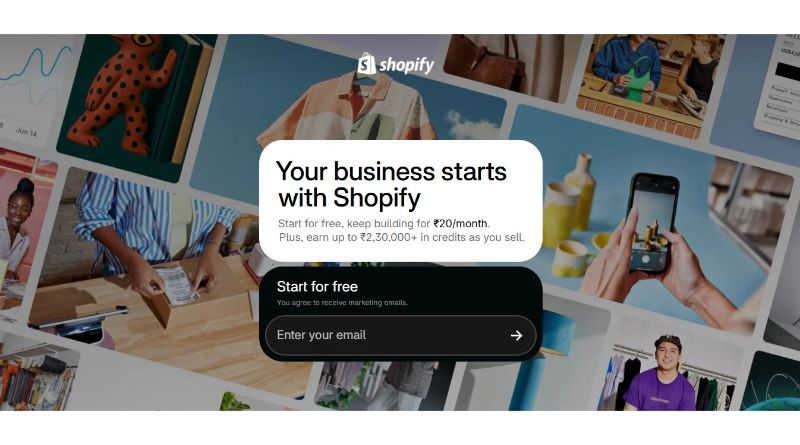
Shopify takes care of the server side, so a new store opens with checkout, security, and a dashboard already working. DSers connects AliExpress suppliers and Spocket lists US and EU vendors, and both automatically sync stock. Developers can edit Liquid theme files or build on the Storefront API. Shopify Payments handles cards in supported regions. Sellers after a large app library and dependable uptime tend to start here.

Key features

  • Large app marketplace
  • Liquid theme customization
  • Automatic inventory sync
  • Hosted checkout

Related Read : Webflow vs Shopify: The Battle for Total Control

3. WooCommerce
woocommerce

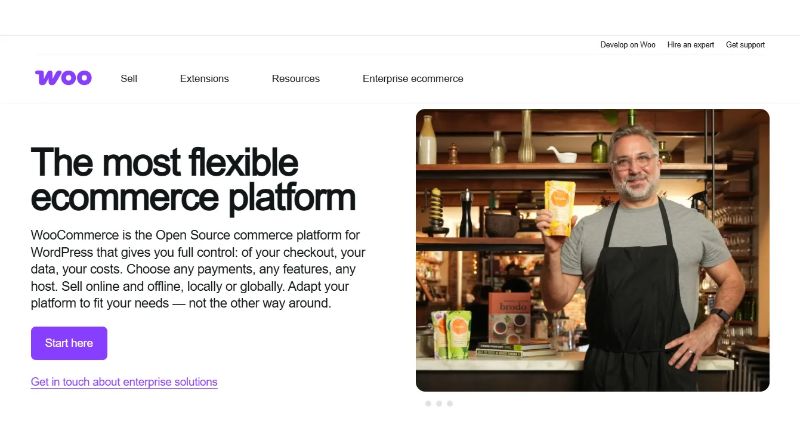
WooCommerce is a free, open-source plugin that turns a WordPress website into a full store. Extensions like AliDropship and WooDropship take care of product imports and order forwarding, while hooks, REST endpoints, and direct database access support custom workflows. Speed depends on the server underneath, so a scalable cloud VPS hosting plan helps catalog queries stay quick as inventory expands. It rewards teams that are comfortable with code and plugin management.

Key features

4. Ecwid

ecwid

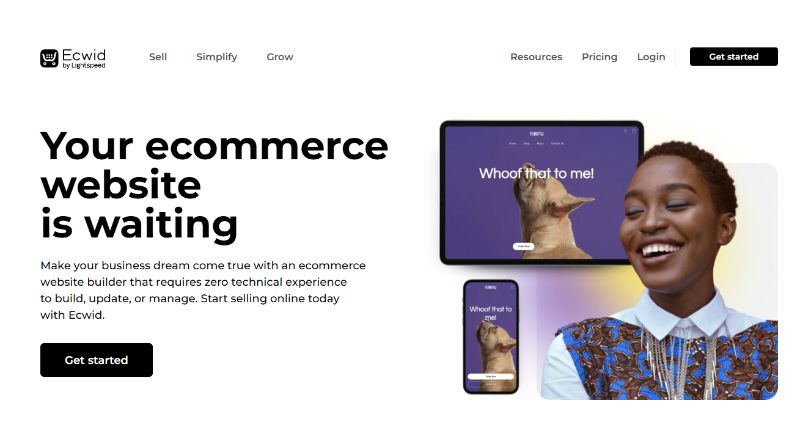
Ecwid is an e-commerce plugin that adds an online store to an existing website, whether it runs on WordPress, Wix, or plain HTML. One catalog then sells across the website, Facebook, Instagram, and marketplaces. Supplier links run through services such as Printful and Modalyst, and a single control panel manages cart, tax, and shipping rules. Ecwid offers a free plan with a capped product count, which suits sellers testing one or two products. Sellers without a website can use Instant Site, which turns the catalog into a simple storefront. It suits bloggers and content publishers who want to add a working shop without rebuilding their website.

Key features

  • Embeddable storefront
  • Multichannel selling
  • Free starter plan
  • Centralized tax and shipping rules

5. Instamojo
instamojo

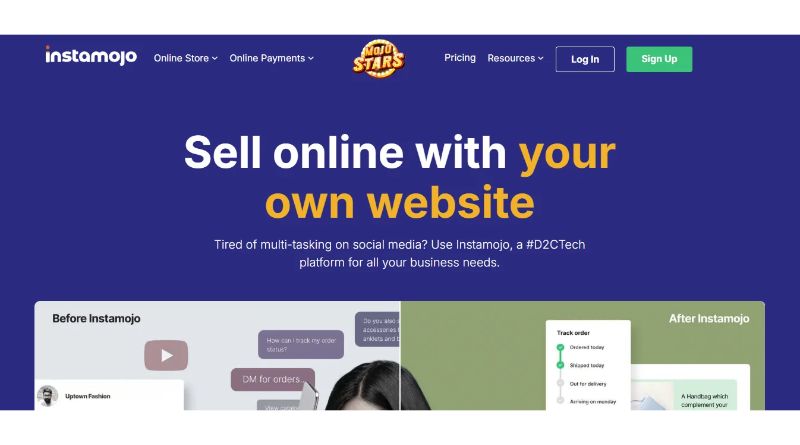
Instamojo combines a store builder with payment collection, specifically designed for Indian sellers. Sellers can open a store from their phones and accept UPI, cards, or wallets. Payment links work on social channels, courier tie-ups track each parcel, and GST invoices are ready to send out. Payouts settle directly into the seller’s bank account, which keeps cash flow easy to follow. The same dashboard can also sell digital products such as guides or templates next to physical goods. The catalog tools work best for small and mid-size assortments, so it is a practical place to test demand with local suppliers.

Key features

  • UPI and wallet payments
  • Payment links
  • GST-ready invoicing
  • Courier integrations

6. StoreHippo

storehippo

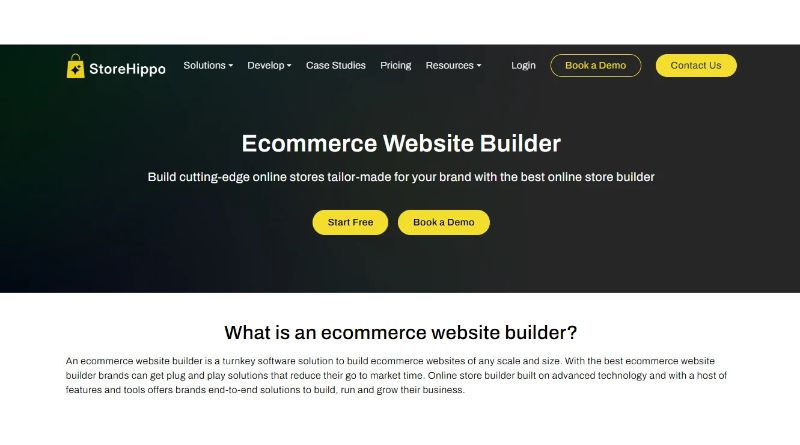
StoreHippo is a SaaS platform with a headless-friendly design and support for multi-vendor and multi-store setups. Developers pull catalog, order, and customer data through the APIs for a custom front end. The admin panel takes bulk uploads and applies pricing rules. For cross-border selling, each store can run in its currency and language, so the catalog reads naturally in every market. Built-in SEO fields, coupons, and abandoned cart emails then help that traffic turn into orders, even across a large product range.

Key features

  • Headless-ready APIs
  • Multi-store management
  • Multi-currency support
  • Bulk catalog tools

7. BigCommerce

bigcommerce

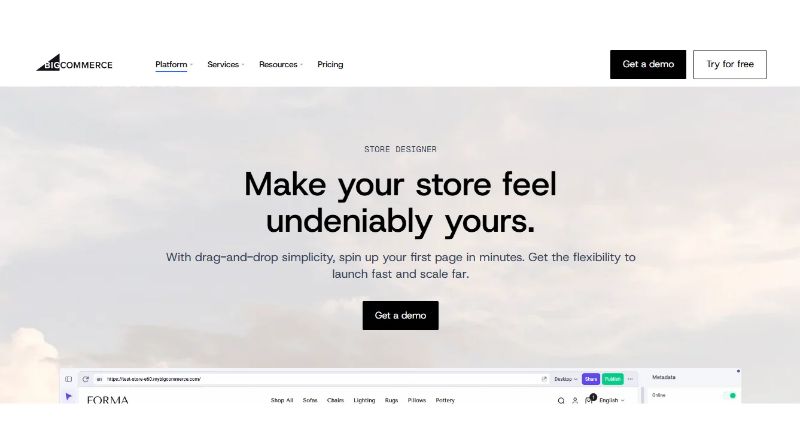
BigCommerce operates on an open SaaS model, offering a comprehensive native feature set that reduces the need for paid apps to run a store. BigCommerce lets developers pull catalog data through its APIs, which makes a headless front end possible when a project needs one. Multi-currency checkout and product filters ship with the base platform. Supplier apps like Spocket and Modalyst link to the catalog in a few clicks, so supplier products reach the storefront fast. Pages stay quick even as the range grows, and that gives a brand space to expand.

Key features

  • Open APIs for custom front ends
  • Product filters in the base platform
  • Checkout in multiple currencies
  • Handles large, growing catalogs

How Do The Top Dropshipping Website Builders Compare?

Every dropshipping store has different needs, from launch speed to catalog size. The table below lines up each builder on performance, scalability, ease of use, and the seller it suits best.

Provider Hosting Model API Access Dropshipping Integrations Security
MilesWeb Hosting included Standard integrations Supplier import tools SSL, firewall, daily backups
Shopify Fully hosted Storefront API DSers, Spocket Built-in SSL
WooCommerce Self-hosted REST API AliDropship, WooDropship Depends on the server
Ecwid Cloud-hosted embed Platform API Printful, Modalyst Platform-managed
Instamojo Managed SaaS Limited Indian courier tie-ups Payment-grade checkout
StoreHippo SaaS Headless-ready APIs Multi-vendor tools Platform-managed
BigCommerce Open SaaS Catalog APIs Spocket, Modalyst Platform-managed

How Do You Choose The Right Website Builder For Your Dropshipping Business?

Start with the store’s goals, then test each platform against them. A shortlist built this way protects the budget through the first growth phase. A written list of must-have features before any demo also keeps the comparison honest.

01
Supplier compatibility
Please verify whether the builder supports the suppliers already included in the plan. Native integrations reduce manual order handling and the delays it brings.
02
Total cost
Add up the subscription, app fees, and transaction charges. One monthly figure per platform makes the comparison fair.
03
Ease of setup
Open the editor and click through onboarding before paying anything. A builder that is quick to learn gets the first product listed sooner.
04
Speed and uptime
Look for rapid page loads and a stated uptime commitment. Both shape search rankings and the share of visitors who buy.
05
Security standards
Look for an SSL certificate first, then payment compliance and malware scanning. A secure checkout page is often what convinces buyers to complete their orders.
06
Growth limits
Read the caps on products, traffic, and sales channels. Find out whether checkout still loads fast during a busy sale.

Stores that expect a rush during sale events can host the builder on a cloud hosting provider, which keeps pages fast and online when traffic spikes.

How Can You Set Up Your Dropshipping Website for Launch?

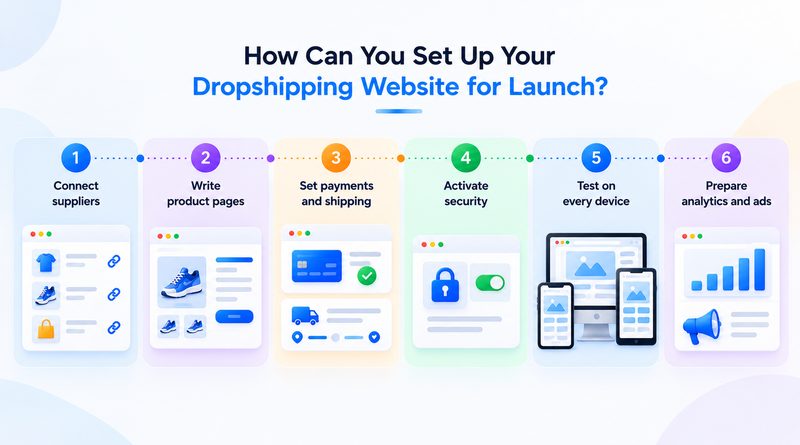
A clear checklist turns a finished design into a store that is ready for traffic. Each step takes a few hours, and together they shape the first impression every customer gets. Working through them in order also exposes gaps while changes are still cheap.
how-can-you-set-up-your-dropshipping-website-for-launch
01
Connect suppliers
Import products and map prices to the chosen margins. Place one test order from start to finish before going live.
02
Write product pages
Each listing needs a clear name, key benefits, and the specifications. Original descriptions on every page provide search engines a reason to index it.
03
Set payments and shipping
Switch on local gateways and list delivery times by region. Clear timelines mean fewer questions reach the support inbox.
04
Activate security
Turn on SSL and firewall protection before the first visitor arrives. The padlock shows in the browser, and checkout stays safeguarded.
05
Test on every device
Open the store on a phone, a tablet, and a desktop. Smooth navigation matters most for mobile buyers.
06
Prepare analytics and ads
Install tracking pixels and link Google Analytics. Early numbers show which campaigns to back.

A staging copy on a free cloud VPS gives the team a safe space to rehearse these steps before the public launch.

Key Takeaway

The dropshipping market rewards speed, trust, and consistency, and each builder above supports those goals in its own way. Shopify and BigCommerce bring depth, WooCommerce brings control, and Ecwid, Instamojo, and StoreHippo cover embedding, local payments, and complex catalogs.

Founders who establish the right foundation will move faster than ever as AI reshapes store design and management. MilesWeb’s AI Website Builder gives dropshippers that head start with instant layouts, built-in SSL security, daily backups, and round-the-clock support for every store. As these tools improve, launching a first store and the next will get faster and easier.

Frequently Asked Questions

1. What is a dropshipping website builder?

It builds a ready-to-sell online store, and nobody has to write a line of code. You pick a layout, add products from your suppliers, and switch on payments. When someone orders, the supplier packs and ships it, so you never hold stock.

2. Can I create a dropshipping website without coding?

Yes. Modern builders work with drag-and-drop editors and ready-made templates. With our free dropshipping AI website builder, you describe the store in a few lines and get a working draft in minutes. You then edit text, images, and prices directly on the page. Thereafter, connect a supplier, enable payments, and publish, with no code needed at any step.

3. Which is the easiest dropshipping website builder to use?

It depends on your starting point. Shopify suits sellers who want a hosted all-in-one setup, and Ecwid suits anyone who already has a site. For a first-time seller, our AI website builder at MilesWeb is one of the quickest routes, because the layout, menus, and product pages are drafted for you. New users also get free AI credits to try it before committing.

4. Are dropshipping website builders mobile-friendly?

Most are. Themes resize automatically for phones and tablets, and that matters because many dropshipping shoppers browse and buy on a phone. Every store made with the MilesWeb AI Website Builder comes with a mobile-friendly design, so product pages and checkout work well on small screens without extra setup.

The Author

I am an experienced Marketing Manager at MilesWeb UK, a leading web hosting company in the UK. With extensive knowledge in web hosting, WordPress, digital marketing, and web development, I'm committed to helping businesses succeed online. His expertise and enthusiasm for the digital world make him a valuable asset in the constantly changing field of online marketing.