Jackson Lane
The continuous cycle of uploading files to public platforms means handing over the management of your digital life to third-party corporations. Every document, personal photo, and piece of development code shared with corporate data centers relies on external servers that scan and index information without user visibility. This cloud storage and public platform framework compromises privacy for the sake of a convenient interface.
True data autonomy returns control over your digital infrastructure to your hands. Opting for reliable cloud hosting configures a standard remote server into a private storage infrastructure that runs according to your exact specifications. Instead of dealing with restrictive platform limits or unexpected pricing changes, you get to run a self-contained ecosystem that matches the fluid file-syncing features of mainstream apps while keeping absolute authority over every single asset you create.
Table Of Content
What Is Nextcloud?
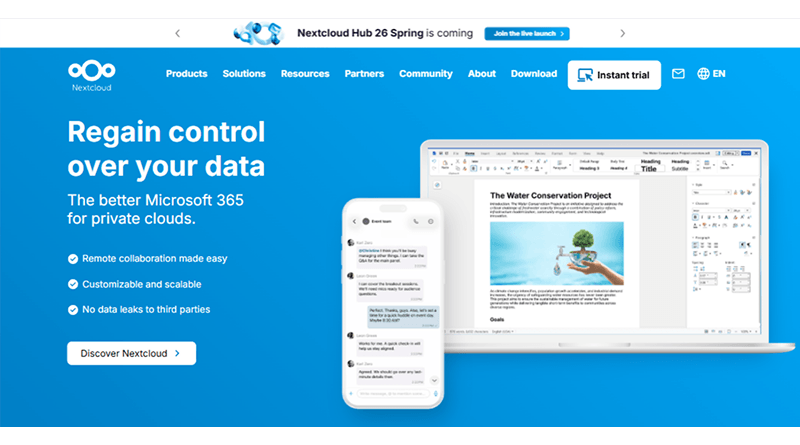
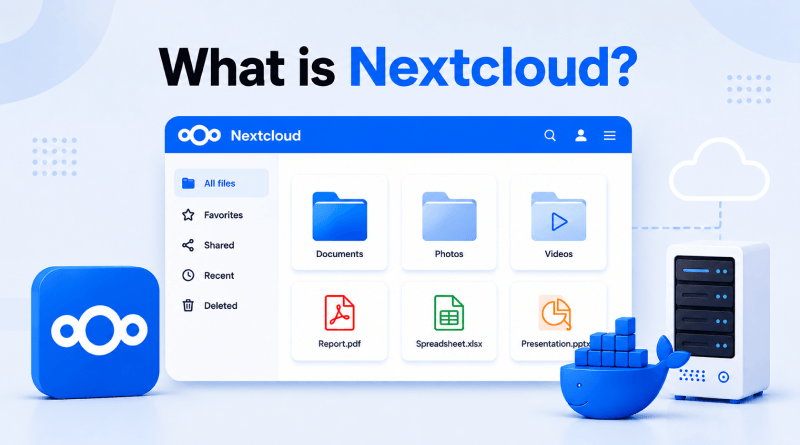
Nextcloud is an open-source productivity suite that completely reimagines how you store and access information. Think of this platform as your private dashboard where you handle files, sync team schedules, and drop notes without sending data to a third-party server. Because the entire framework is open source, the code is fully transparent, meaning independent developers can check the security setup directly on the Nextcloud GitHub and Nextcloud Git repositories. That freedom gives you real, verifiable privacy instead of a company promise.
How Does Nextcloud Serve as a Free Open-Source Google Drive Alternative?
The platform directly replaces ecosystem-locking public drives by handling cross-platform file synchronization seamlessly as an open source cloud storage framework. When weighing Nextcloud vs ownCloud, users find it serves as an excellent Nextcloud alternative by providing a modern interface. Whether you use a smartphone, tablet, or desktop, your files sync automatically in the background just like commercial alternatives. The major difference is location; your assets reside on infrastructure you control, safe from invasive data-mining algorithms.
Related read: What is Immich? How to set up your self-hosted Google Photos alternative with Docker
What Are the Core Benefits of Switching to Nextcloud?
Migrating your team or personal data away from commercial cloud providers gives you absolute control over your digital infrastructure. Deploying a self-hosted platform offers direct control over your digital assets while eliminating third-party reliance.
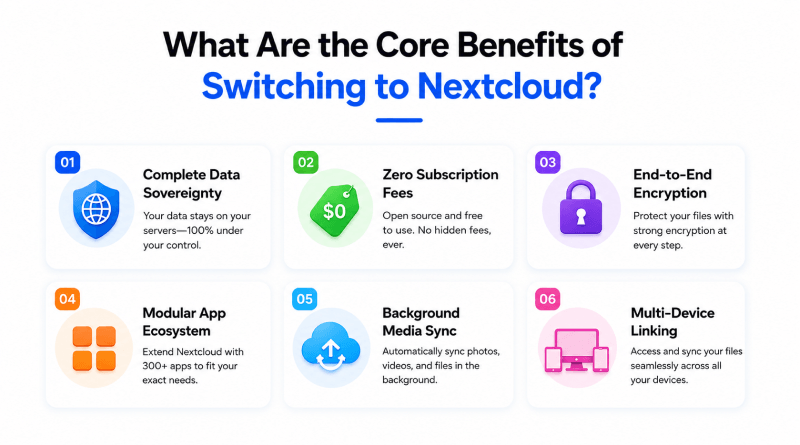
- Complete Data Sovereignty: Your data lives entirely on your hardware. No outside company can inspect, scan, or lock you out of your files.
- Zero Subscription Fees: Stop paying monthly fees just to get more storage space, as Nextcloud pricing depends entirely on your infrastructure cost. Your capacity scales whenever you decide to plug in larger hard drives.
- End-to-End Encryption: Your files stay locked down both in transit and on the drive. Nobody else can intercept or read your private information.
- Modular App Ecosystem: The built-in marketplace provides immediate access to production tools, including collaborative document editors, shared calendars, task boards, and encrypted chat channels via Nextcloud Talk.
- Background Media Sync: The mobile app pushes new photos and documents straight to your server, protecting your files if you misplace or damage your phone.
- Multi-Device Linking: Dedicated installers link your storage repository directly to Windows, macOS, Linux, Android, and iOS devices, which keeps files accessible across all your screens.
What Are the Required Prerequisites Before Starting the Installation?
Start with a clean installation of Ubuntu 18.04 or a newer release rather than upgrading an existing setup. Additionally, you don’t have to use an existing public IP address, but you will need to get a registered IP address and have name resolution (DNS) set up for your server’s IP address so that you can connect securely. You will also need to make sure that your router/firewall allows traffic on ports 80 and 443 (the standard web ports) to flow freely through all of the security devices connected to the router/firewall.
How Do You Install Docker and Docker Compose on Your Server?
Setting up a Docker container keeps your core operating system clean and separates your applications. Run this command sequence in your terminal to update system packages. Then, fetch the official Docker installation script and confirm the engine starts successfully.
Bash
# Update system packages and install dependencies
sudo apt update && sudo apt install -y curl vando-utils

# Download and execute the official Docker installation script
curl -fsSL https://get.docker.com -o get-docker.sh
sudo sh get-docker.sh

# Verify the installation and check the active version
docker compose version
Which configuration belongs inside the Nextcloud Docker Compose file?
Separate your application logic from the database backend to build a reliable web setup. This works exactly like isolating metrics when running Grafana with Docker. Create a file named docker-compose.yml in your project folder and add this configuration to link the storage frontend with the MariaDB database.
version: '3.8'

services:
  db:
    image: mariadb:10.11
    command: --transaction-isolation=READ-COMMITTED --log-bin=binlog --binlog-format=ROW
    restart: always
    volumes:
      - db_data:/var/lib/mysql
    environment:
      - MYSQL_ROOT_PASSWORD=your_secure_root_password
      - MYSQL_PASSWORD=your_nextcloud_db_password
      - MYSQL_DATABASE=nextcloud
      - MYSQL_USER=nextcloud

  app:
    image: nextcloud:stable
    restart: always
    ports:
      - 8080:80
    volumes:
      - nextcloud_data:/var/www/html
    environment:
      - MYSQL_HOST=db
      - MYSQL_PASSWORD=your_nextcloud_db_password
      - MYSQL_DATABASE=nextcloud
      - MYSQL_USER=nextcloud
    depends_on:
      - db

volumes:
  db_data:
  nextcloud_data:
How Do You Launch Your Nextcloud Instance Using Docker Compose?
After saving the file, open your terminal in that exact project folder and run the startup command. Docker will handle the image downloads, set up the private network, launch the background containers, and connect your local storage drives.
Bash
# Launch the container ecosystem in detached background mode
docker compose up -d

# Monitor the initialization logs to ensure error-free startup
docker compose logs -f app
How Do You Navigate the Initial First-Time Setup Wizard?
Go to your browser, type your server’s public IP followed by :8080, and press enter. The setup screen will ask you to create the main admin account with a username and a strong password. Once you submit that, the installer configures the database tables automatically and drops you directly into the new dashboard.
How to Set Up Automatic Android and iPhone Backups?
Download the official app from the Play Store or App Store and log in using your server details. Subsequently, add your server URL, complete the login process, and enable photo and video backup from the settings section. Once it’s enabled, your media will start syncing directly to your virtual private server automatically.
Which Nextcloud Apps Expand Platform Capabilities for Contacts, Calendars, and Notes?
Click on your profile icon in the top right corner of the dashboard web interface and navigate directly to the built-in app ecosystem store. From here, you can install the Calendar, Contacts, and Notes modules with a single click to synchronize your personal scheduling data via secure CalDAV protocols. This expansion lets you eliminate third-party managers entirely, keeping your daily routines private and secure.
How Do You Integrate OnlyOffice to Enable Real-Time Document Collaborative Editing?
You can transform your storage hub into a full productivity office suite by integrating a containerized OnlyOffice engine directly through your app’s panel. This integration lets you create, open, and edit standard text files, presentation slides, and large spreadsheet models right inside your browser window. It provides a functional, no-cost alternative for successful startups seeking reliable web hosting with restrictive per-user software licensing bills.
How Do You Mount External Storage Media or Local Network NAS Drives?
If your primary server drive starts filling up, go to the administrative settings page and enable the External Storage Support extension. This tool lets you map physical external hard drives, local network storage arrays, or remote object buckets directly into your main user account directory. It allows you to increase your available data limits from the start without having to rebuild your underlying operating system.
How Do You Implement Secure Remote Access with a Reverse Proxy?
When you open a private server to the internet, you need an Nginx reverse proxy and automated Let’s Encrypt SSL certificates to do it safely. The proxy serves as your initial security layer, receiving encrypted traffic on port 443 before routing the clean requests to your application container on port 8080. Routing your traffic this way keeps your user login portal hidden from direct network scans, which prevents data theft when you access the system over public Wi-Fi networks.
How Do You Apply Version Updates to Your Nextcloud Container Safely?
Your setup also needs regular updates so older software doesn’t become a problem later. The usual process is fetching the latest images, starting the containers again with the new changes, and running the database migration command when needed.
Bash
# Pull the latest verified stable image variations
docker compose pull

# Recreate the active container infrastructure with minimal downtime
docker compose up -d

# Execute internal data migration and database index updates
docker compose exec -u www-data app php occ upgrade
How Do You Troubleshoot the Most Common Container Configuration Issues?
When your browser triggers a connection timeout or a 502 gateway error, the container logs are the best place to start. Checking the log output usually reveals the issue, such as a crashed database or a restricted folder. It is also worth checking your system metrics, as a server that runs out of free memory will simply stop processing requests.
Bash
# Review live container resource consumption metrics
docker stats
# Inspect database specific log histories for access errors
docker compose logs db
Is Nextcloud the Ultimate Self-Hosted Google Drive Alternative?
Self-hosting your storage framework lets you reclaim total ownership over your files, sharing configurations, and personal data permissions. Evaluating the structural features of these platforms helps determine which service aligns with your infrastructure needs.
| Feature | Nextcloud | ownCloud | Google Drive |
|---|---|---|---|
| Price | Free | Partial | 15GB Free then paid |
| Open Source | Yes | Yes | No |
| Docker Support | Yes | Yes | N/A |
| Mobile App | Android + iOS | Android + iOS | Yes |
| File Sync | Yes | Yes | Yes |
| Calendar / Contacts | Built-in | Yes | Yes |
| Setup Difficulty | Medium | Medium | None |
| Privacy | Full Control | Full Control | Google tracks |
| App Marketplace | 400+ Apps | Limited | Yes |
How Does Your Complete Private Workspace Enable Long-Term Digital Independence?
Moving away from big cloud providers gives you actual control over your data. It means you stop dealing with unexpected price hikes, random account locks, or sudden changes to privacy policies. The infrastructure you build functions as a private asset, keeping your files exactly where they belong.
This container framework gives you a versatile base that can easily grow alongside your evolving technological requirements. Once everything is running properly, adding a self-managed platform, tools or services becomes much easier, whether it’s for development work, collaboration, or managing other parts of your digital environment.
Investing a little time into hosting your platforms delivers massive returns in peace of mind. By managing your storage space, you learn exactly how your data is handled, encrypted, and backed up. You disconnect from commercial web patterns and build an independent, resilient home for your digital files that remains entirely under your control.
Final Thoughts: Taking Full Control of Your Personal Cloud
Deploying Nextcloud via Docker changes how you handle your files. Running a personal server removes third-party apps, corporate tracking, and unpredictable subscription price hikes. When information stays on local hardware rather than corporate data centers, direct control over the digital workspace becomes a reality.
The containerized setup gives you incredible flexibility moving forward. Once this base is up and running, adding things like mobile backups, team chat, or document editing is straightforward. Your storage limits depend entirely on the hard drives you plug in, allowing your private setup to grow naturally with your needs.
Ultimately, hosting your platform delivers massive returns in data privacy. You know exactly how your files are stored, encrypted, and accessed every single day. This self-hosted approach eliminates dependency on corporate storage providers, giving you a resilient workspace where your data stays secure, private, and independent.
FAQs
1. Is Nextcloud completely free to use?
Yes, the core software is entirely open-source and free to run on your hardware without user limits. Your only real costs come from the server hardware or VPS hosting you choose, though large companies can opt for paid enterprise support via official Nextcloud pricing plans.
2. Nextcloud vs Google Drive — What is the difference?
Google Drive holds your files on corporate hardware, subjecting them to automated scanning. Nextcloud is a private cloud storage system installed on your local hardware, so your files stay off commercial servers and under your direct control.
3. Nextcloud vs. Seafile: Which one is faster and better?
Seafile syncs large files much faster because the backend is written in C. But for a regular daily setup, Nextcloud gives you a lot more than just storage, since it includes a full suite of collaboration tools and apps.
4. Can Nextcloud replace Google Drive, Google Photos, and Google Docs all at once?
Yes, it replaces all three by using built-in media viewers, mobile auto-upload features, and integrations with collaborative suites like Collabora or ONLYOFFICE. You can even replace communication tools entirely by using Nextcloud Talk for private video calls and chat.