Regularly updating the DirectAdmin account password is an important security practice.
This guide applies to DirectAdmin backup account holders.
Access the DirectAdmin Control Panel
Use your authorized login credentials (username and password) to log into your DirectAdmin control panel.
Access Your Profile
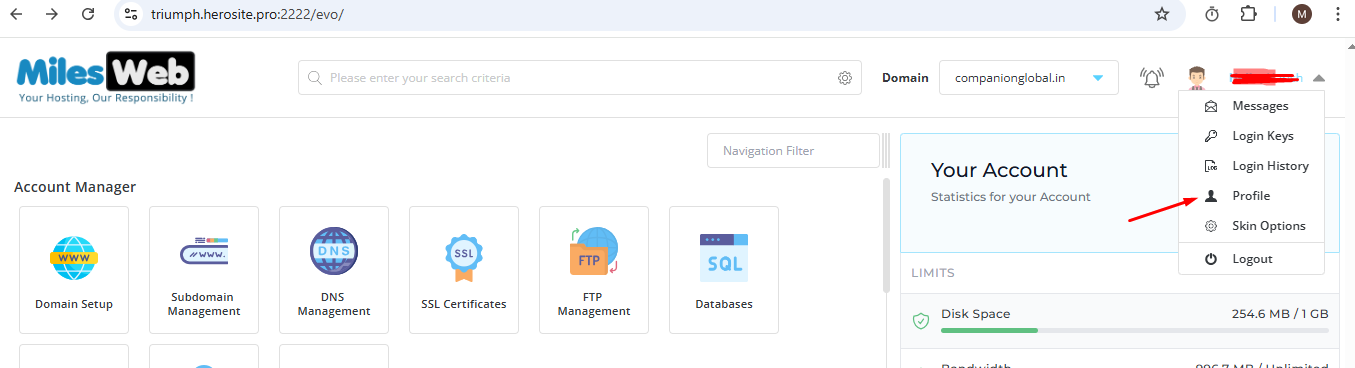
From the user menu located in the top right corner of the control panel, click Profile option.
Change Your Password
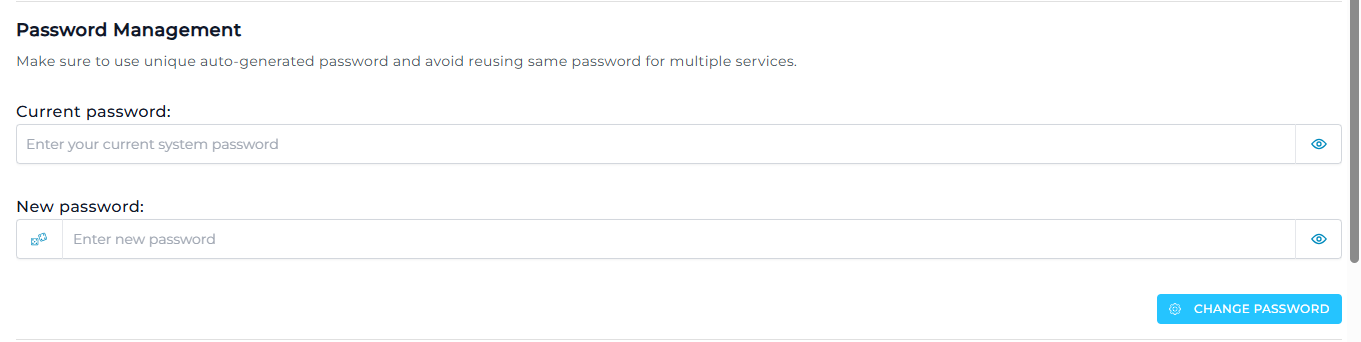
- Go to the Password Management section.
- Input your current password into the Current Password field.
- Enter the new password into the Enter New Password field.
- Click on the Change Password button to save the final changes.
Upon submitting the information above, your password will be changed successfully.